
Prevent accidental dropping of tools.
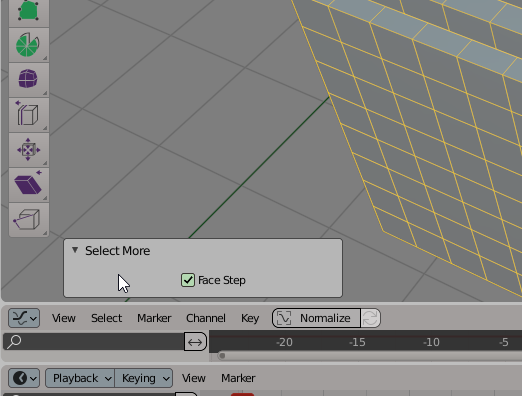
When clicking on the background of the tool options like under the pointer in the attached screenshot the tool is dropped in the same way as if one clicked in the 3d viewport leading to accidental drops when not quite hitting the buttons. It would be nice for the background to block clicks from dropping the tool. Thank you.
3 Comments
This has been fixed a while ago. Clicking on any panel does not trigger selection.
Marking as done.
Camera Icon near by clicking have the same problematic..
The same goes for clicking in between the location, rotation and location panel or more accurate, any other panel!