
Animation editors - Auto-deselect keys
The problem:
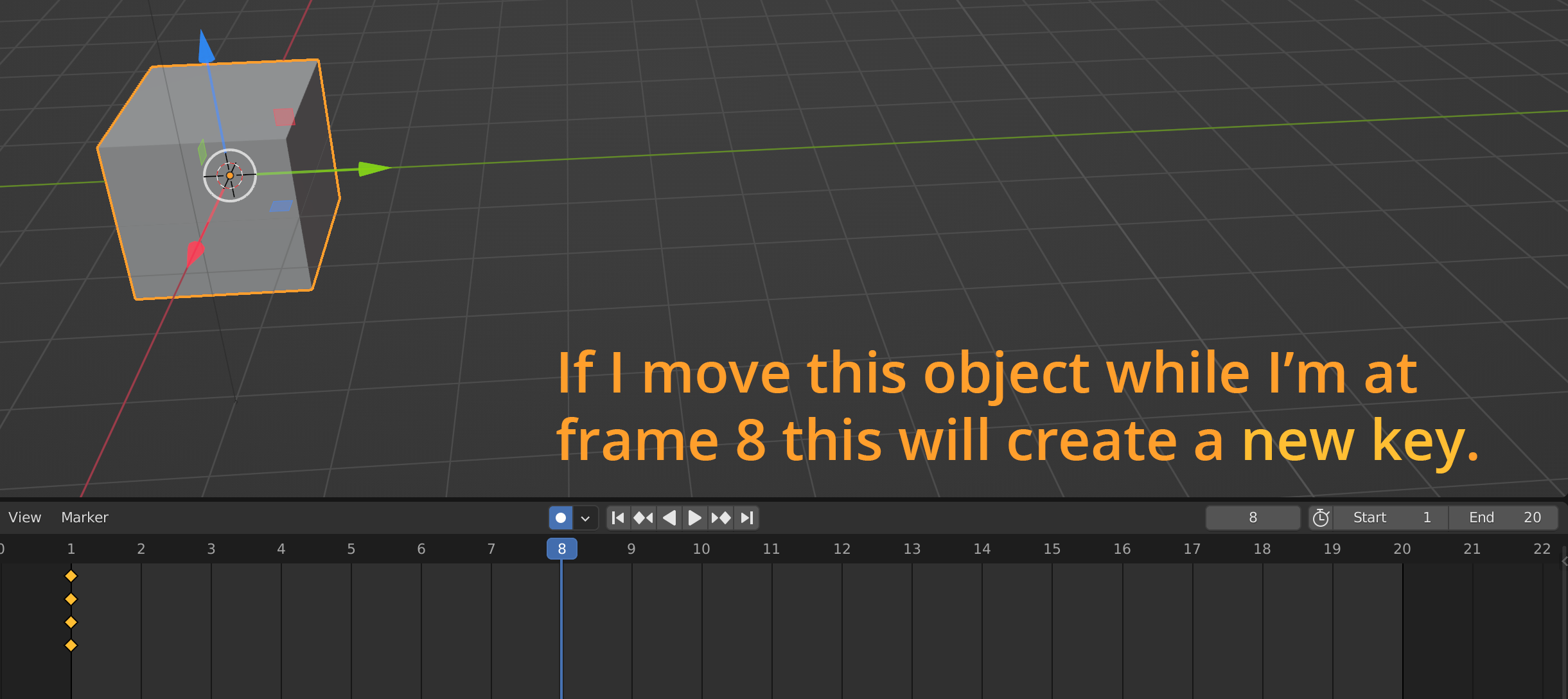
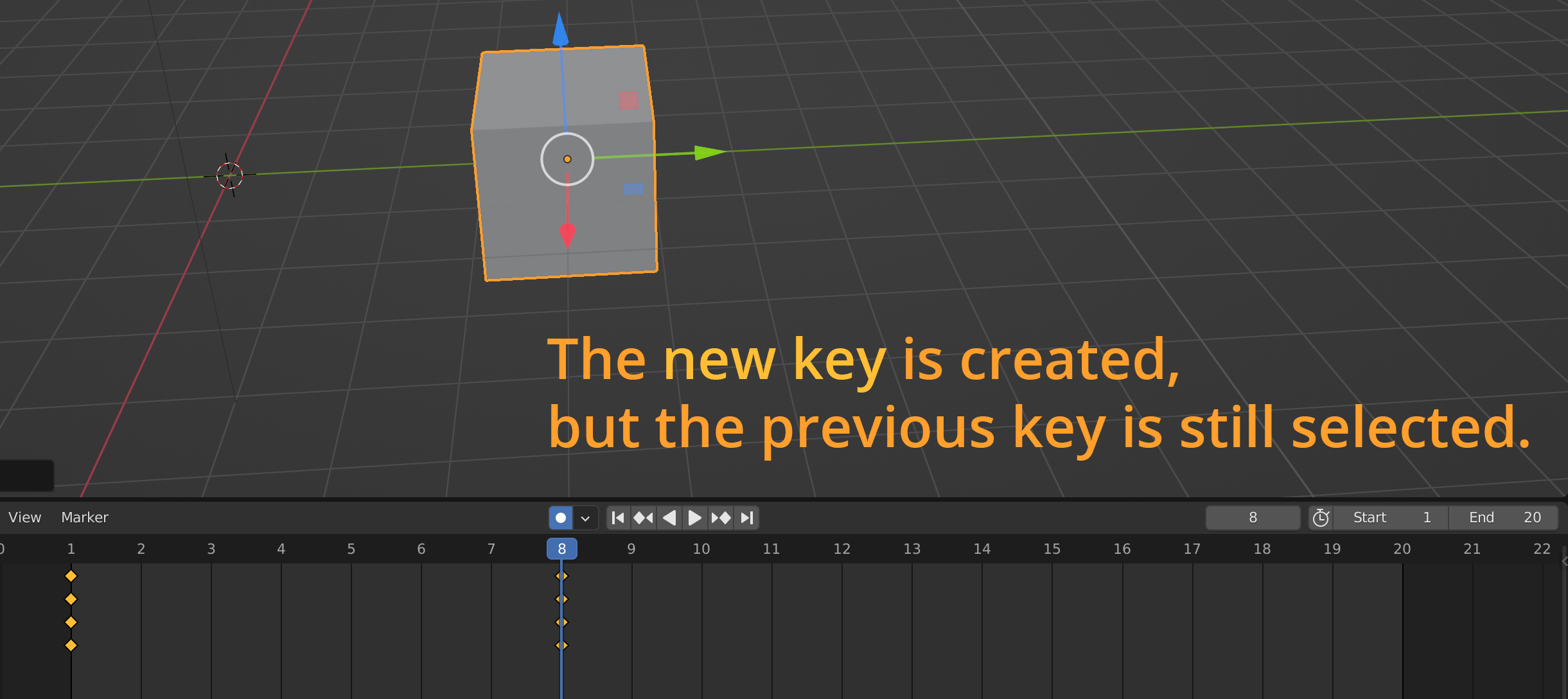
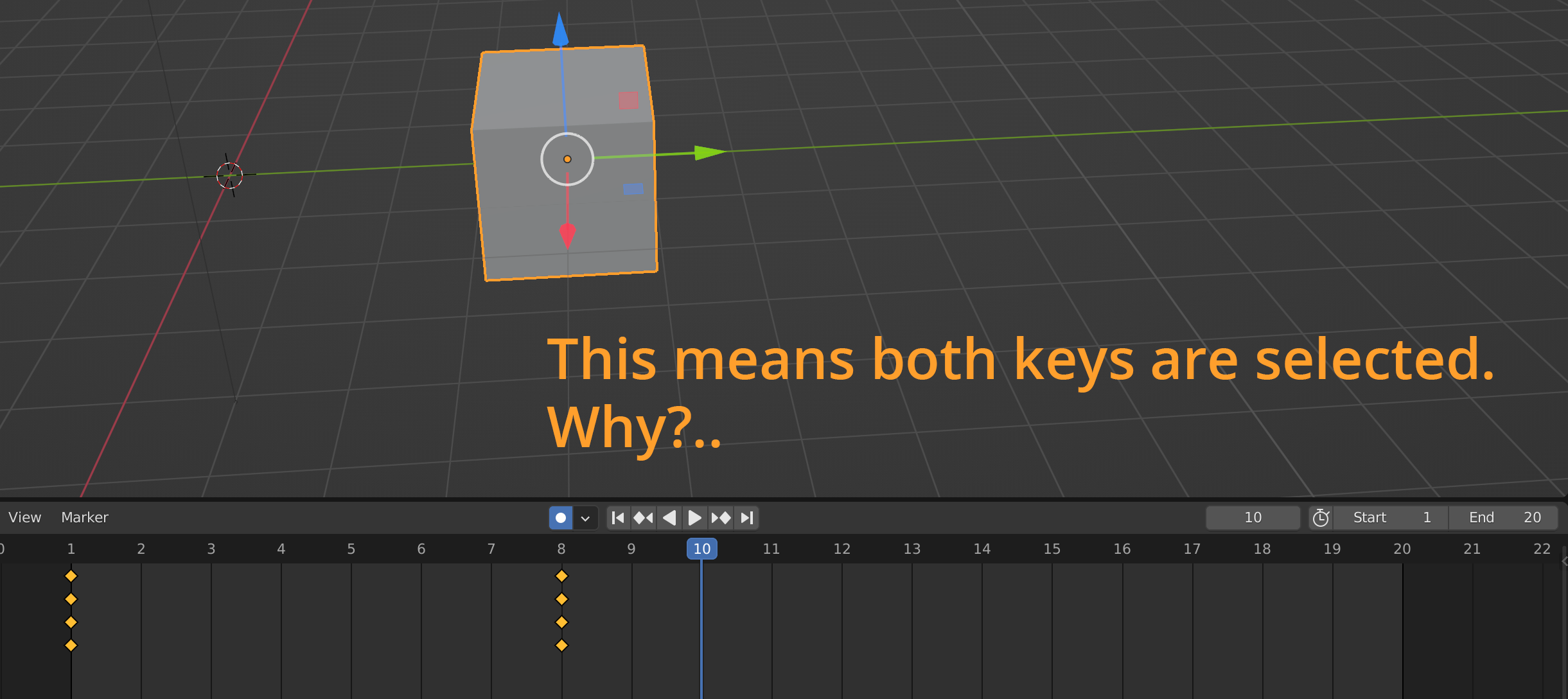
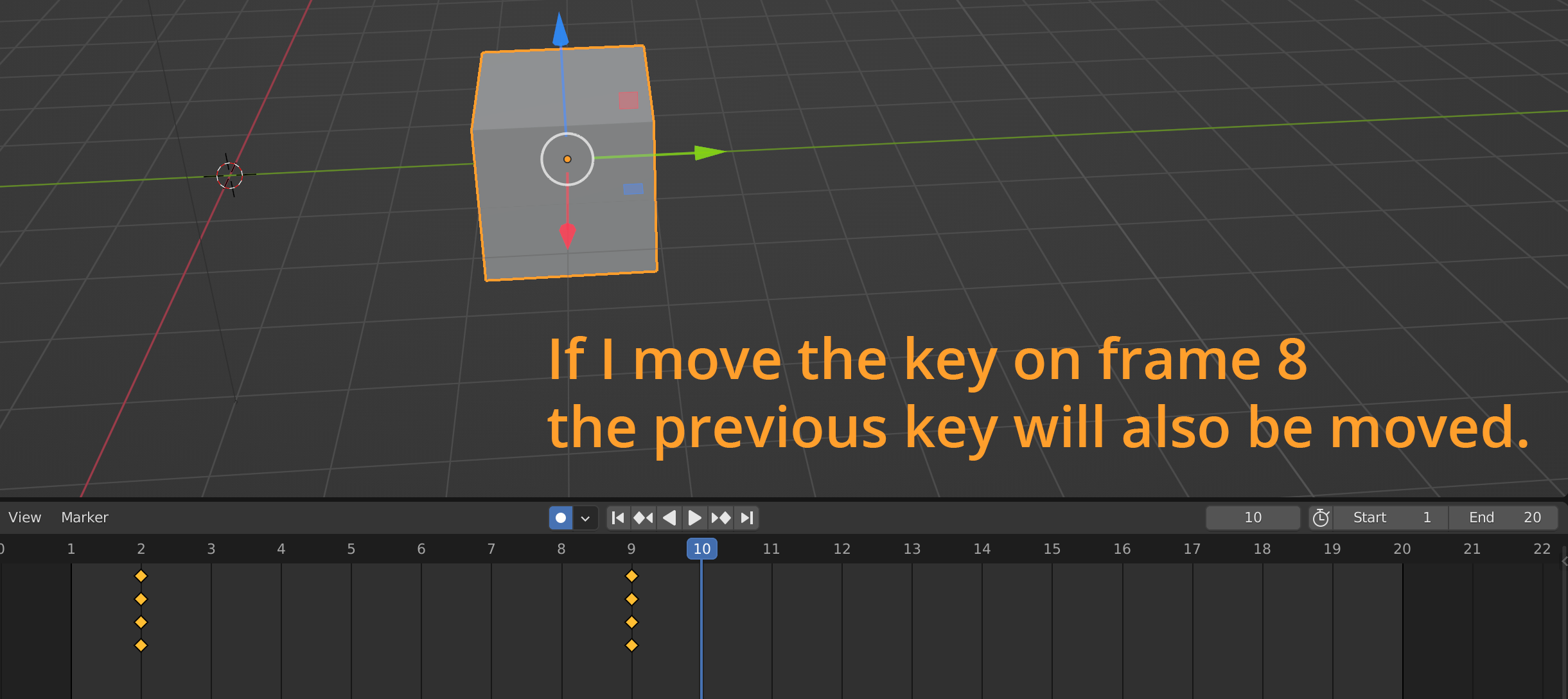
My suggestion/request:
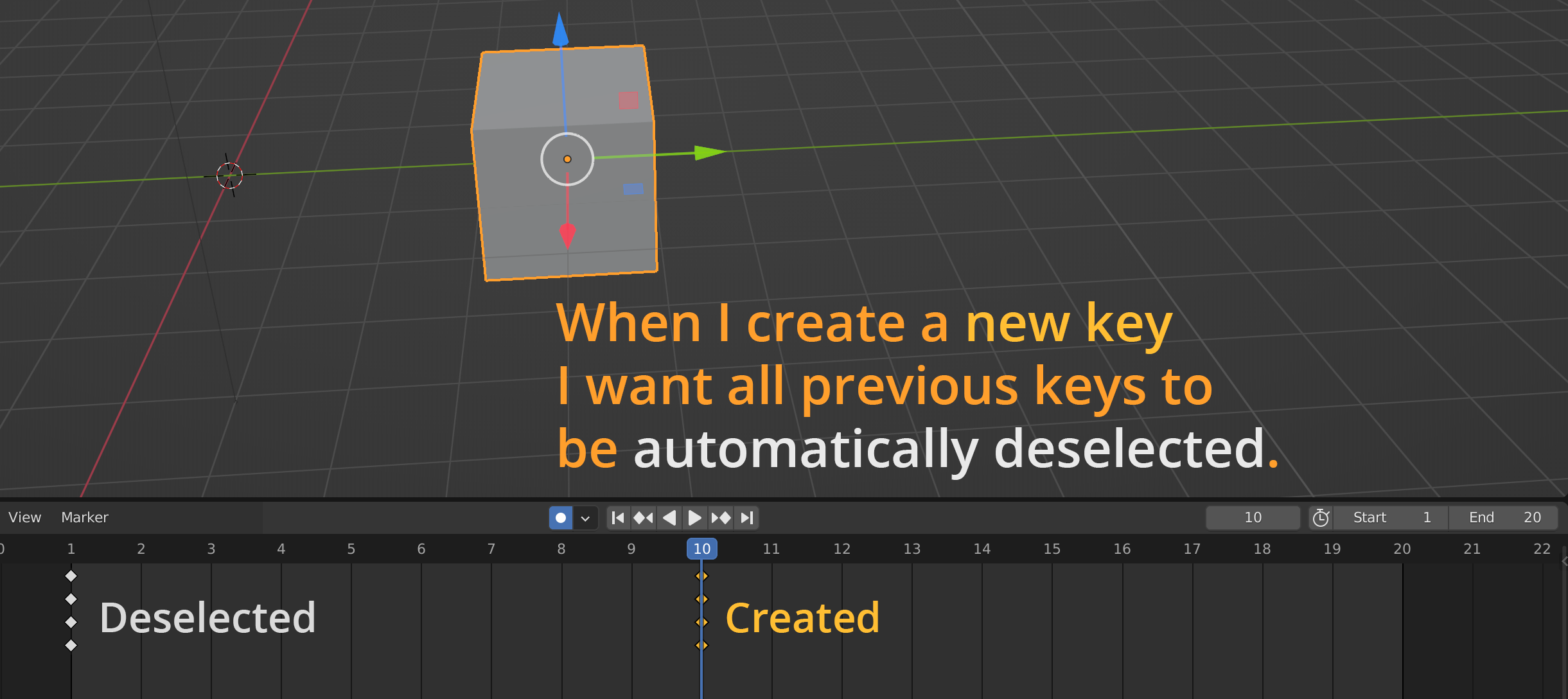
In detail:
I'd like to have at least the option to automatically deselect all previous keys when a new key is created.
Imagine if every time you created a new object in the 3d Viewport the previous object remained selected. That wouldn't make sense. So why do it in the animation editors?
To put another way, if I wanted to move multiple objects/keys I'd hold Shift and select the multiple objects I'd want to move in unison. It is a purposeful action- and it requires Shift to accomplish. What I wouldn't want is for Blender to automatically have selected all my previous objects in case I want to move them altogether at some point in the future. That workflow would be problematic, but it's the workflow that we have now in the animation editors, and it is inconsistent with the other aspects of Blender.
The real problem is that if you have keys offscreen that are still selected (because they weren't automatically deselected) and you create and move a key in your visible range, it will also move the keys offscreen.
I have never seen the benefit of why Blender does this, but I personally believe the new default should be to automatically deselect all previous keys when a new key is created , even if only to remain consistent with the rest of Blender's workflows.
Thanks for reading. Give an upvote if you agree.
0 Comments