
Quickly Search and Select objects in Viewport by Name
A search feature in the viewport. Uses the rename object UI, instead it searches for objects, curves, empties, etc; selectable objects in the viewport. Before typing in a search, use the functionality from geometry nodes so it displays the last 10 searches, or less, per blender file. After searching, make the selected object in the menu selected in both the viewport and outliner.
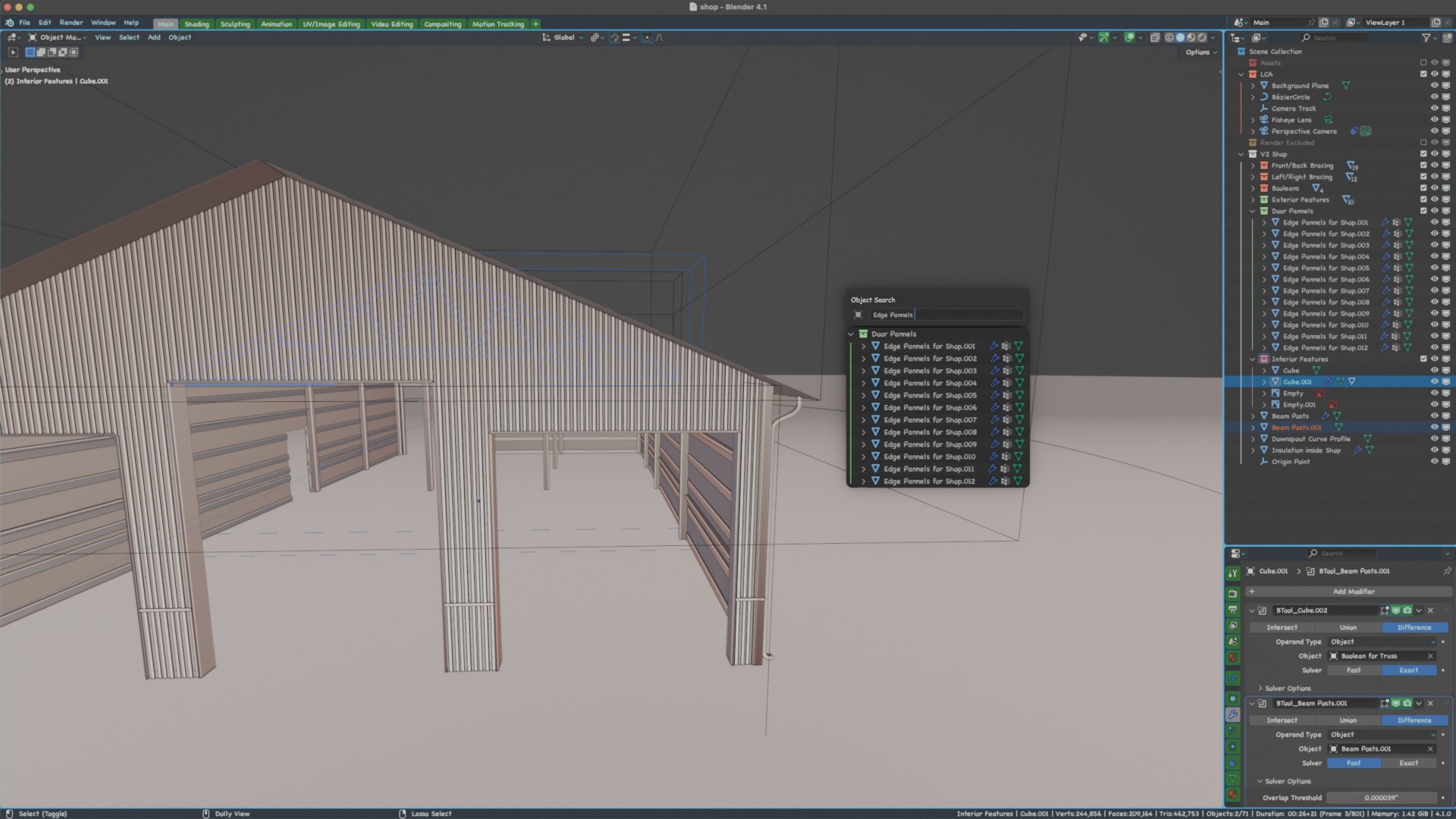 Show the object type (mesh, curve, etc), if it has children, modifiers, etc.
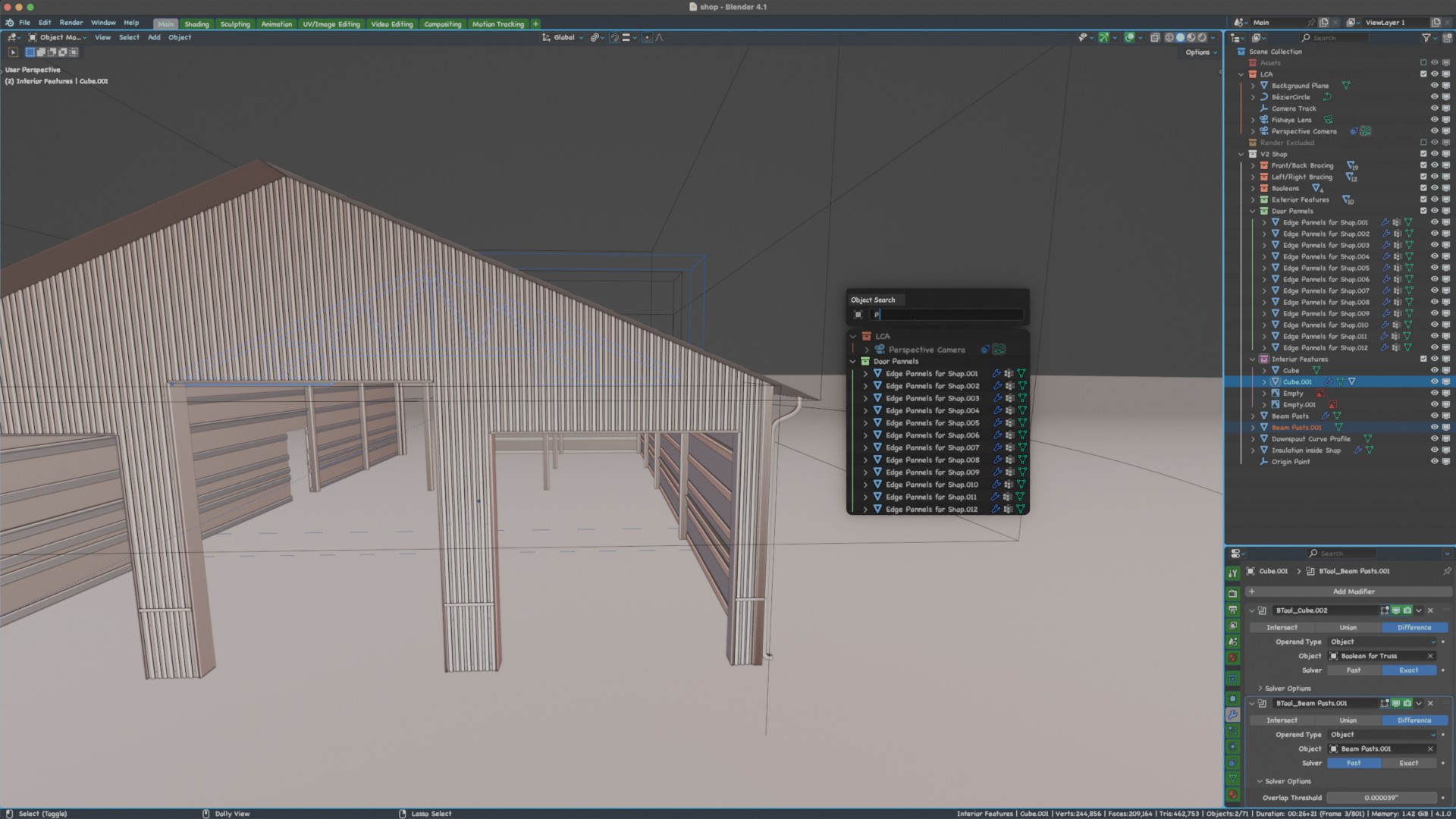
Thoughts/clarifications (edit): as in my idea image, show the collection that the objects reside from that are being searched. If multiple objects from different collections match the search then sort by closest match and if they have same match (example search for "p") list by the same hierarchy as in the outliner as shown in the following image:
2 Comments
Would be nice, although there are (paid) add-ons like this already (Amandeep's viewport search)
True although it would be a very useful tool to any creator in blender. Having easy access to this tool (and free) would make the blender workflow more streamlined.