
Add cube with origin at : Centre, Bottom, Corner
There should an option to add the object either at Object center, Object Bottom or Object corner. it is really helpful to quickly scale object for different purpose (See the image and video).
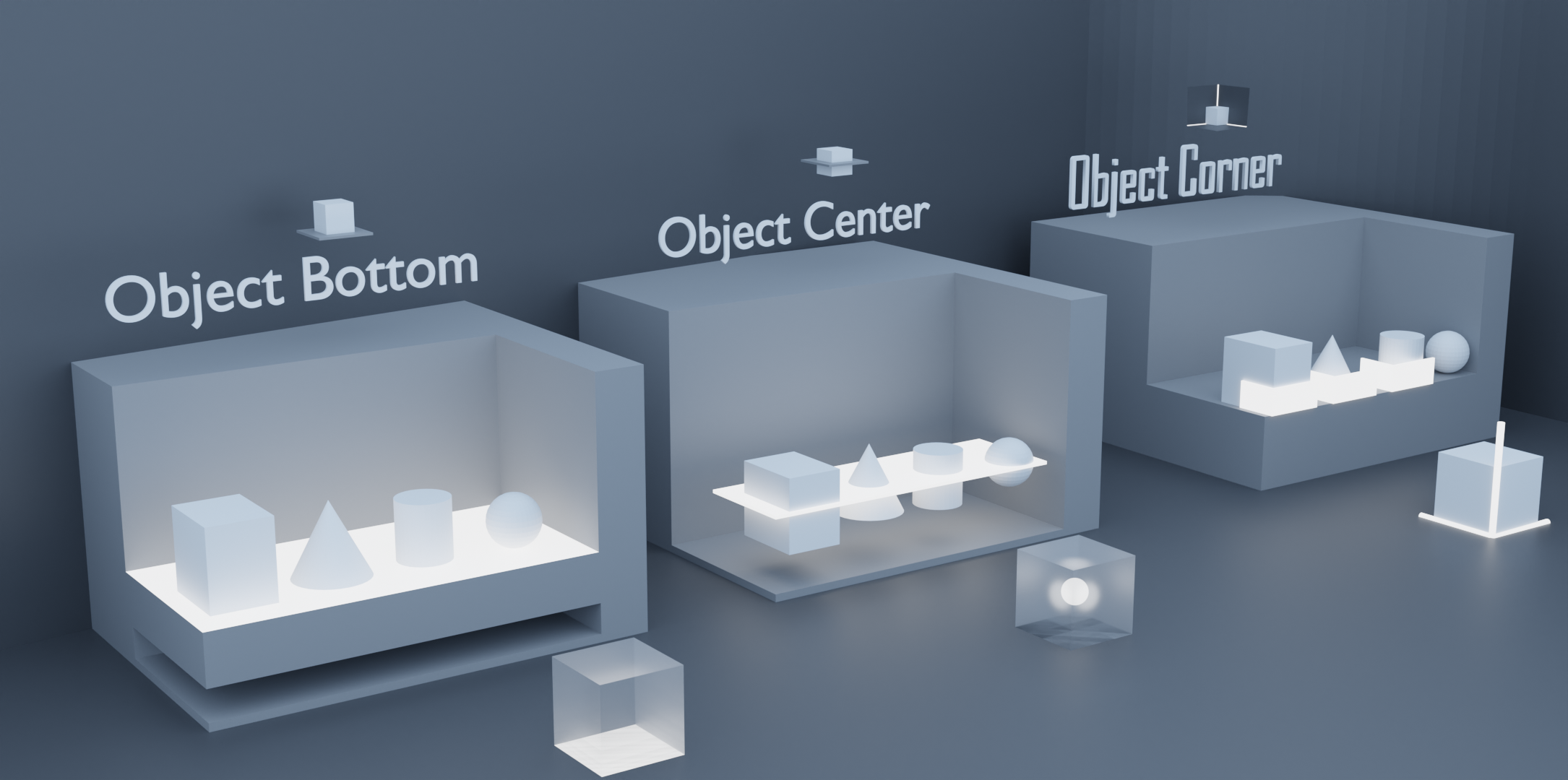 youtu.be/jybl0Qzmtjg
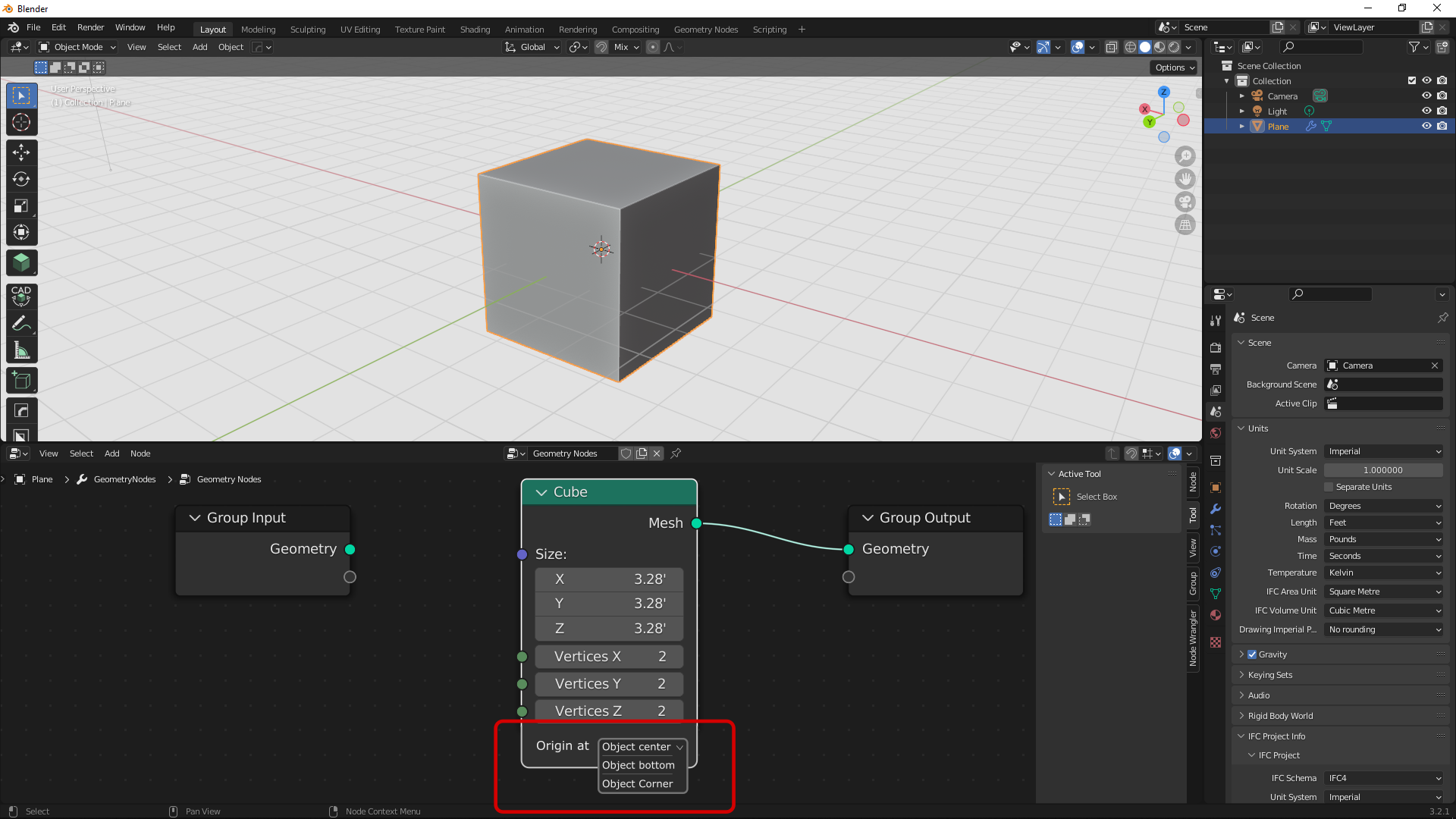
This behaviour can also be implemented in the primitives of geometry nodes for different needs.
3 Comments
Technically, there are 8 different corners and an infinite amount of "top" and "bottom" that people could use.
At the end of the day, the control you want is just to translate the geometry within the object, which can be done already, and has the advantage of being controllable by nodes and not exclusive to cubes.
The request didn't asked for an infinite amount of top and bottom, merely coordinate positions of the bounding box.
Which can be achieved within nodes, but you have to create a bounding box within the chain and then extrapolate from there.
Bro, if you have used scale cage tool, you will find that 27 points are there in terms of minimum (x minimum, y minimum, z minimum), center, maximum. i am talking about 3 different practical possibilities as i found useful using different softwares.
I know that using geometry nodes you can achieve anything but for such fundamental things it is redundant to setup those nodes each time.