
Make Fill Curve node work in 3D
If the Geometry Nodes Fill Curve node worked in 3D, it would open up a whole new modeling workflow.
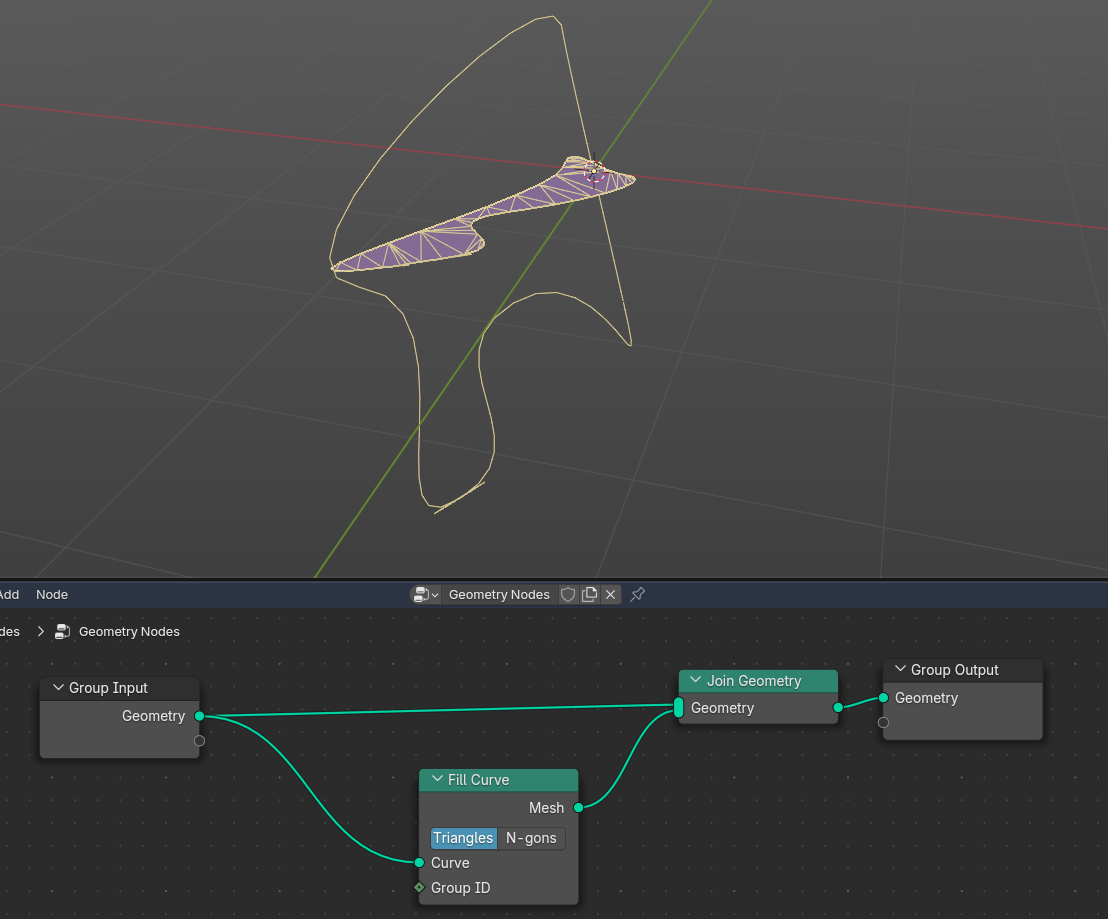
Currently, the Fill Curve node only creates 2D geometry, which severely limits the artist's abilities.
From documentation:
The Fill Curve node generates a mesh using the constrained Delaunay triangulation algorithm with the curves as boundaries. The mesh is only generated flat with a local Z of 0.
1 Comment
If your curve is "2D", rest on one plane, then you can Transform it to Z plane, fill it, and transform it back. Here is an example how: imgur.com/Jt4Oe7Z
If the curve is a “3D” curve, then this method will not work. But in my opinion, in that case the simple curve fill is not a suitable algorithm. Instead, some kind of patching is needed for good results.
It would be good if Curve Fill would work on any plane without extra nodes, but as it is possible to achieve it with other nodes, I think it is unlikely that it would be implemented. I have understood that the general guideline for node dev is to not add native nodes for stuff that is possible with current nodes.