
Inaccurate hitbox of axis gizmo in UV Editor
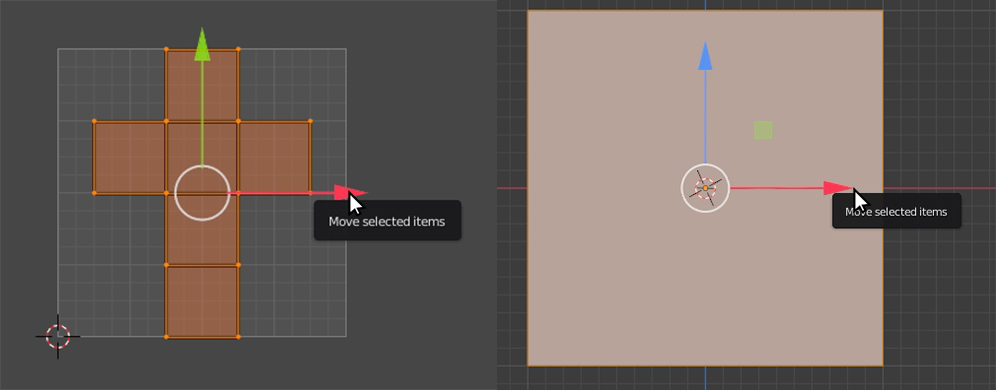
The hitbox of the axis gizmo is much smaller than the one in the 3D viewport which lead to many misclicks. The gizmo in the 3D Viewport you don’t even have to hover with the mouse directly above it, but the gizmo in the UV Editor does not even react when you hover on the tip of the arrow. My brain is smart enough to have muscle memory about where to click on the arrow, but it fails every time when I switch to the UV Editor. In the screenshot so see how far to the tip of the arrow I can go without loosing the focus of the arrow.
My screenshot tool did not capture the cursor, so I had to photoshop them into the picture, that is why it is not the original Blender cursor.
Make the hitbox of the axis gizmo in the UV Editor the same size as in the 3D Viewport.
4 Comments
seems more like a bug, why not submit a bug report?
Where do I do that exactly?
bug reports go here: developer.blender.org/maniphest/task/edit/form/1/
instruction video pablo put together: youtube.com/watch
I posted the bug, thanks! :) developer.blender.org/T89726