
"Disable procedural points overlay" option in "Grease Pencil Options" for "Edit Mode"
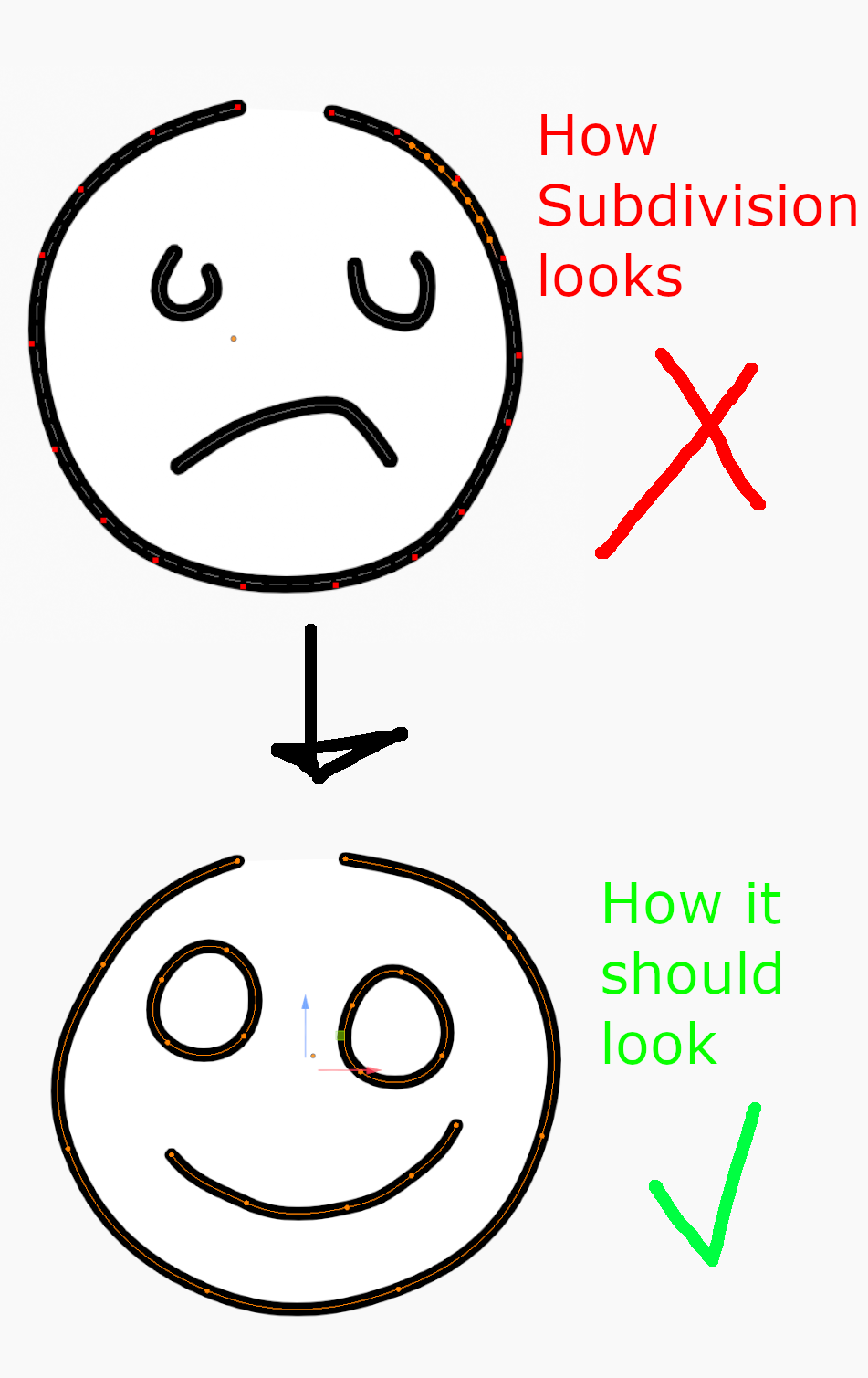
The generated points shown in "Edit Mode" when you add a "Subdivision Modifier" (top picture) or a "Geometry Node" with altered stroke point data are very hard to work with.
The artwork is barely visible underneath and the real stroke points can hardly be differentiated from the generated points. Even if you enable "Show stroke points" the small red dot are barely visible with art that uses red color and the artwork is hidden behind a clutter of procedural points.
With an option to hide the procedural point overlay it would look more like the bezier curves with automated weights and handles turned off (bottom picture) which is far easier to work with.
Please add an option to disable procedural points overlay in the "Grease Pencil Options" Menu in the top right corner in "Edit Mode". I would even suggest disabling procedural point overlay by default and adding a "Show procedural points" option instead as I'm sure most users would prefer that.
0 Comments