
Vertex Weight Proximity should take target object scale into account
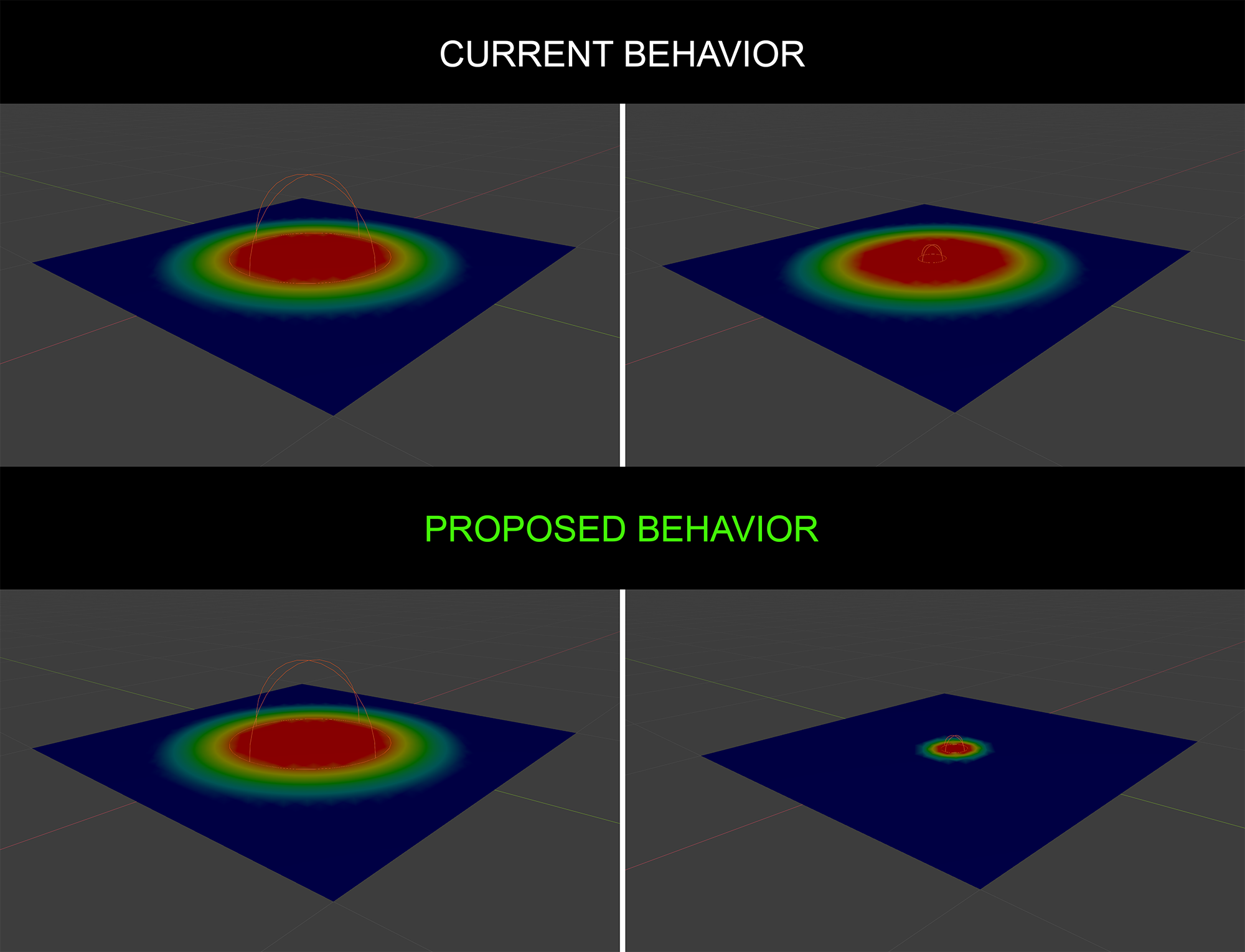
Currently with the vertex weight proximity modifier, in geometry mode, the weight is not affected by the scale of the target object, reducing the possibilities of proceduralism and forcing the user to tweak every time the lowest and highest amount. With the scale of the object changing the weight, the process would be more immediate, and the use of the lowest and highest amount would be to specify even more the falloff amount. It would be nice to have this behavior by default or as a toggleable option.
7 Comments
{attachment image857png}
Adding the ability to choose a collection in the vertex weight proximity Modifier would be also Great
Yah, I was just thinking about this. It also does not support multiple objects, It would be awesome if we had an option to select a collection as well. If u use a normal sphere you will have the ability to scale, but the weight will only be applied where the intersection with the vertices are.
this is actually a powerful tool that can be improved to be even more powerful.
what happens if you use any other empty visualization other than sphere? would a box calculate the intersection a box shape? would it take orientation into account? what about cone or circle, or just the axes visualization? those are a lot of edge cases to consider just for the benefit of matching the empty's visualization.
i think the better/more generalized approach would be to build off the geometry proximity, which already exists and responds to scaling as you want. the missing piece is right now it only calculates based on vertex, edge or face distances, all of which only describe the "shell" of an object. ideally there is a volume option that would evaluate proximity from anywhere in the volume. this behaviour already exists in dynamic paint, so it seems feasible.
You show behavior with point. Just tune radius, not scale. Or radius with driver from scale.
* @ Vyacheslav * Sorry I don't understand what you mean, I'm using a sphere empty an there is no radius parameter, the empty has size parameter that has the same effect as scaling it.
* @slowk1d * radiuses are min and max in modifier