
Asset Fuzzy Search
This is the Search Menu if you press F3 in blender.
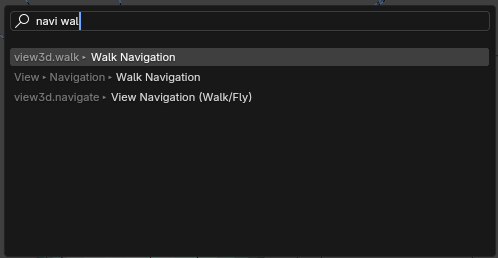
In this picture you can tell I searched ' navi ' for ' Navigation ' and ' walk ' for Walk. I got a result for ' Walk Navigation '. Because this menu has Fuzzy Search. It allows you to search with ease without worrying if you fully typed out a word or typed it in a certain order.
Without fuzzy search then it wouldn't be able to find an operator with the phrase ' navi walk '
Not to say Fuzzy Search is perfect.. It can give you more results than you really needed.. However a result is better than no results.
Asset Shelf
I have been testing out the brush asset shelf branch. I absolutely LOVE it and the use of the asset shelf.. But it would be amazing if it had a Fuzzy Search.

In this picture I searched ' nd ' and got the Boundary brush. However if there was a fuzzy search then the Nudge brush would also appear with the Boundary brush.
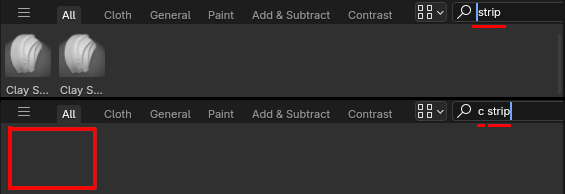
This next image is an example if I were to type ' strip ' then brush assets with the word ' strip ' will be left as a result.. However if I tried searching ' c strip ' it yields no results.
Having a fuzzy finder for the asset shelf search could allow for short keystrokes to assets. For an example you would be able search ' c strip ', ' strip clay ', or ' c s ' to find Clay Strips.
Asset Browser
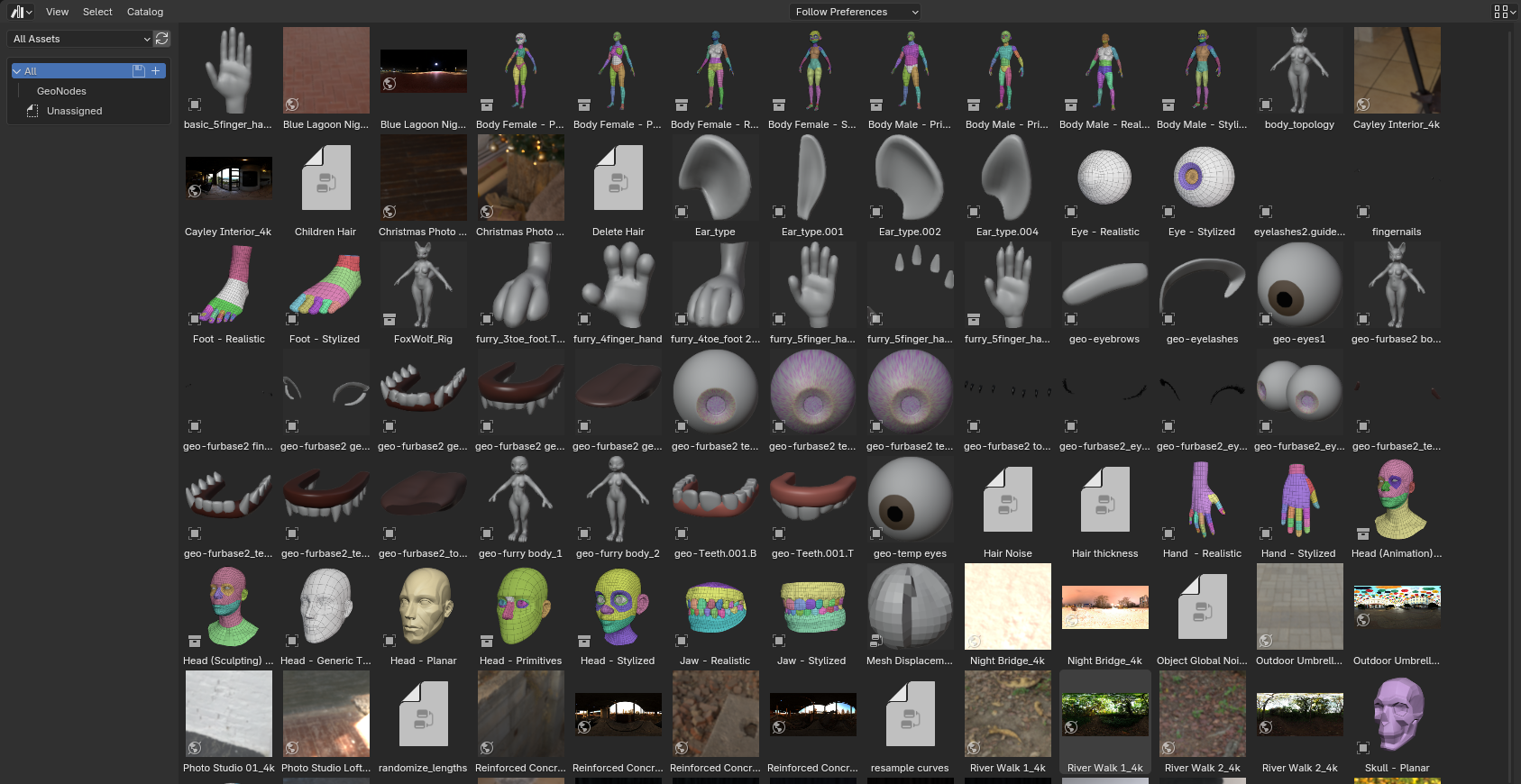 Here is an example of an uncategorized asset library.. I know, it's horrible. No catalogs.. However, it can get 100 times worse if you work with others in shared asset libraries.
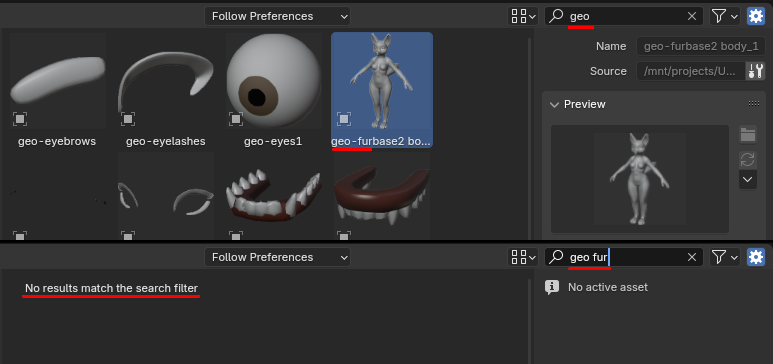 Anyway here is an example with the Asset Browser. Lets say I tried searching '
geo
' and got a result.. But '
geo fur
' doesn't because I accidentally used a space instead of a dash.
Anyway here is an example with the Asset Browser. Lets say I tried searching '
geo
' and got a result.. But '
geo fur
' doesn't because I accidentally used a space instead of a dash.
Another example, I'm in a hurry and need to find a rigged asset. I know the words ' fur ' and ' geo ' is in the asset name. But was either of the two words a suffix or prefix?
-
Currently prefixes are easy to find. It's the first word; ' prefix .name_of_asset '.
-
Suffixes would be hard to find because it's the last word. You'll have to know most of the name to find out the suffix; ' name_of_asset. suffix '.
In both examples, fuzzy search would be able to find the asset name with ease. * See first image about Search Menu's Fuzzy Search.
With more asset types being accepted into blender; Brushes, Animations/Poses .. More asset names needs to be searched. Whether or not if filtered or categorized into catalogs. If the asset libraries are big or small..
Fuzzy search would help tremendously. Allowing the user or users to find assets easier and quicker.
Thank you for reading!
2 Comments
Good suggestion. Another search bar that could be more flexible like this is the one for the Keymap editor. Currently if you search for "Zoom View" it won't find "Zoom 2D View". If you search for "Hide Collection" it won't find newly renamed "Hide Other Collections" either.
I really like this approach. I also think it could be implemented with another proposal I made based on an after effects search plugin, which can be customized to rank the results most important to you to get what you want faster