
G, R, S widgets?
Maybe widgets should appear when we are pressing G, R, S buttons respectively? For now, they appear only when the menu button clicked.
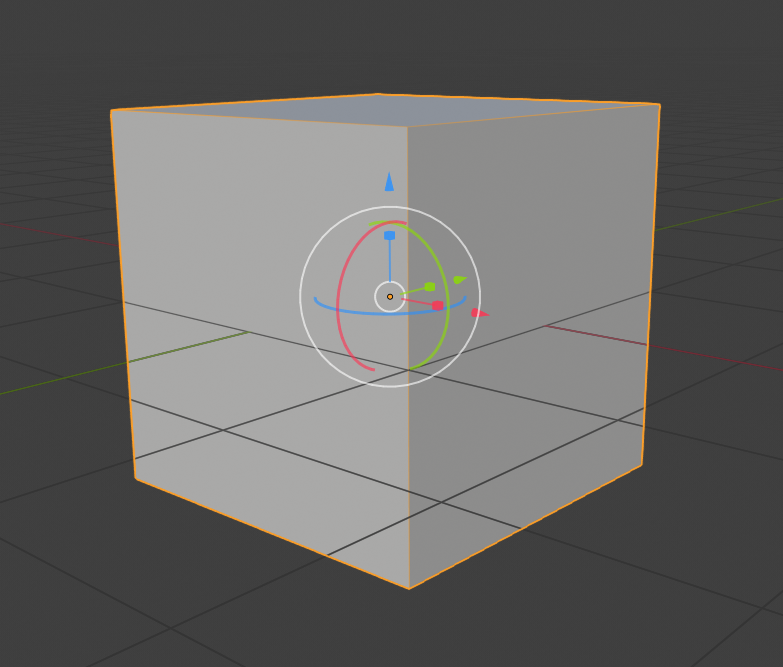
Maybe widgets should appear when we are pressing G, R, S buttons respectively? For now, they appear only when the menu button clicked.
7 Comments
I very much do not want to have the manipulator enabled or changed when I press a hotkey for a transform. I disable the manipulator for almost all modeling and object mode transforms because it gets in my way. Having it pop up every time I grab, rotate, or scale would be incredibly annoying.
@Jason van Gumster: Fair enough. But that's how it behaves in other packages, blender users do not like the gizmos for some reason though.
@Buster Friendly: If you use the ctrl+spacebar pie menu it's just like switching between the tools in another package. If you want you could probably set hotkeys for those commands if it's more to your taste than the pie.
For me the difference is they are necessary in other packages but one of Blenders strengths is that it has a more gestural feel. I tend to find they just get in the way but am glad to see they are more functional in 2.8 especially with the dual axis constraint on the transform one.
@Buster Friendly: It's not so much about disliking gizmos, it's just that the non-modal shortcut workflow is faster.
With the new 2.8 tool system, you'll be able to use a similar worklflow like you suggest though. E.g. you can do Spacebar + G/R/S to switch between the transform gizmos.
@Julian Eisel: Is that "new tool system" already here? Im not aware
@Buster Friendly: It's in the 2.8 build. See the toolbar or try the spacebar thing I just showed you.
@Julian Eisel: Oh, i get what you mean, yeah that's not the same. But thanks.