
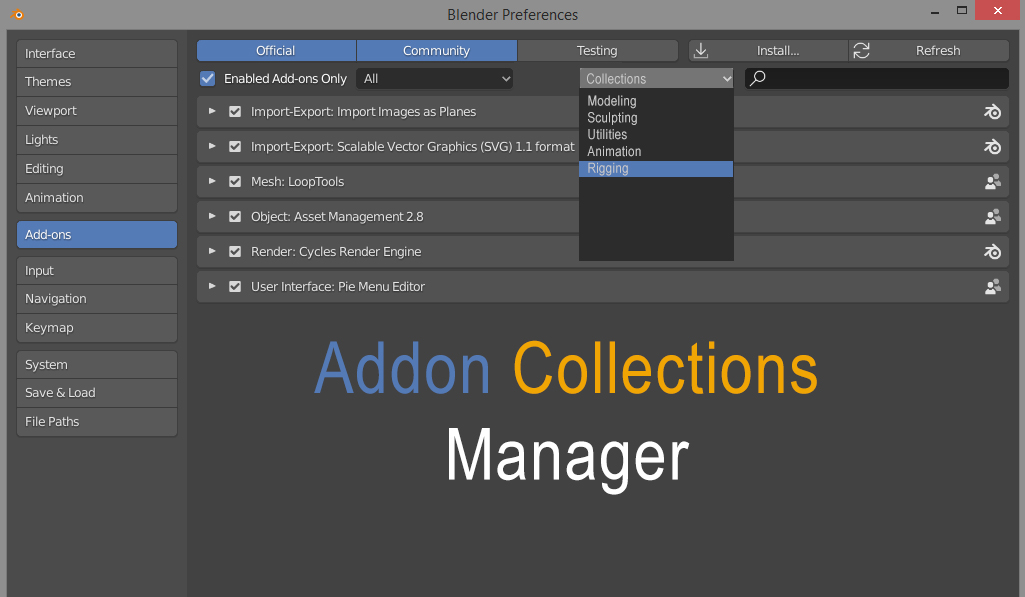
Addon Collections Manager
Please consider an Addon Collections Manager. I for one am constantly activating and deactivating addons I use for specific projects. Some addons lose their settings when deactivating them. So you have to set them up each time you reactivate the addon.
Why am I activating and deactivating? I like to keep blender lean for both stability and load time.
thanks for considering this request.
7 Comments
You can achieve the same result using Blender's Application Templates. They had been created exactly for your use case scenario. More details here: Blender Manual > Advanced > Application Templates .
Depending of your OS, you have to find the location of the existing templates, duplicate one of them and customize it as you like. When starting Blender, you can choose what kind of template (prefs, themes, add-ons, keymaps or viewport lighting) you want to use for that particular project.
The trick is to copy userpref.blend into the folder of your new template and also to know the order the Blenders' startup process is reading its files. Details here .
* @voxel9 * Thank you I'll read up on it.
Hi, on a side note, rather than de-activating the add-ons you might want to filter them in tool panel> workspace>filter add-ons, I don't think it will help load time but will help performance and clutter.
* @PTCreative * Interesting, Yes I've played with that, So what dose checking and unchecking do? just temporarly turn it off?
* @othoap * it just disables classes for the add-on used by the window manager, so the addon is still registered(operators, properties etc) but ui is filtered. It should improve UI performance but the modules are still loaded on startup.
* @PTCreative * I'm thinking if you select a group it would activate them. But the other unselected groups would yes be NOT activated but would not lose there setting. This may be up to the addon developer to code at the addon level, not sure. Thanks for your insights.
awesome