
Face Corner Angle Node
2023/03/02 UPDATE : See bottom of post for a solution using Blender 3.4
Similarly to how the
Edge Angle
node or
Face Area
node works (I think), except the Face Corner domain outputs the angle of its corner.
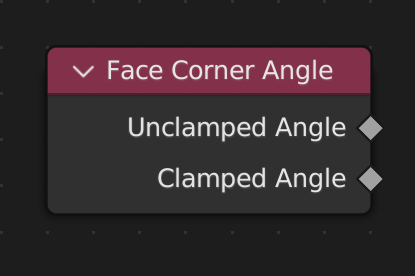
Both ouputs the sum of every triangle the face corner meets when the face is triangulated, except
Clamped Angle
ping-pongs between 0 and π (similar to the
Face Angles
viewport overlay option).
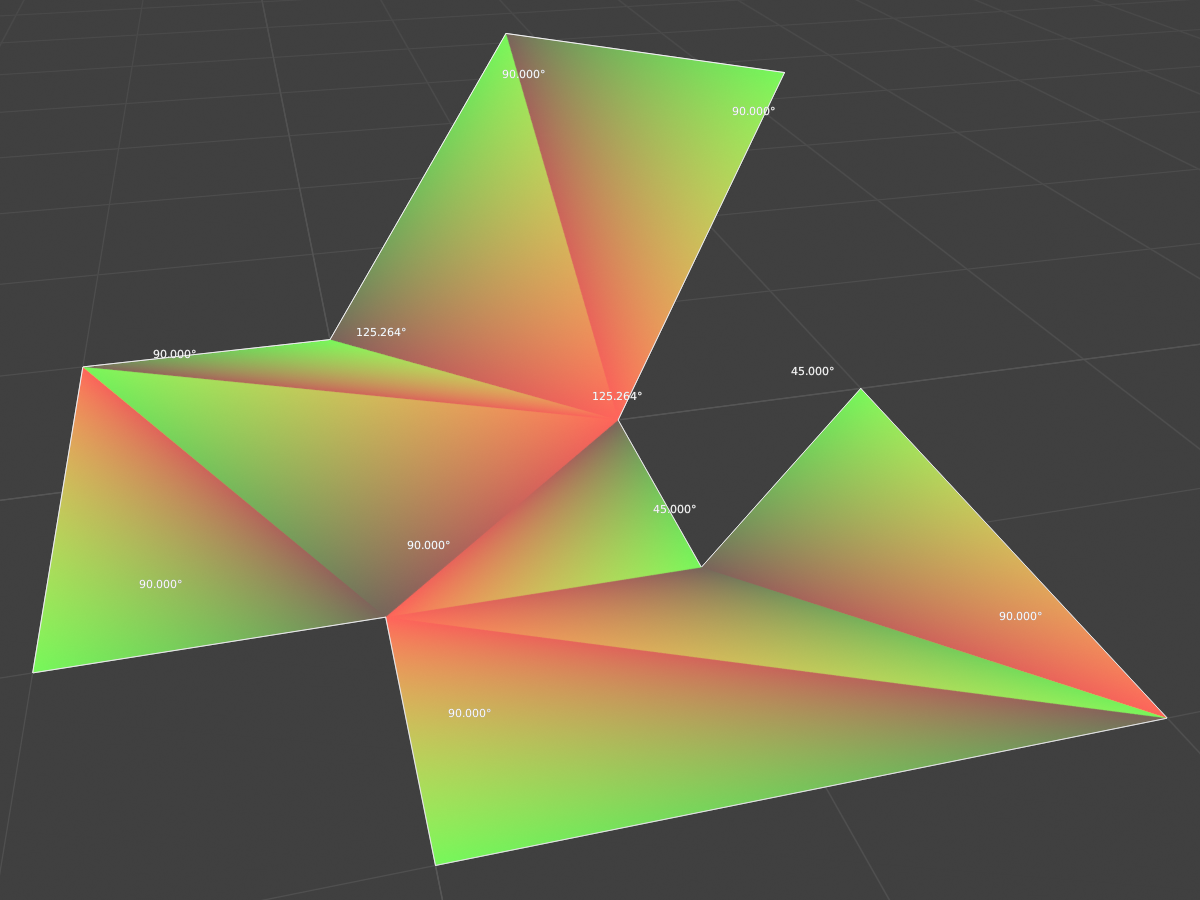
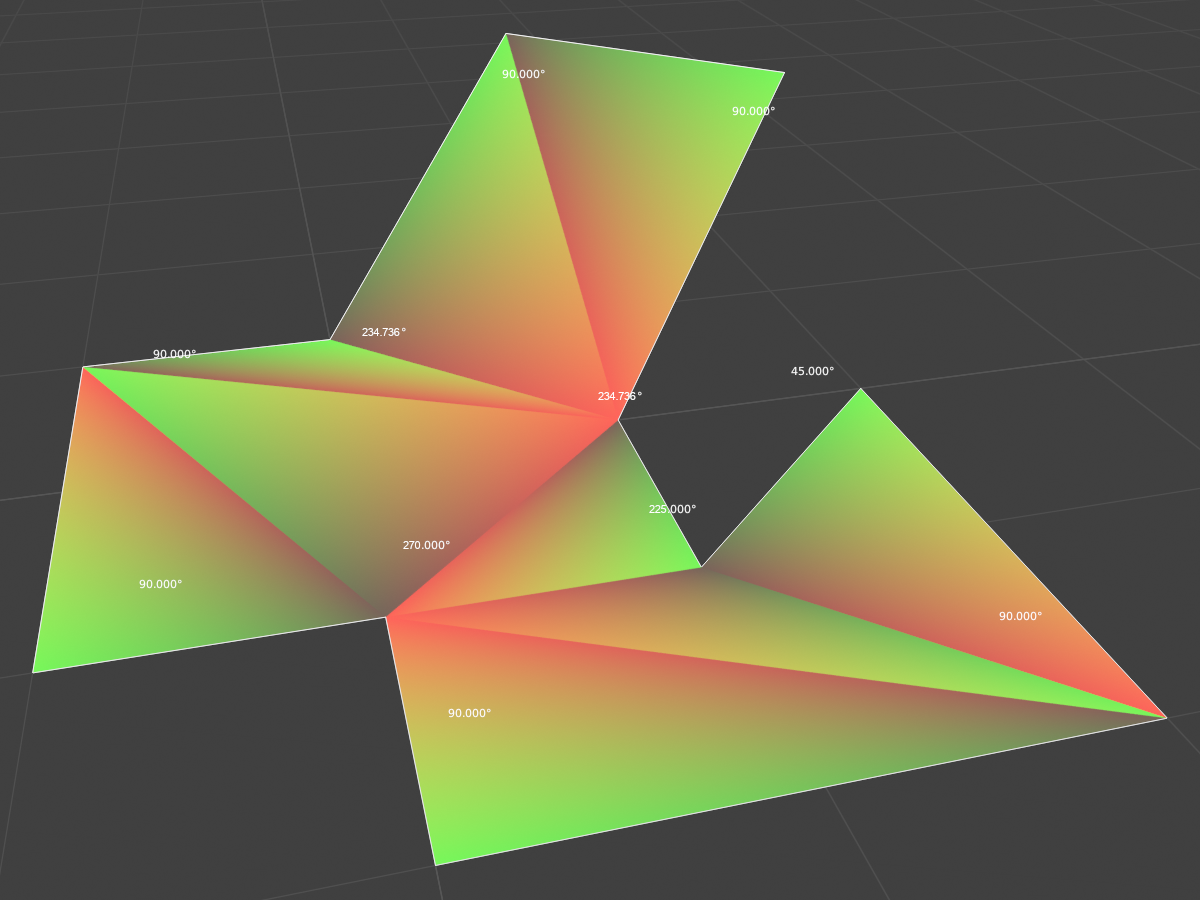
The following examples show an ngon with a material using the
Parametric
output of the
Geometry
node.
Values using the Clamped Angle output
Values using the Unclamped Angle output
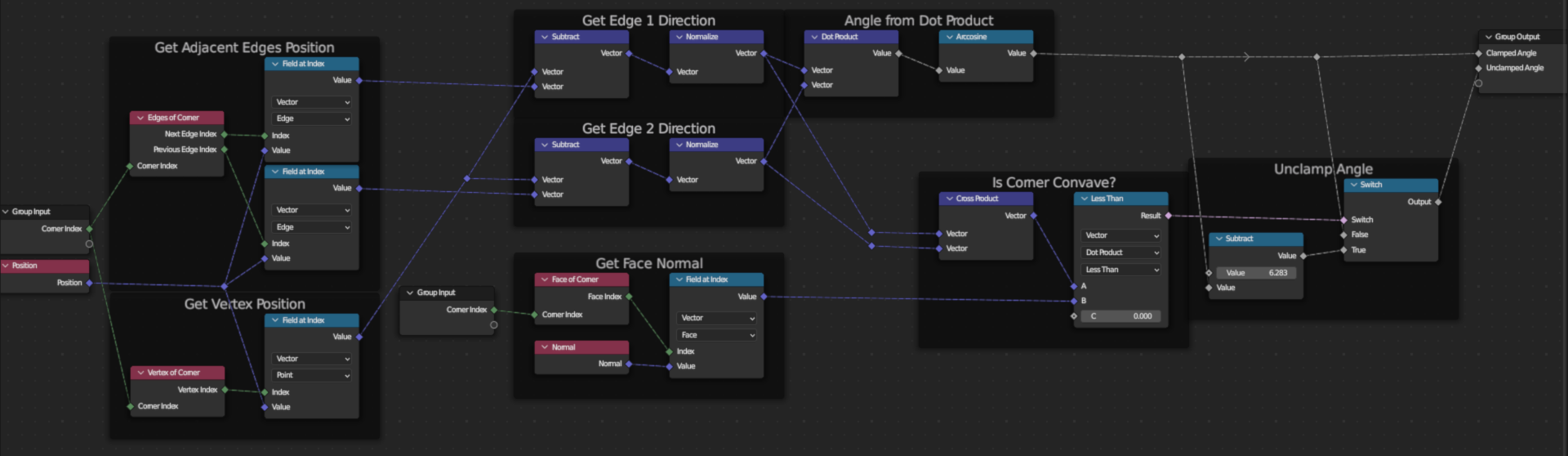
DIY NODEGROUP SOLUTION
You may remove the
Group Input
node entirely.
Note that the group output's sockets' attribute domain must be
Face Corner
, otherwise results may not be as expected.
6 Comments
This is a great RCS post-- a mockup, suggested behavior. Really helpful! I would just made a TODO task out of it directly, but I noticed that the only thing missing is a use case. It's better to have at least some suggested use for a new feature, otherwise it's much harder to justify it.
I would like to use this as part of a method to dissolve the co-linear edges of an n-gon face loop. The lack of this node is making life hard for me at the moment :( I think it is going to end up not working out because of an unrelated issue with the Fill Curve node not working on multi-splines
There is no specification for how triangles are rotated in polygon space. Because of this, it may be that they will describe the figure N In this case, the sum will be 0 What is the practical meaning of this node?
I'm currently editing the idea right now. Maybe I formulated it wrong, but I'll provide a visual example of what I mean. (maybe you can help me find a better way how to ask this)
Basically, it outputs the same info the
Face Anglesoverlay option displays in object mode, except it doesn't ping-pong between 0 and π.I am trying to make a node group that unfolds a 3D model and creates thickness with an accurate inset so that once 3D printed, you can fold it back up like paper. I am REALLY close to achieve it, but taking the face angle information takes several steps and I need more than a few hacks to make it work.
So if this information is displayable in the viewport, MAYBE it's something that can be salvaged before computing geometry nodes, considering that
Face Angles, just like indexes, stays the same when the geometry is deformed.There, I updated the idea
If you mean the sum of all edge angles that make up the polygon. Then you can do it now, you just need information about the edges of the polygon. I made this suggestion here blender.community/c/rightclickselect/368M/ ; Your knot, well, it's hard for me to imagine its practical use