
Timeline Snapping
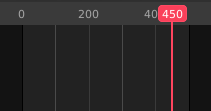
A simple yet incredibly useful addition would be to add timeline snapping to the time indicator (or playhead) by holding "shift" while scrubbing.
It'd essentially snap the playhead to the nearest point of interest, which could be the animation starting or ending point, or a marker, for example.
This would make animating much more convenient, and it's a standard in software such as After Effects.
7 Comments
In latest builds, you can set playhead snapping controls in any playback controls footer (icon is a magnet with a line below it), and toggle it on/off temporarily by holding
Ctrl, so marking this as "completed"How did I miss that proposal ? 😮 Fricking YES!
Though maybe not Shift , since Blender uses Ctrl for snapping everywhere else?
It would be helpful.
yep. badly miss this ability in after effects. so much wasted time aligning frames.
So it all boils down to: I would like it, but only if it actually adds usefulness.
* @zorro.weaver * Max has it, Maya has it, but yes, Blender knows better, I see. I can tell you from 20 years of animation experience that it would be damn helpful.
Yes, I'm coming from 3dsmax and I'm missing this feature every time I'm animating in Blender.