
Preview / inspect image referenced in a shader node
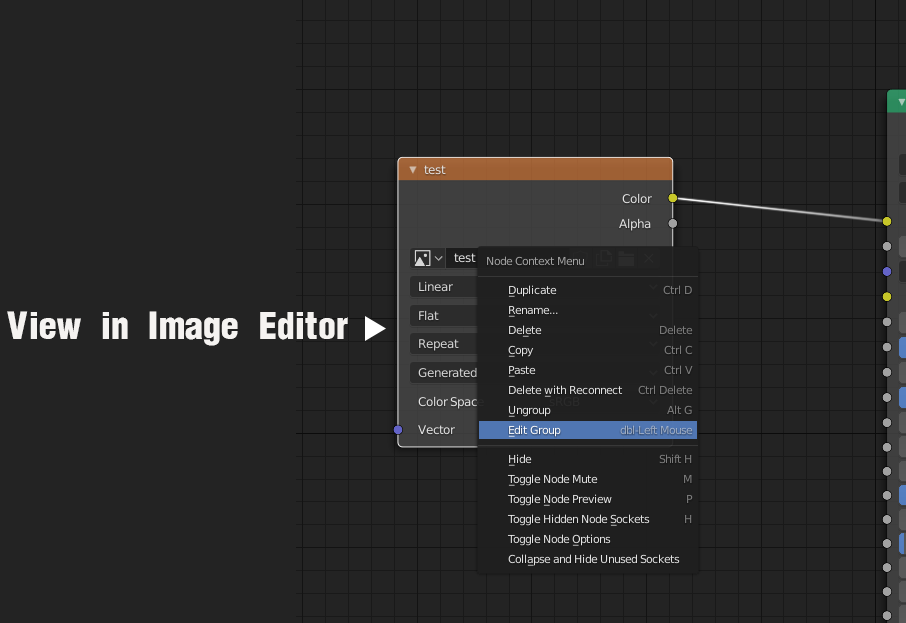
The current discouraging way to inspect a texture in a material is to copy its name, switch to texture editor and search for it in the drop-down.
I propose a to have this automatically set by a command in the contextual menu for image nodes. If the Image editor is closed just change the editor. Thanks!
2 Comments
Have you tried node wrangler addon? It comes with blender, just not activated by default and has a lot of functions, but my most used one is Ctrl+Shift+Click to preview texture. More info: gregzaal.github.io/node-wrangler/
* @fructdw * I can even have a plane in a separate viewport and use that but I need select and to apply the material first then use node wrangler...but this is a complicated hack.The point is that a software using image files has to facilitate access to them as a basic implicit feature. Thanks for suggestion anyway!