
Attaching scripts to collections
Preinfo:
Decent blender rigs regularly uses python scripts to create N panel rig properties, such as layers, snaping, parrent switching, ik/fk swapping etc. Even rigify addon that ships with blender auto generates a script to provide this functionally.
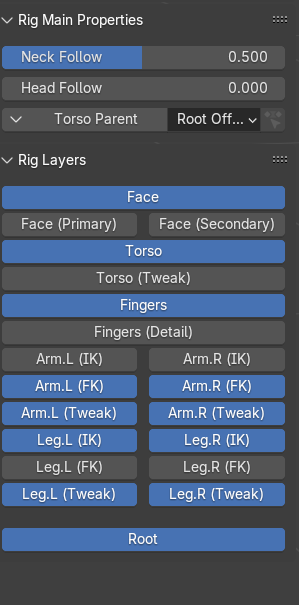
The Idea:
If this process of creating a rig UI is to be continued (as I do not know how node based rigs will handle this if they are to come), it would be a good idea to provide functionality to attach scripts to collections. Here is why:
The current workflow for linking rigs to blender files is
- file
- link/append
- .blend file with the rig
- collections
- collection with the rig
- file
- link/append
- .blendfile with the rig
- text
- rig_ui.py
- if rig is linked: object > library override > make
- open script editor,rig ui, execute.
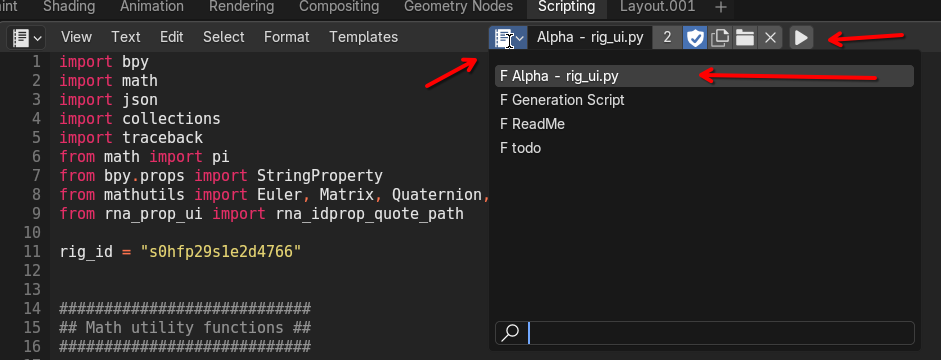
And you are ready to animate.
I don't wish to overstate this process. It isn't convoluted or confusing, but I think with the capacity to attach scripts to collections it can be made more straight forward and simultaneously provide new functionality.
If we can simply attach scripts to collection, a whole extra step can be removed from this process. Additionally, with asset browsers, it can make plug and play rigs possible. Rigs are just collections, once a collection is linked and has a script attached, it can be a complete singular unit. Just running the script can handle the library override process if necessary.
Besides rigs, many other plugin like assets can be created this way. We could have a generative geometry that is handled with a python script with this method. Or other scripted assets.
Why just importing scripts don't work as well:
Technically we could also just import scripts and let the script handle the importing and library overriding process. But this involves a problem with users not having the same file-systems or even entirely different operating systems or storing their rigs in different directories that make sense to them. A rigger handling this scripting process would be much more bothersome comparatively. Also riggers are not developers, so their knowledge of python scripting can be justifiably limited. Not to mention the previous method would allow for easy asset library preview creation.
How it should work
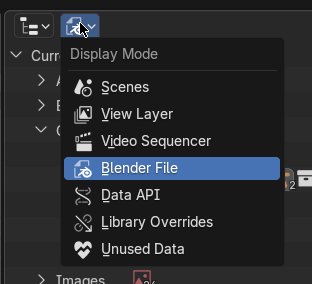
Here in the outliner, we can switch the mode from view layer to blend file
While in this mode we can still attach objects into collections by dragging them in as such:
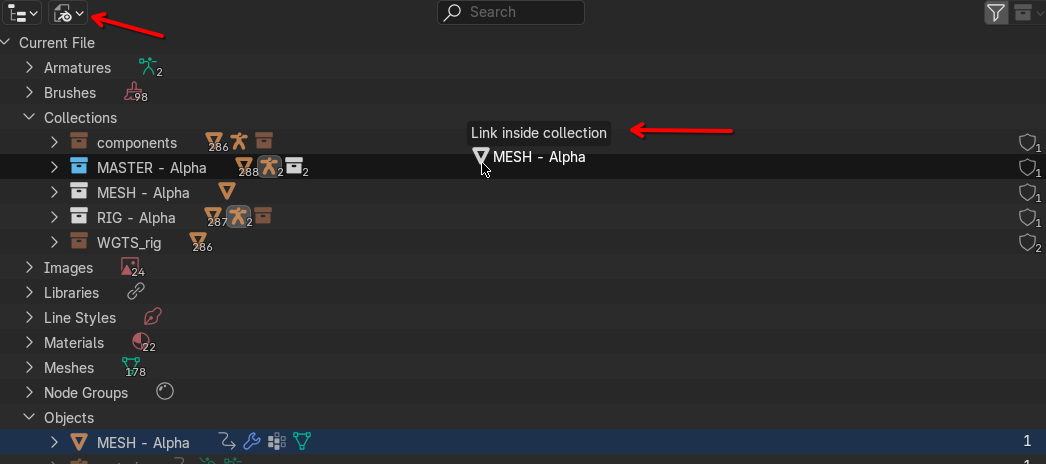
but when we try to do this with scripts blender refuses:
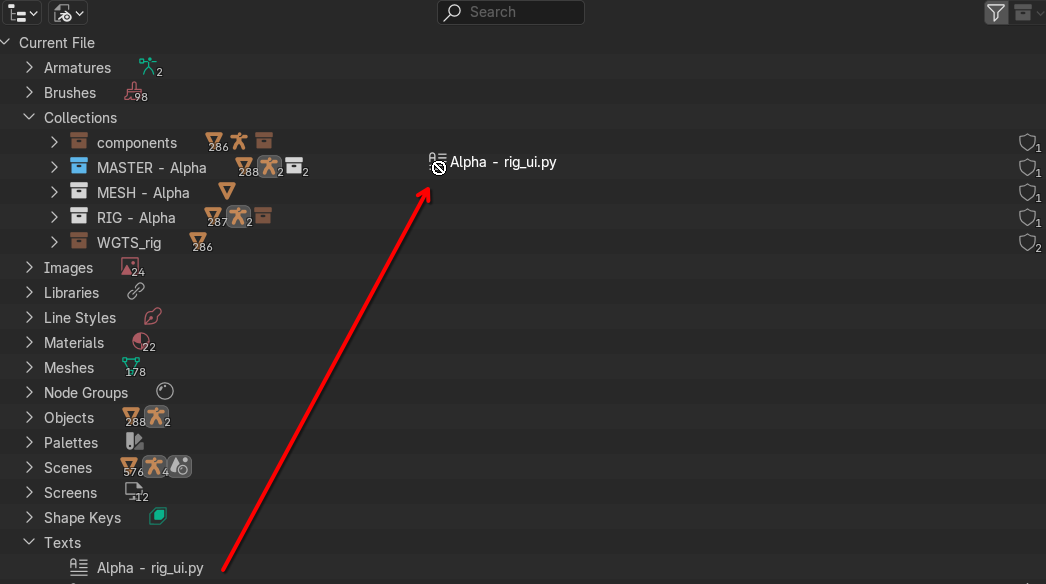
Changing it such that it can work in a similar way to objects would be enough.
Bonus
It might be even better if linking and appending process can initiate a script automatically. Like with searching if the collection has a particular script naming such as
__importblend.py
for instance, and execute the script when linked or appended.
It is mostly an ergonomic change, as it removes friction from starting the animation process. But I think it might be worthwhile to consider as it can provide some other benefits as mentioned.
I assume my suggestion isn't super simple as it would probably involve classifying scripts as datablocks that can be imported to collections, but I thought I'd still suggest it and let it be ruled out if its too complicated.
3 Comments
The rigui.py file is already appended/linked with the rig itself. Try it on your side: make a rigify rig, save it in a file, make a new file, append/link the rig, open the script editor, and look what's there:
The reason why it works is because, a Custom Property is made on the Armature Object level to point to that text data-block, allowing the append/link system to know that this script is part of the data used in the rig collection:
So anyone can do it themselves, and it's not limited to text objects 😉
Wow! I didn't know this. Thanks! I wish it was more obvious, but that's still the exact functionality I want. I tried googling if there was such a thing, but I guess its a bit niche so i couldn't find something corresponding. Is there a way I can mark this post as done or unneeded?
Hit the edit on the post or on the link i just made, then you can set the "status" property to "Done".