
Node Wrangler - Connect to Final Material Output
There is a handy keyboard shortcut in Node Wrangler for Previewing a Node's Output, "CTRL+SHIFT+Left Mouse", or one can also use "O". Love it, and use it all the time!
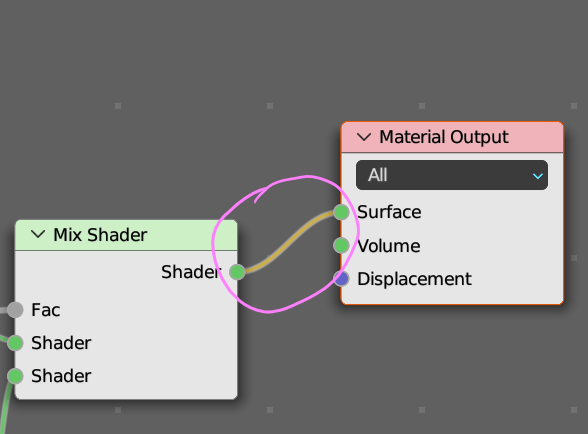
But switching back to the final Material Output is very difficult. Basically one has to middle-mouse click around the shader editor, left to right, to find the Material Output node, then reconnect the link between one's final shader and the Material Output "Surface" socket.
Suggestion: Implement a keyboard shortcut for linking/connecting the Material Output "Surface" socket to the CLOSEST, LEFT-MOST "Shader" socket.
Oh, and if there is a way to already do this, please let me know, and consider me schooled and humbled...
2 Comments
I like this but I find CTRL+SHIFT+Left Mouse on the shader node quite easy.
I find that if I have a very complex node set up, spread across the shader editor, where I am on the extreme left side, adjusting a node, that is is quite a time-waster to have to sideways scroll / zoom out to find the Material Output node on the right-most side of the editor, and reattach the link to the last shader.
If you are trying to compare the visual result of a specific node with the visual result of the final material it would be much more efficient to quickly toggle between the two, as most material creation is a constant back-and-forth between tweaking values and previewing results.