
Default interpolation method when adding images in shader editor
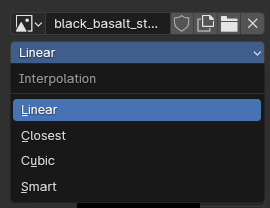
When adding images, if there was a setting somewhere to choose a "Default image interpolation" that is applied to the image upon loading into the editor. Possibly a drop-down option.
Copying an image node that is already what you want (like the diffuse initially), and then changing the image interpolation for that map/channel is a short-ish cut.
What about when you load a premade PBR from a library, or pick the family of maps and import via node wrangler all at once? I have to click each one (twice/two clicks) and set it how I want. It's not a ton of time but easy to forget and further annoying once you realize it.
Having a default setting in the shader editor seems appropriate (and I also think Smart should be the default!) :) Having the setting in the preferences does not make the most sense to me for some reason.
Due to one of the comments, I'm prompted to address it here so the thought isn't lost. Linear is hardly ever used intentionally, if ever. So, with this helpful enhancement, even if you wanted to use linear and your default is set to Smart or Cubic, targeting those maps and changing their interpolation would still be a lot less bother than the inverse.
2 Comments
I almost never want linear.
That's an excellent point to note so I reiterated it in the main description. Thanks!