
Wireframe colour of imported objects assigned based on original layer colour
Hi There,
I'm an arch viz artist and work on commercial projects. I receive CAD files, which I import to blender via dxf importer. The latest dxf importer puts the original objects into collections based on the names of the layers in the original DXF file. (fantastic feature)
THE DESIRED FUNCTIONALITY: To display wireframe colours on curve objects and for the colour of these objects to match the colour of the objects in the original CAD/DXF file. Essentially - that the imported CAD lines could look the same in blender as they do in CAD.
POSSIBLE WAY OF GETTING THIS: If the importer addon could be updated to assign an Object colour to each line object, based on the object's colour in the CAD file.. Or, if the wire colour could be set 'by collection', the importer could assign DXF layer colours to the corresponding Collections that contain the imported CAD drawing elements.
I hope this makes sense, I apologise if it sounds complex, but its just about seeing an imported CAD drawing clearly in Blender in a way that makes it easy to compare with the original CAD drawing.
Hope others understand and can see the potential value of this, I'd love to have clearer CAD imports!
Rob
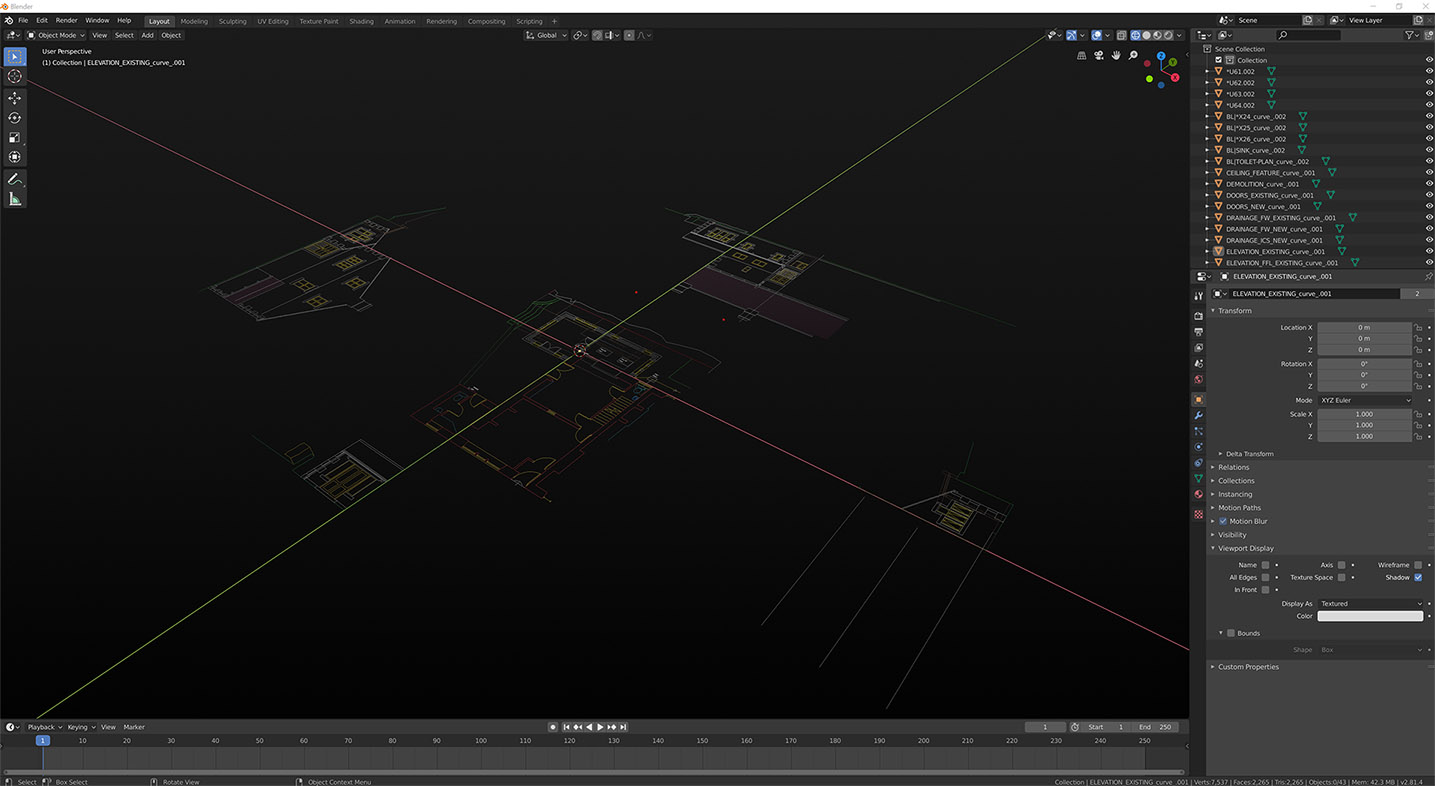
EDIT - I've updated my thumbnail to show whay I want to see, its shows each layer imported as a separate curve object which I converted to mesh, manually assigned an object colour to each object based on the original layer's colour and then separated all the loose parts in each of the objects.
3 Comments
Hi there - the thumbnail is updated to show what I meant - I wonder whether this could be achieved by a modification to the import DXF addon? Would this be something someone here could look at?
Hi, the dxf file format does allow color information to be saved. Layers have a default colour and objects can have their colour over ridden. This information is saved in the dxf
Does the dxf/ CAD export carry object color information?