
Hide all overlays in edit mode
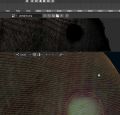
I'd like to have an option to hide all vertex dots and edges in edit mode. I cannot see a thing in texture view when editing a dense mesh . Or maybe I am doing something wrong. Please add a slider for vert transparency and edge visibility to the edit mode overlay options in UV and 3D view, like in GP mode.

3 Comments
Maybe I'm confused here, but if you're hiding vertices and edges in Edit mode, then how exactly are you selecting parts of the mesh to actually edit?
@Jason van Gumster: I guess select -> hide -> transform -> unhide.
If i'm correct better solution would be option to hide editmode overlay during operation.
Let's say I have a complex scene and want to adjust the lighting without the distractions of a grid, outlines, light radius etc.. So I select a lamp, hide the overlays and move it. If I don't want to go blind, I just split the viewport and show the overlays in only one of them. I would like to have that exact behaviour with the edit mode overlays, too. Both in 3d-vp and uv editor.
Like for example I'd select a vertex, turn on proportional editing and hide the overlays. Now I have a clear view on my model without any destraction, like it is already possible in sculpt mode.