
Timeline markers
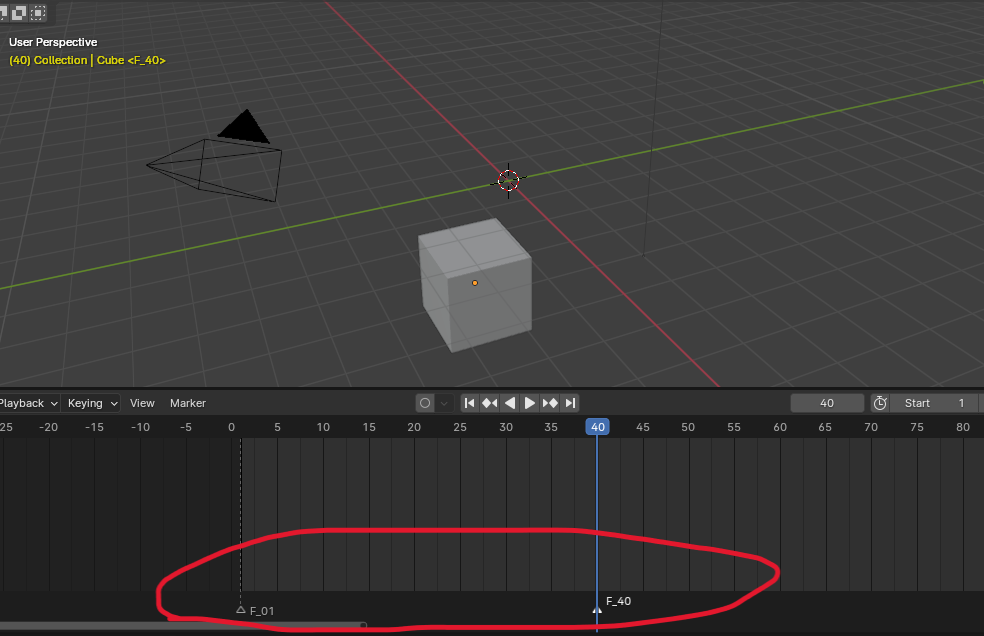
The current animation mark is like this. To be honest, it is very unintuitive. In addition to the purpose of determining whether it is a mark, annotation also has an important purpose to distinguish which mark it is and to prompt us what to do with the marked place? This is related to the next operation we perform on a certain mark. In this regard, I feel that the current marking method is a failure. It only determines whether a certain point is a mark, but it does not allow us to identify the specific mark where the mark is made. Whether the operation we want to do in this marked area has been completed. These cannot be provided to us, which leads to very, very poor readability.
If there are only a few marks, this marking method is okay to pay special attention to, but once there are too many marks, it will feel very confusing. You can't tell which is which, whether you have finished or not, and you don't know which mark to enter and what operation you want to perform next.
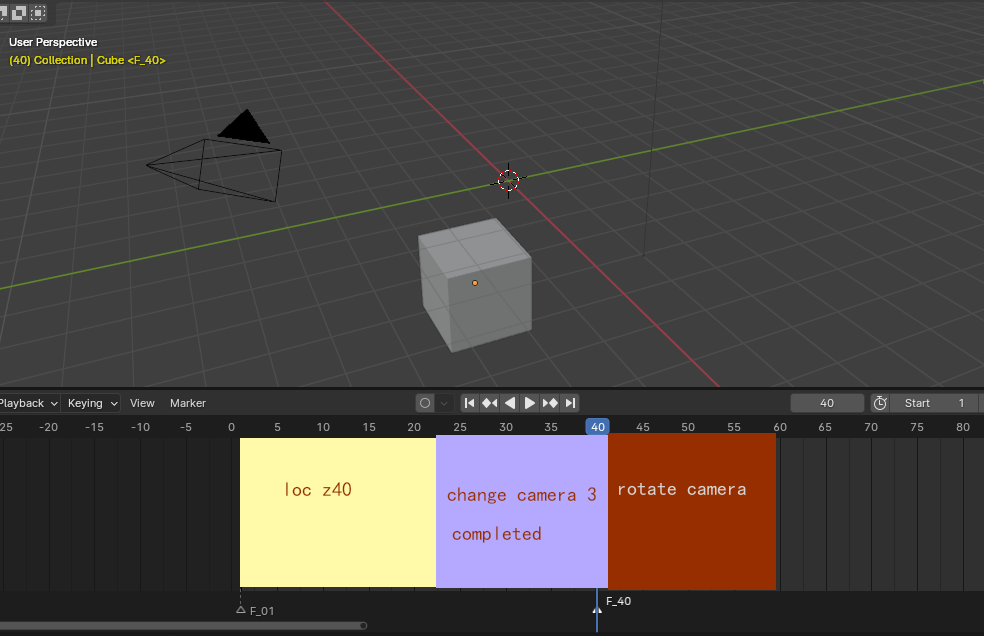
I suggest that you can customize the color of a large area on the timeline, and then enter the mark text (the prompt text of what we want to do with this marked area) into the center of the timeline. Of course, the location of the mark can be adjusted later. You can also use grs to adjust the mark. You can also change the font, add background color,
etc. The most important thing is that you can also display hidden marks, which I think is a better point to improve the user experience.
5 Comments
Have you guys checked this "Scene bookmark" in superhive? It looks similar but makes it easier managing shots. superhivemarket.com/products/scene-bookmark
I believe Markers can be improved too in various ways for projects.
But filling the Timeline Main Region with Color doesn't seem very fitting, because there are plenty of other Colored elements (Colored Keyframes, Interpolations lines, Colored Channels) which go in there, and that can make things confusing, especially without thoroughly testing those combinations.
So, I just had a strange insight when I saw the last image. Why not making the Markers, in the Markers' row area at the bottom of the Timeline, a system of Strips (such as in VSE, NLA Editor), in which the Markers become (or can become) "Marker Strips". In this way, a single Marker (or rather a Marker Strip) not only can hold more than a Frame in Time, but a Range of Frames (for instance, a whole Cut from its starting Frame to its ending Frame [something that Markers actually CAN'T DO very well, for specific reasons], but it can also contain more consistent commentary, Meta-Data, Color [without interfering so directly with the Main Region of the Timeline], and perhaps a set of different features from the Sidebar Region [as Strips in other Editors do].
Yeah, so that would be a different Markers proposal, but that still shares certain principles of the original proposal.
Yes, Your worries are justified ,so I think the position, proportion, color, opacity, etc. of the markers and marker-filled backgrounds can be changed, and they can be shown or hidden at any time. This will have a much smaller impact on the daily operation of keyframes. Especially the function of showing and hiding markers will greatly improve the experience you mentioned. After all, markers are only for us to operate certain functions. Once certain functions are completed, they can be turned off. It would be even better if it were possible to hide some markers or display markers only for specific areas!
Strips would be nice too? Like a special effects bar?But I prefer the one that fills the entire timeline area? Of course, I hope that the size of this area can be customized. It would be best.g r s
I agree, markers seem very half baked ideas that werent fully completed. Also being able to select a marker,move it, but also all keyframes from every object that is within that marker border at once would be handy. kinda like what DAW softwares do.
Indeed, blender’s mark really looks like a semi-finished product. I didn't expect this, but it's awesome? After you said that, I thought it would be great to move the markers together.