
Mini tools helper
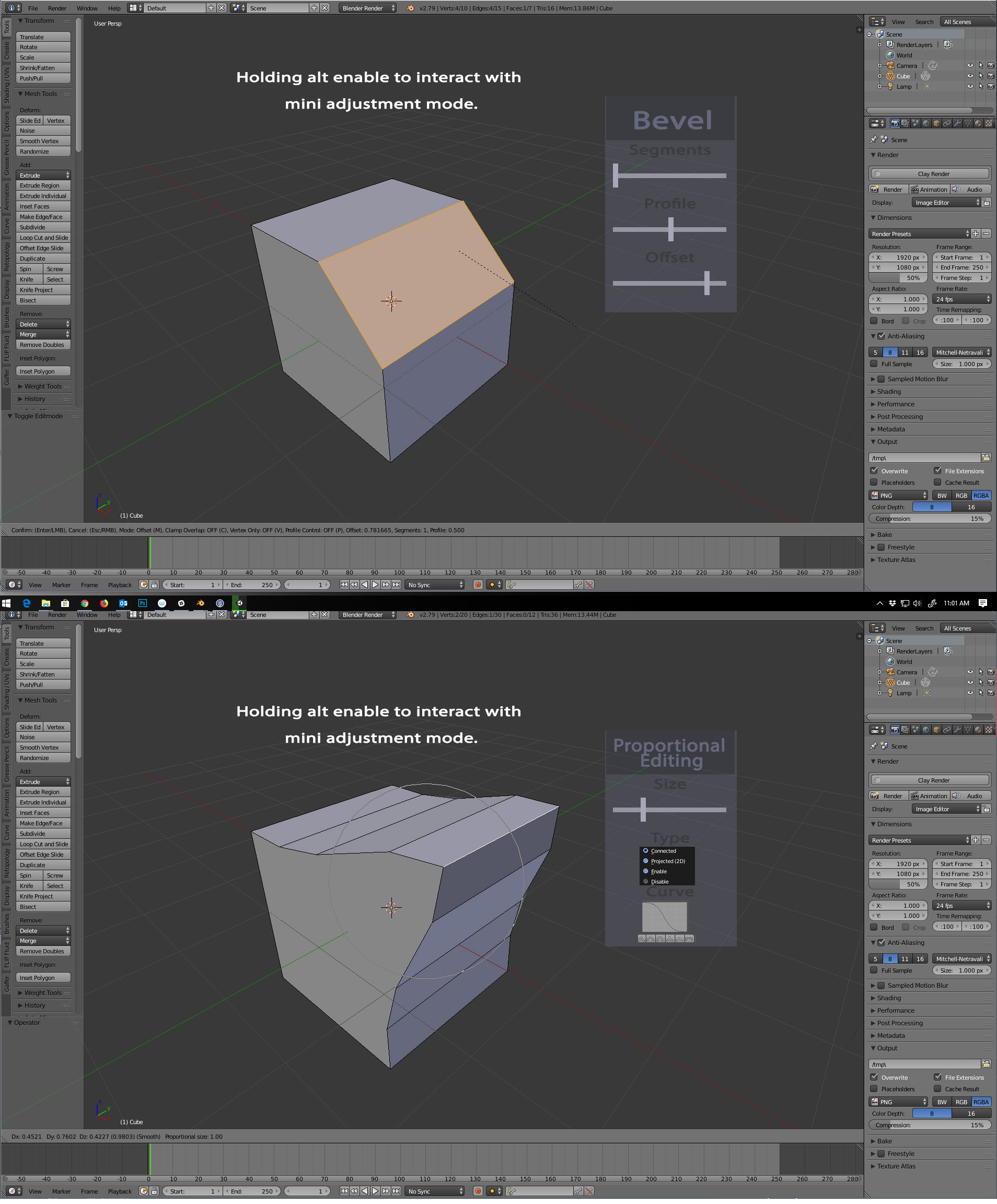
Hello, i am an artist and i love to use my tablet in Blender, i have all buttons configured for the 3 mouse buttons, but i dont have a scroll wheel on it, and it makes very frustrating experience using some tools in Blender, for example the Proportinal editing, or the Bevel modifier, Loop cuts just to name a few, Im forced to use the mouse just to use the scrol wheel. To use the keyboard shortcuts in proportional mode is also not very good since its so far away from the G key that its super troublesome, so i was wondering (again im an artist so i have no idea if it would be possible or not) it would be totally awesome to have a mini tool option menu that apears and become interactuable while holding the alt key ( or any other key for that matter). For example, when beveling, if pressing the alt key (if alt was the key to toggle the mini menu) the cursor would be in a ghost mode, and sliding it would not affect the amount of bevel u are adding to the mesh, but you could interact with the functions on the pannel, segments count, offset... and when releasing the alt key, the cursor goes back to beveling mode, and as u move it to the sides you increase the amount of bevel... Another case could be the Proportional Editing, that when holding the alt key, you could control the radius of influence, or the curve type.... I have made an image that perhaps can explain better since english is not my main laguage. Thank you
1 Comment
I've seen touch apps that handle this elegantly by letting you simply hold down two fingers and slide up or down.
I've never used Blender with a touch screen; do you know if doing it this way might conflict with any already existing controls?