
Rectangular gradient is needed for cycles and geometry nodes
The reason why square gradient is needed is because this shape is really commonly needed feature in any graphic design, as often as for example sphere, -for which we already have a gradient; and because it's so useful, you would want to access it as easily as the spherical one without any tinkering.
In correctly made square gradient, you can clamp it with just 1 ramp and it will always stay square because the square gradient emphasises corners. See the image.
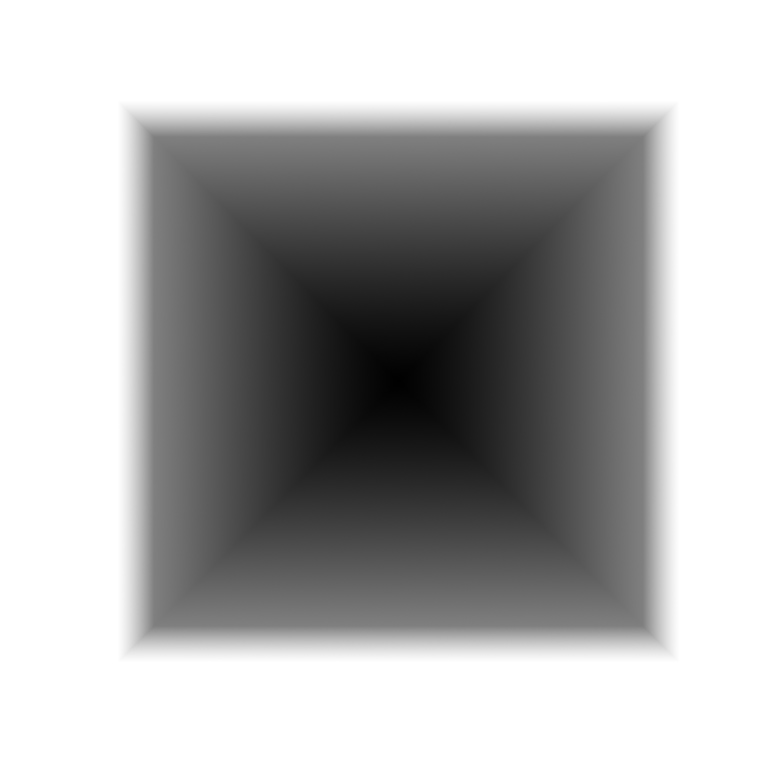
If you want to make square gradient by using the current gradient node, you will end up tinkering probably with linear gradients, but for example 2 linear gradients emphasise sides, which is bad, since after clamping, the end result will always have slightly rounded corners.
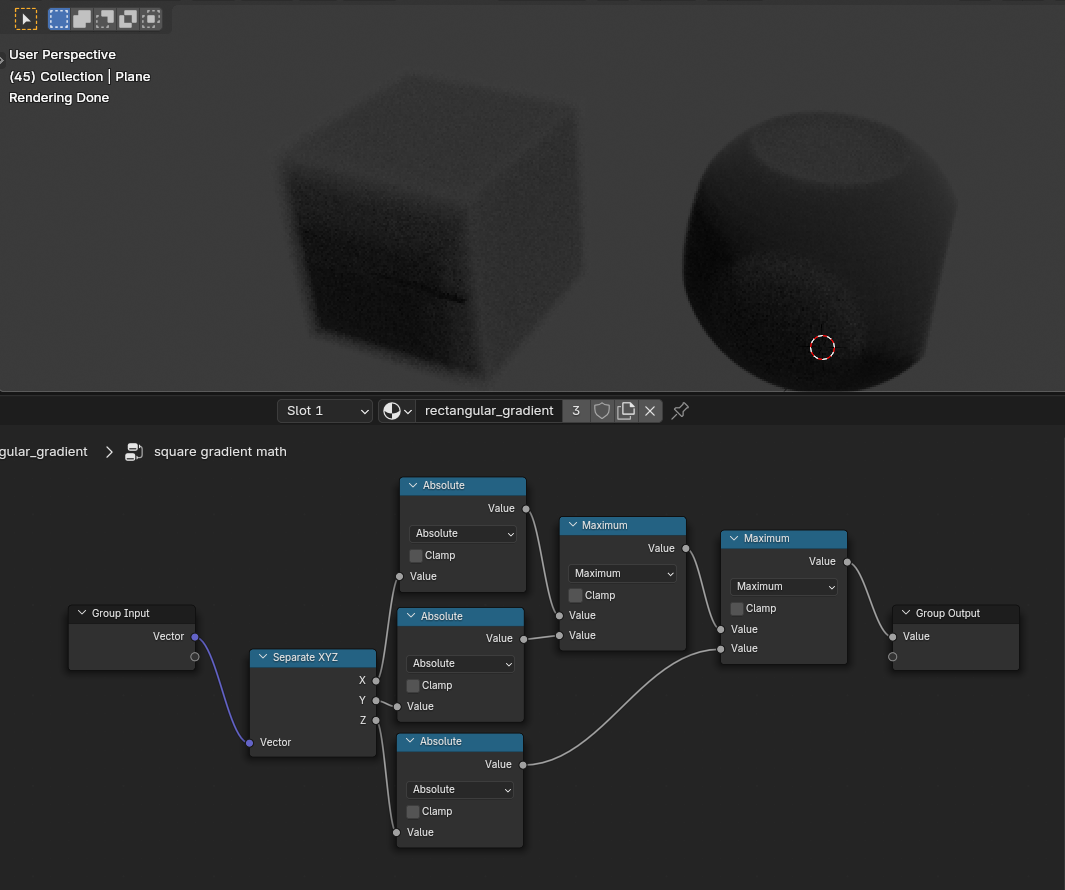
To make square gradient currently in Blender, you don't use the gradient texture at all, but math nodes. You can currently in Blender make true rectangular gradient with math nodes, but setting it up every time is quite troublesome. I believe and hope this to be something quite easy to implement into Blender that would be helpful for everyone for their projects.
4 Comments
I don't know what you mean by 'slightly rounded corners'. The node connection you showed me comes with a perfectly angled corner (And that's the correct way to make a square gradient mathematically)
Since you used it for volumetric, isn't the edge looking blurry?
Hey! I didn't show the wrong method of 2 gradients here. It was just some background for what I've done in history. I was using that method for example to create borders for my renders and materials and to clamp geonode setups.
The reasoning of why I've done it like that is in my graphic design background and the other softwares I've used. You would think that to make square gradient, you would use the gradient node? In Blender, not at all, it will cause you to start tinkering with linear gradients that doesn't produce satisfying results. So to help designers, I would just include this simple square gradient in the gradient node as well. That's how it is in many other softwares, for example in Photoshop.
After I edited this proposal slightly to include the math node setup, that part about those gradients become bit more irrelevant. I might edit this even more now. (I did edit this slightly more after this comment)
Originally I had yet another method of creating square gradient by mixing texture coordinates, but it is not good method, even when still better than using 2 linear gradients.
The math part is here only to make it potentially easier for the developers to just do it, because I really think that this is a missing feature for the nodes and potentially not hard for the developers to add for all of us to enjoy. (they are all the time making changes in the nodes, so why not this too?)
First, if you've created a square gradient, you don't need to repeat it later. You can create it as a node group and reuse it. Alternatively, you can use node groups created by others: github.com/williamchange/b3dsdf
It's true that Blender's shader nodes are insufficient tools for creating specific shapes that artists want. This is because it directly adopts the shading language, so what's not in the shading language isn't available in Blender either. While the above link includes a star-shaped gradient, if you want to make just one vertex of the star slightly smaller, it's almost impossible. Of course, it's theoretically possible, and people do create challenging procedural textures on platforms like Shadertoy, but since shader nodes compute in real-time on the GPU, making such complex calculations would slow things down too much.
It's more convenient to use image textures rather than creating them in the shader. For complex shapes, you can also model them in Blender and use the rendered result.
Sorry of my ignorance of how Blender shaders are programmed, but I believe that square is one of the things any starting designer would want to do very early of their Blender career, because of many different reasons. So they would go online to ask someone of how to do it -just to hear that they will have to download some additional node group or they would themselves learn to do it with some bubblegum solutions like wave texture or combining 2 linear gradients or with bricks texture etc. There is temptation of going into asking why for example bricks are possible, but not square, but because I honestly don't know of how the textures are programmed, I should just shut up about this already.
Also thanks for the link to the node groups. I believe those will be really handy in future for me. And thanks for clearing things up for me. I still hope this could be added, but also I would probably have to learn more about the Blender development side. I guess it would clear up more of why Blender doesn't have some features.
Edit: the github page seem to be abandoned since 2023, but I found this: extensions.blender.org/add-ons/t3d-gn-presets/