
Interpolate Attributes when using Sample Nearest Surface (like normals)
When sampling attributes of a face it is very common to want to sample an interpolated vertex attribute rather than an actual face attribute.
For example, if smooth normals are turned on I expect Sample Nearest Surface to return an interpolated normal. It is however returning the face normal and there's no way for me to control that.
Maybe it would be useful to be able to tell Sample Nearest Surface if we want to sample from face attributes or vertex attributes to get interpolated results or actual face attributes.
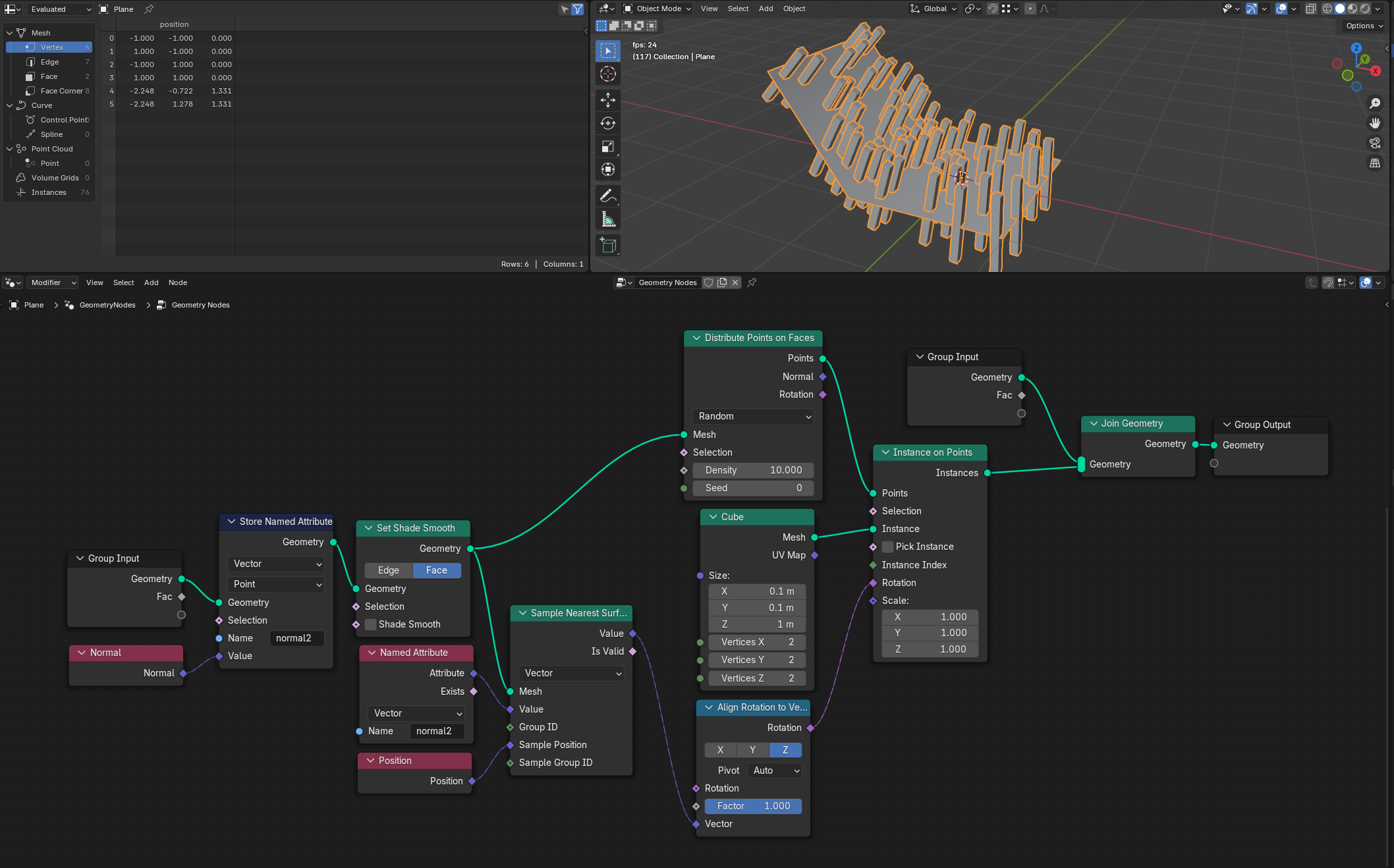
Here's an example of Distribute Points on Faces vs Sample Nearest Surface. Distribute on faces returns a properly interpolated normal + rotation while Sample Nearest Surface just returns the face normal.
Input geo with debug vertex + face normals shown. Toggling between using Distribute Points on Faces rotation output and using Sample Nearest Surface to get a rotation from Normal.
Somewhat related post: Add Normal and Position output sockets to Sample Nearest Surface node
If this is already possible in some way I apologize, I was unable to find anything about it and briefly looking at Sample Nearest Surface source it did look like my assertion was correct.
Solution provided by modormoder:
4 Comments
Your setup just wrong in order to solve your problem. Sample Nearest Surface node does interpolate corner values along the face. But input values has to be smooth so you'll notice this smoothness on the bend of the plane. In this context you need a face normals -> vertex normal -> corner normals -> mix them with mask so smooth normals will be only on corners on vertices on the bend.
I'm not fully understanding some of your points.
Do you mean the input mesh by this? In which case the input is set to shade smooth. I can't think of an other way to smooth the input so maybe you can clarify how I'd go about doing that?
This is probably where I'm not familiar enough with all of the geo node concepts. But how would I go about sampling the different normals from the correct sources to be able to mix them? And even if this works, that's a whole lot of manual work just to achieve attribute interpolation and I'd argue that would make my proposal valid still.
Thing that request such a lot of work is not interpolation but a custom normals (by custom i mean that the normal in geometry nodes mean is just a direction of a face. There is no shade smooth and so, this is a thing that different from normal attribute you try to sample).
Oh I see now. That was the core of the confusion for me. I assumed the Normal and Position nodes worked the same, as in they're just inherent attributes and adjust to whatever domain you're operating on. Your explanation makes a lot more sense, although it still feels a bit inconsistent and unintuitive to me in ways that Houdini never did.
In any case you were right and storing a custom attributes in the domain I want to interpolate in (Points) works perfectly as expected. So thank you so much for spending the time! And it's only 2 extra nodes which makes this a good solution. I'll close this suggestion.
I updated the main post with the solution: