
Enhancing Geo Node Workflow for Improved Control in Blender
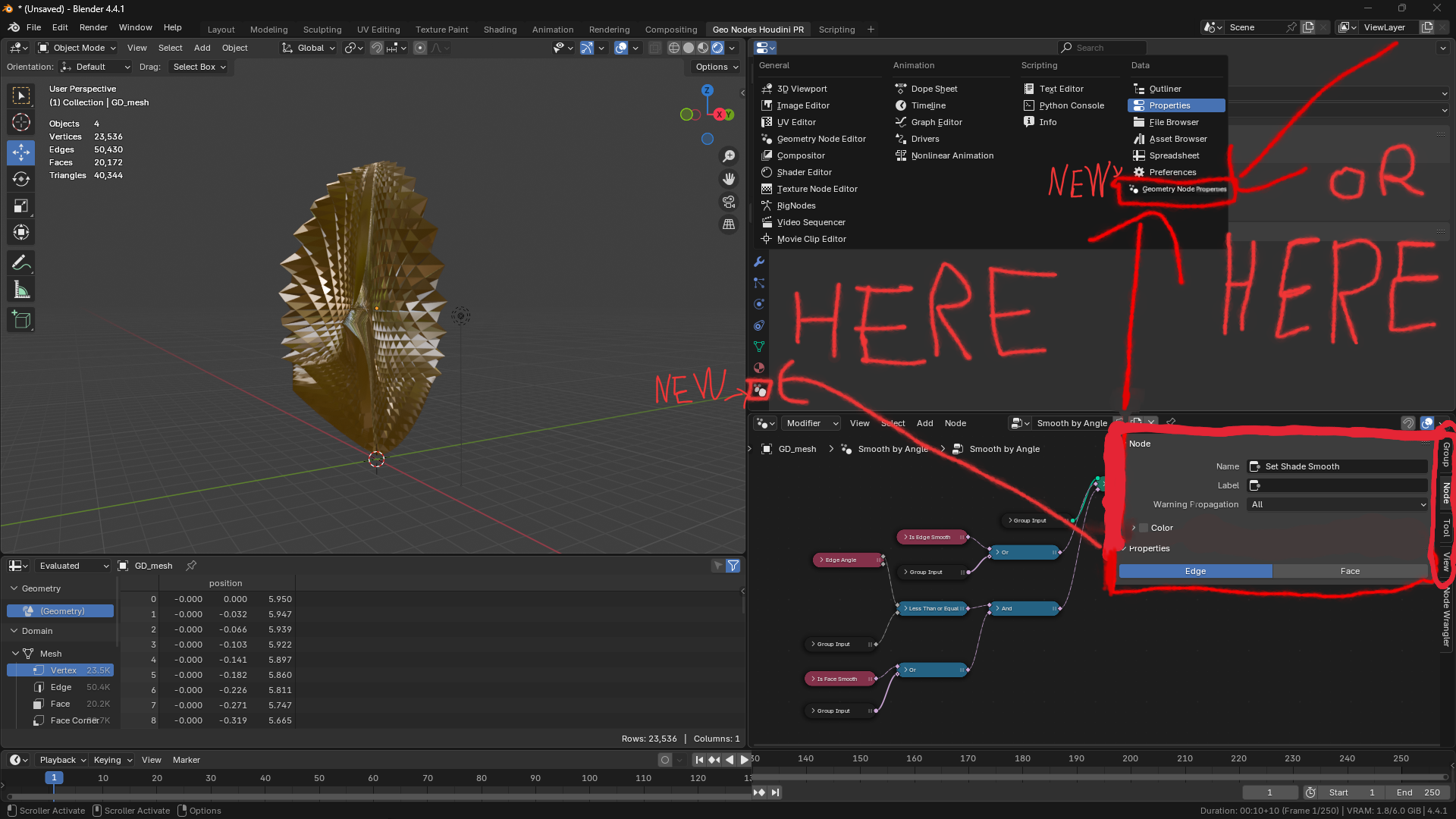
I think the idea is clear from the image, but I'll explain. It would be more useful and practical if there was a special section for Geo Node Properties, where all those sections that narrow down the workspace whenever you need to do something are gathered. I suggest that this section be placed in one of the areas I pointed to in the image, while keeping the current version and not removing it, of course. This is important. Since Geo Nodes have become an essential part of Blender, it would be ideal for this section to be in the small areas under materials
or anywhere the developers see fit. This would greatly help with control, without even having to open the node, allowing you to work on the nodes like in Houdini, which is much more streamlined and professional. Especially with the direction Blender is heading, where we will encounter larger nodes with more options, it would be very beneficial to create a workspace for this purpose. I hope you understand what I mean, and I look forward to seeing this project realized soon. Thank you to all the developers for their continuous efforts in making Blender the best.
3 Comments
Geometry nodes is Modifer!!! Non-destructive modifier! Modifer we can combined, swap, combined with standart modifiers. I strongly disagree!!
I don't see the necessity to duplicate the GUI in another place. You can just open another node editor and arrange it to only show the node's properties:
Thanks for the reply! I actually thought about that idea before, but I’m not really sure if having two Geo Nodes editors open at the same time would be a good thing. It might cause some bugs, and if there are too many nodes, it could slow things down or use more memory. I don’t know for sure, but I feel like having a dedicated panel for Geo Node properties would be a better option in the future. Anyway, it’s fine👍 thanks for caring!