
Geometry Node Gizmos add option to hide
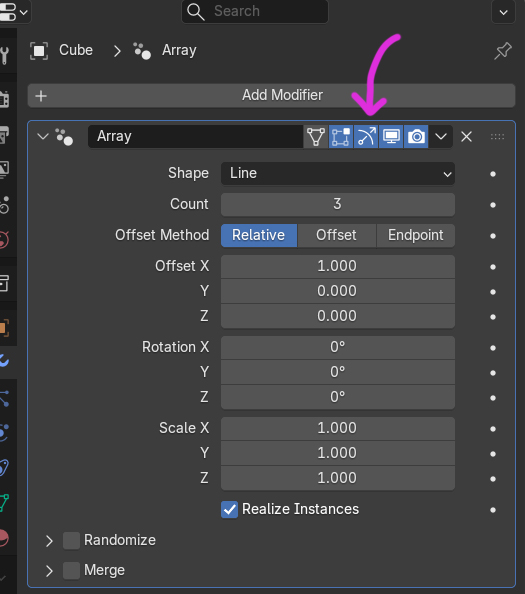
Problem: Geometry Node Gizmos are useful, but there’s currently no way to hide the gizmos. When they’re visible, they become distracting, especially for new nodes such as the new Array, which always display gizmos.
My Current Work‑around: To hide a gizmo, I create an empty Geometry Nodes modifier and select it. This prevents the associated node (e.g., Array) from being highlighted, but it’s an awkward and indirect solution.
Requested Improvement: Add an option to hide individual Geometry Node gizmos without needing extra modifiers. A simple toggle in the UI would let users keep the viewport clean when they don’t need the visual aids.
Proposal:
1 Comment
Please not up-there though. Those blue buttons are already making the modifier name unreadable on a 15 inch screen