
Enable/Disable Icon for VSE Sound Strip Modifiers
This proposal suggests adding a new Enable/Disable toggle icon for Sound Strip Modifiers in the Blender Video Sequence Editor (VSE), matching the existing functionality available for video strip modifiers. This improves workflow consistency, usability, and clarity when working with audio effects such as Pitch,Equalizer
and future audio modifiers.
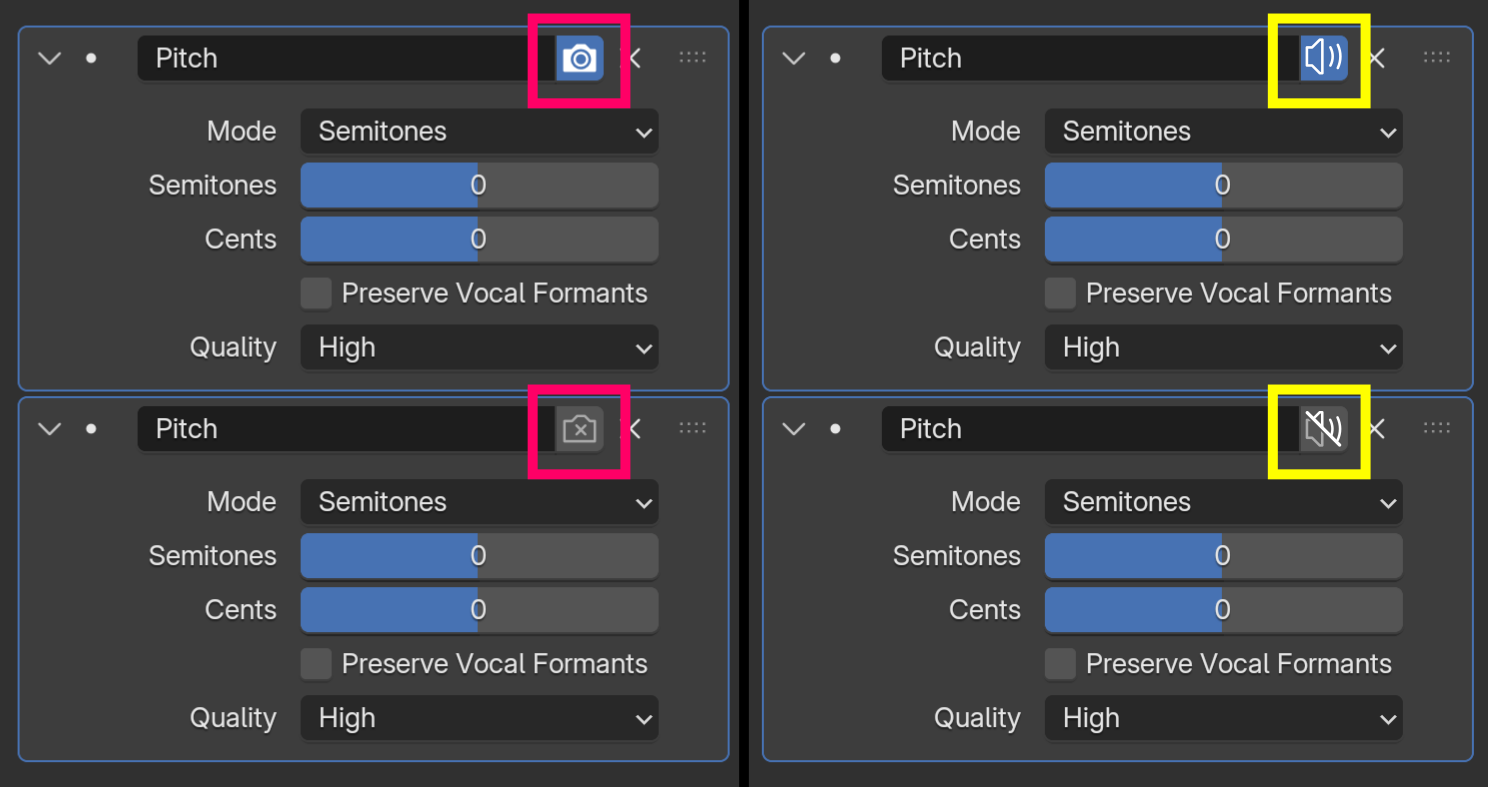
2 Comments
The current visibility icons carry more meaning than just "is it visible". It brings nuance between what you get in editor temporarily vs permanently (e.g. when linking external data), or in render.
The current icon used means specifically it should be muted for the final render, not as a preview during editing.
Though here the issue is that it mutes for both final and preview... Ideally we should have all three visibility options, but at the very least temporary "editor mute" + "render mute".
If new icons were to be added just because it's an audio signal, we'd need to find three of them with their on/off states, and have the community learn them. Not sure we gain much when there are already icons that do the job and the current userbase already knows about their differences. But that would be a nice visual polishing.
I'm pretty sure those icons already exists in Blender for other purposes. Anyway, it's doesn't really matter because thn muting logic for the audio modifiers is pretty much broken and doesn't working at all.