
Option to make the transform data appear near the mouse cursor (Much easier adjustments when doing precision modelling).
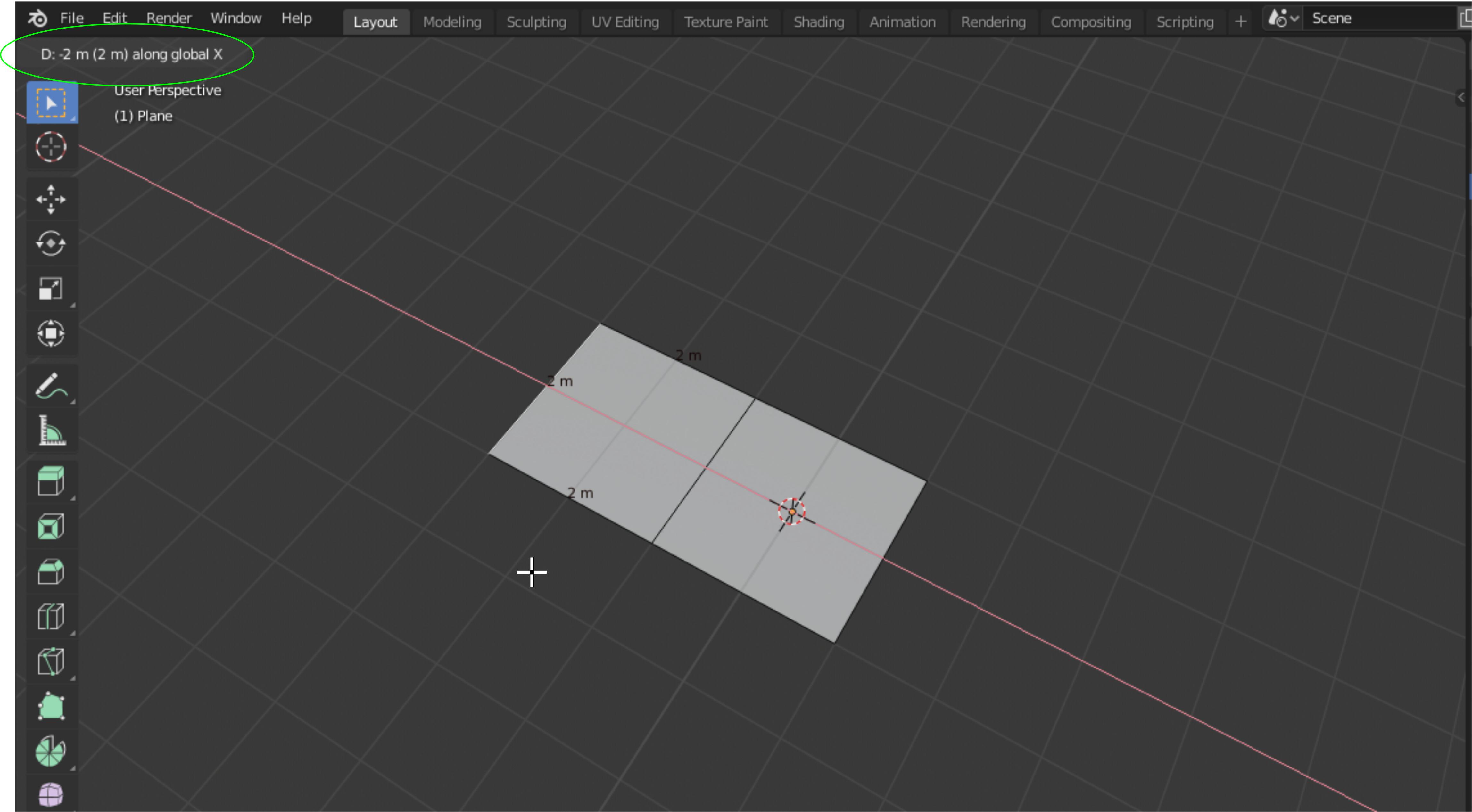
Hello guys. Blender already has some basic tools that would help a user work in a cad like environment. What I would like to request is to have an option to have the transform data widget appear near the mouse cursor when transforming an object in edit mode. This would lessen the task of a user to look left to right/ up and down because the information is already near the space you are working on.
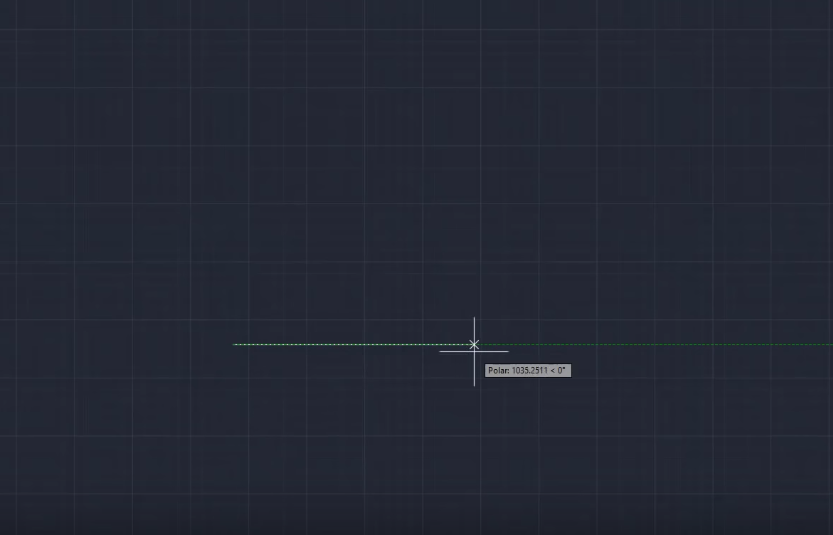
This is how it is currently implemented in autocad 2020:
\
 \
\
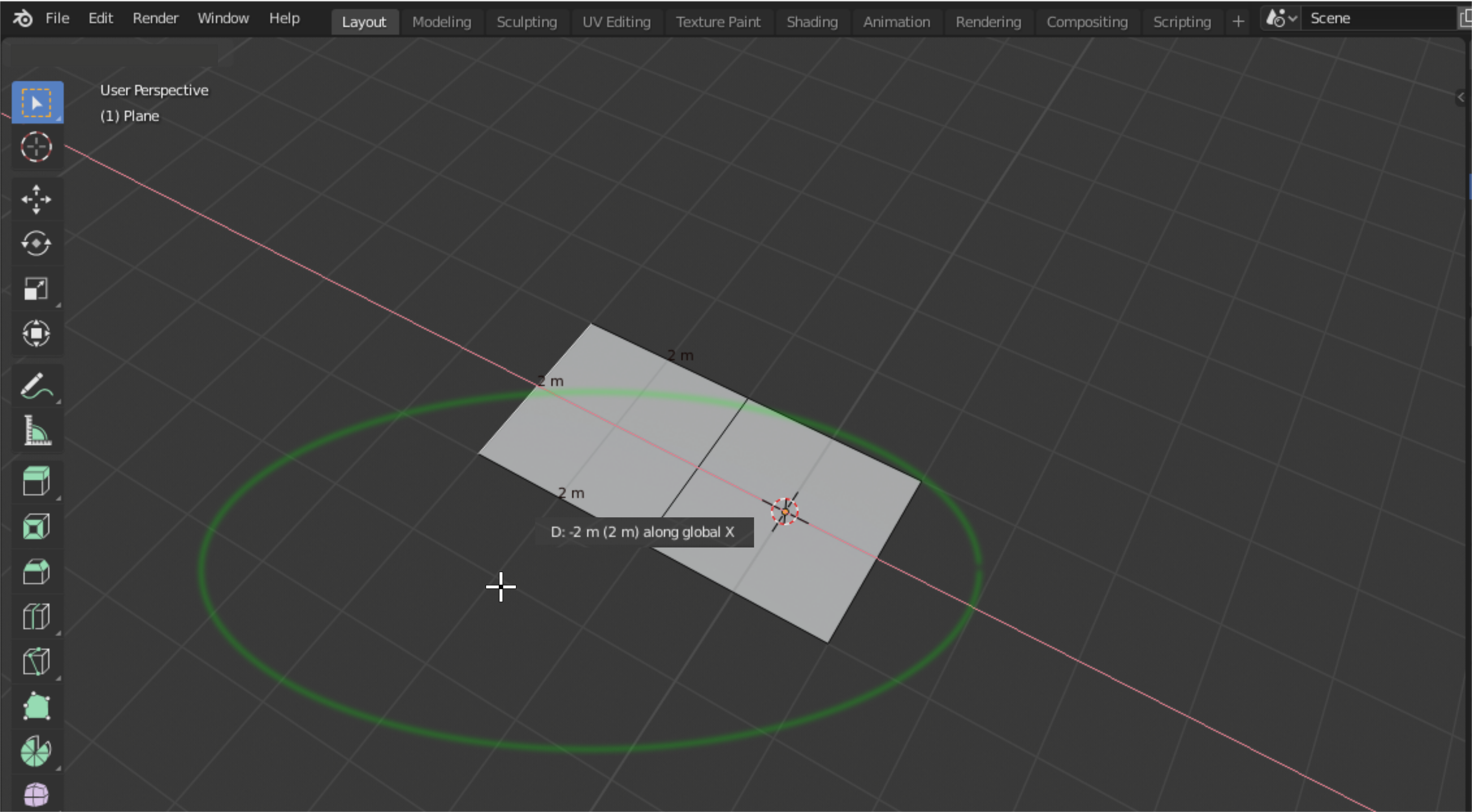
I have noticed that it was supoosed to be placed below the mouse cursor to make the working space much cleaner comapared to the mockup I created where it was placed at the top. \
 \
\
\
\

\
One thing that I also noticed is you cant see the actual scale of an entire object with all its connected parts. You can only see it when in object mode. Although this is another different topic, I hope it would be possible to add this small things which I believe will make adjusting and measuring dimensions more easier to work with.
Thanks.
5 Comments
Mouse cursor sometimes not the best place for this numbers. From my experience - often I execute operators when cursor stay far from screen center or transformed elements on screen after previous operator execution with moving cursor. Another problem - should it stay after operator start or move with cursor?
So showing this numbers around cursor can be even worse. Now I constantly know where they are, with such mechanic I will have to look each time for cursor position when actually I want to look at transformed elements.
Maybe if it will work in a bit complex way - show transform data around transform center/if it not on screen show around cursor position from left/right top/ bottom closer to screen center.
Also, I think, it would be good to add some coloration for such widget. I really like the way it looks in Speedflow addon - good recognizable colors, not just gray numbers on gray background.
* @IIIFGIII * That would also be nice. But it may seem too much for some. Even if just this feature, I will be very glad already. adjusting dimensions in blender is currently still a little bit tedious and I believe this option can make up for some of it. I also believe users that would like to use blender in a cad like manner will see tge advantages it applies.
mmm... that looks too much in the way
* @ Lsscpp * Maybe it is because of the way I presented it. Here is an image of this tooltip inside autocad 2020.
* @johnpdelacruz26 * I noticed that it was supposed to be below the mouse cursor and not on top of it. This can make the working area much cleaner.
To present tye feature a little bit better, I may have to redo the mockup image that will represent more of how it was implemented in autocad.