
Grease Pencil Effects by material
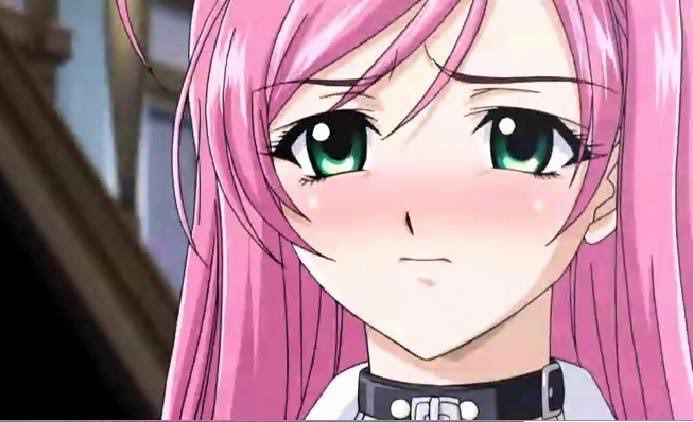
In Japanese animation is very commum to have two colors blend together. I am not really sure it is possible to replicate that with the grease pencil material system, but a way to go around that would be the option to add an effect to a specific material so you could for exemplo make a blush material and blur this specific material, getting a simmilar result to the folloing image without much compositing trouble. Yes, it is possible to do the effect with a bunch of render layers blured and alphaoverlayed in the compositor, but it is very time consuming for something that could be done with one node in opentoonz for exemplo(yes I could just use opentoonz but there is the also time consuming process of bringing all the drawings to opentoonz in order to do the whole composition there, and also... we all love blender so we wanna use ONLY blender hahaha) so it`s kind bad for production that sometimes have a very tight squedule.
So basically the proposal is to be able to apply effects by specific material in blender grease pencil.
4 Comments
Ok, so using blurred semi opaque layers for shade effects? I think you would also need to have an option to be masked/ only show only over certain layers below otherwise you could only use them in the middle of other objects to avoid the soft shape from bleeding over what you're trying to shade.
* @jamesthomasxt * I guess for masking you would only need to do the shading in a diferent layer and toggle the option "mask layer" beside the opacity control. But a mask by material would also be an amazing idea. :)
I believe every kind of 2D animation would be happy with this.
Yes! If we could select on what to apply the effect; on a Material or Layer or even a VertexGroup. Definitley yes!