
Add "influence" and "mask" as two Standard inputs for each effect node
Currently, when using nodes for compositing, two operations need to be performed frequently:
-
Set a mask for the effect to limit its influence.
-
Set the time range for the effect's influence. Usually, keyframes need to be set to clearly define its starting point and ending point.
If these two inputs are not provided, then the scope of the restriction effect needs to have an additional Mix node set up, and then the Mask should be connected to the Factor. To set the start point of a certain effect, an additional Mix node needs to be set up. Then, for FactorK frames, why not directly incorporate these parts into the nodes?
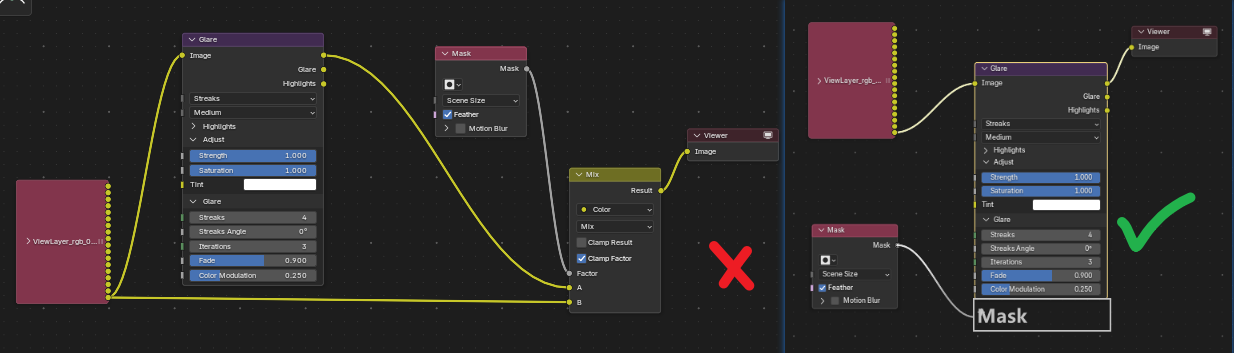
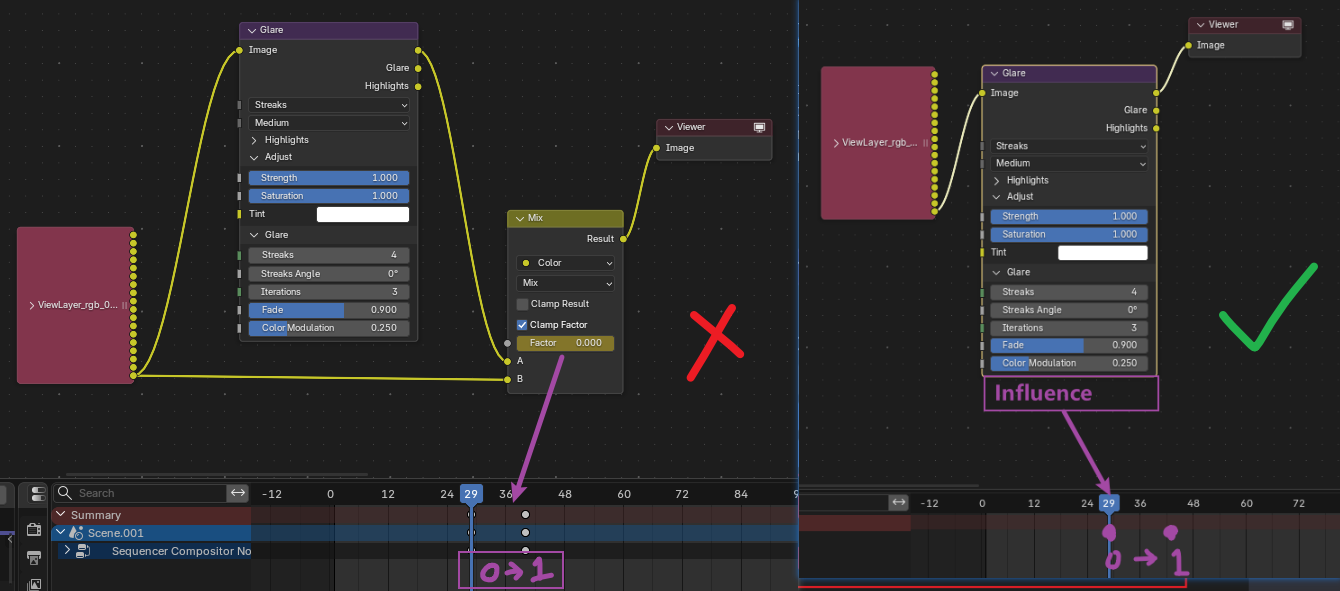 What I hope is that when I need to limit the area of a certain effect or want to set up an animation for a certain effect, there is no need to set up such a set of nodes every time to meet this requirement.
This is crucial for the Compositing process. It can be achieved in both Davince's Fusion and Nuke software.
2 Comments
Quite likely, this kind of functionality won’t be added to the Nodes, as it is achievable with Node Groups. I have read that the current development guideline (at least with Geometry Nodes) is to keep native Nodes as simple as possible, and add more defined functionality with Group Assets.
I personally would make a Node Group with desired functionalities and save it as an asset. It takes a few minutes.
Yes,there is no need for users to add Mix Node for these two use cases