
Material Override indicator
My suggestion would be a simple icon that indicates when a material is being overwritten by the Material Override function.
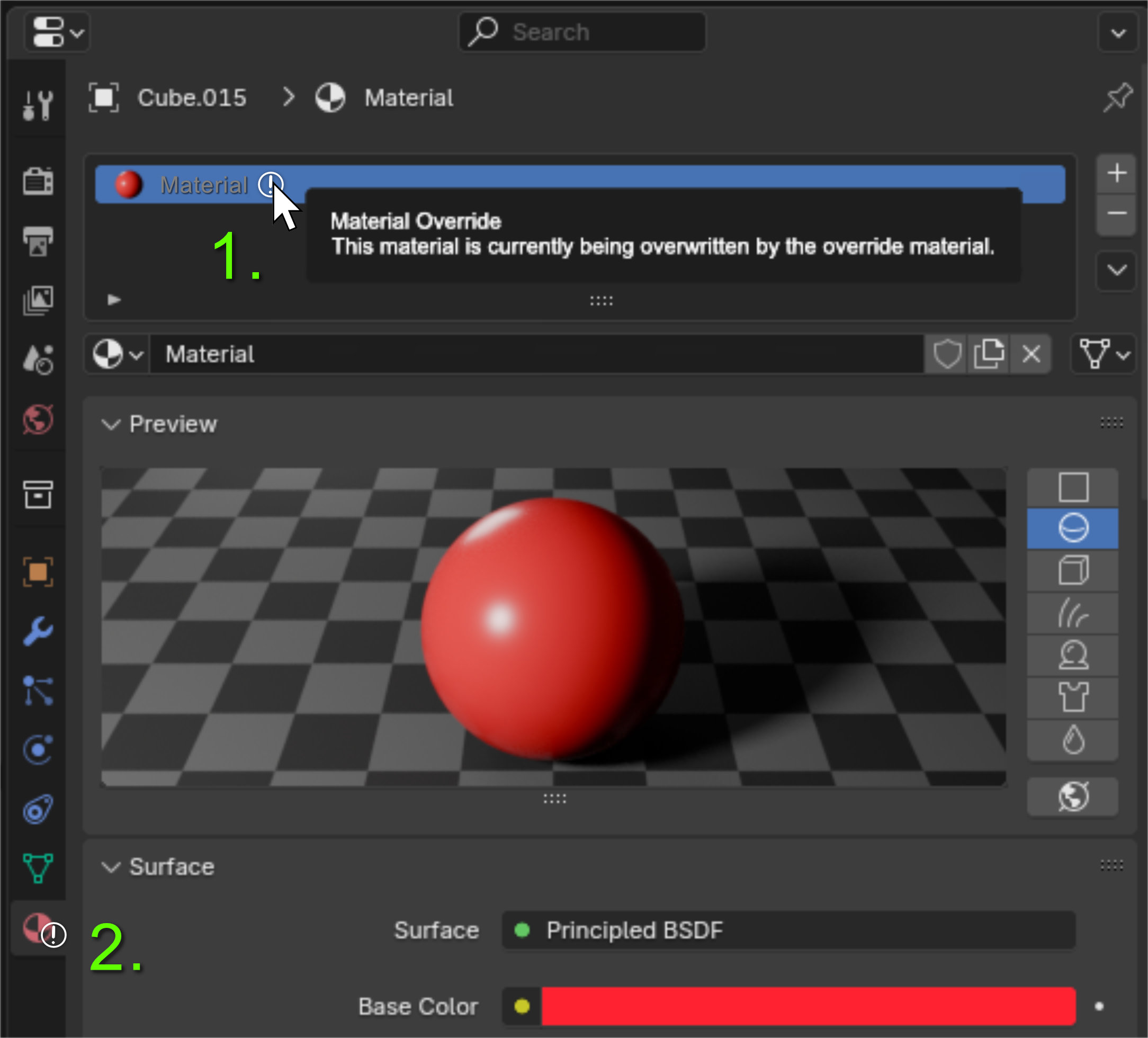
Suggestion 1: Icon next to material name with tooltip to tell user which setting needs to be changed. Maybe the name of the material could also be greyed out to show that it is inactive.
Suggestion 2: Indicator on the Material Tab icon if a material is being replaced. Easier to see than the first suggestion as the user could miss the first one by not scrolling all the way up in the material tab. Ideally both would be added.
Thought of this idea when troubleshooting why my emissive material wasn't emitting any light. Went through the long list of render, object and material settings only to find out I added a material override in the session before. The Override option being in the ViewLayer tab also makes it kinda easy to skip since (for me at least) those settings are mostly used for compositing/after rendering - not for changing how the scene looks in the viewport. Sadly this wasnt the first time this has happened to me and a feature like this would have probably saved me from a headache or two. 😅
2 Comments
IMHO it makes no sense to make indications in the material name and tooltips. It's not "that" material that is being overridden, it's all materials everywhere.
As for an indicator on the material icon, I would worry about it being easy to miss as well.
I think something like a grayed out GUI (but still usable) with a warning messages explaining why would be more obvious:
Oh wow that's honestly way better. I've seen a lot of people ask for an option for materials to be excluded from material override and if that's ever introduced I guess you could just have those material slots not be greyed out. But yeah your concept is way more clear and looks much more like other GUI elements that already exist in Blender.