
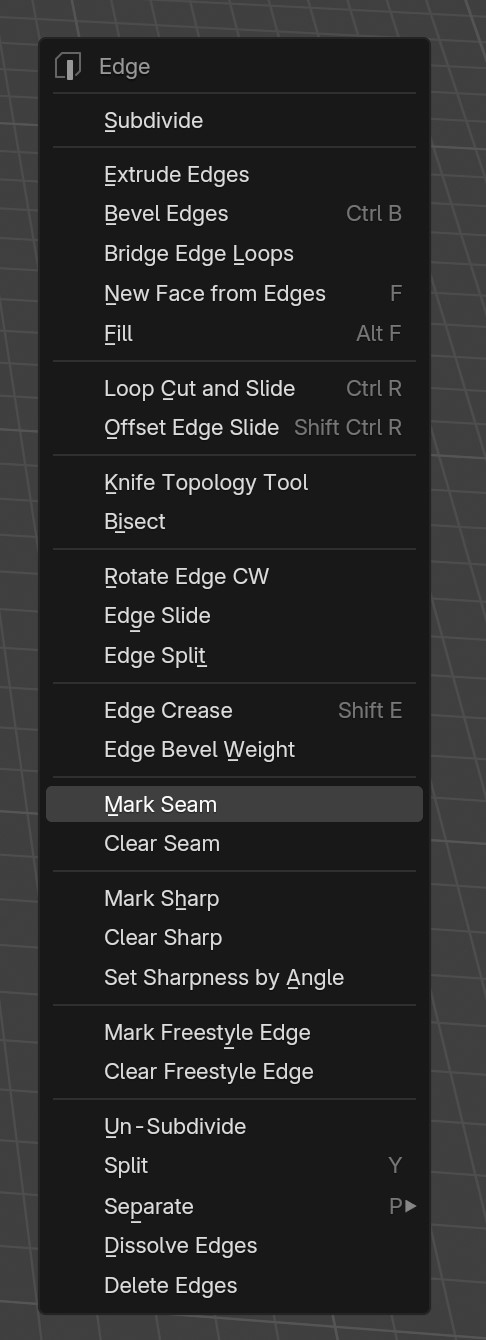
Add icons to edge-select related actions in context menus
I often use the context menu to mark and clear seams and sharp but I find myself often selecting the wrong option. Color-coded icons that link up to the theme's seam and sharp colors could be really helpful
1 Comment
Thanks for the proposal, this is a great idea! It's a bit against the monochromatic aesthetics introduced in Blender 2.80, but I personally think Blender should bring back some color to icons where it makes sense, like here where users need to make a connection between what's seen in the viewport and in the menu.
I gave it a try and turns out it wasn't too hard! It's now part of Blender 5.0 alpha :) projects.blender.org/blender/blender/pulls/144075
Other places where colors could be used are the Vertex Normals icons, the modifiers could use a hint of blue, the shading icons a hint of red-ish, etc. We might need a setting for disabling colors altogether I guess, not sure.