
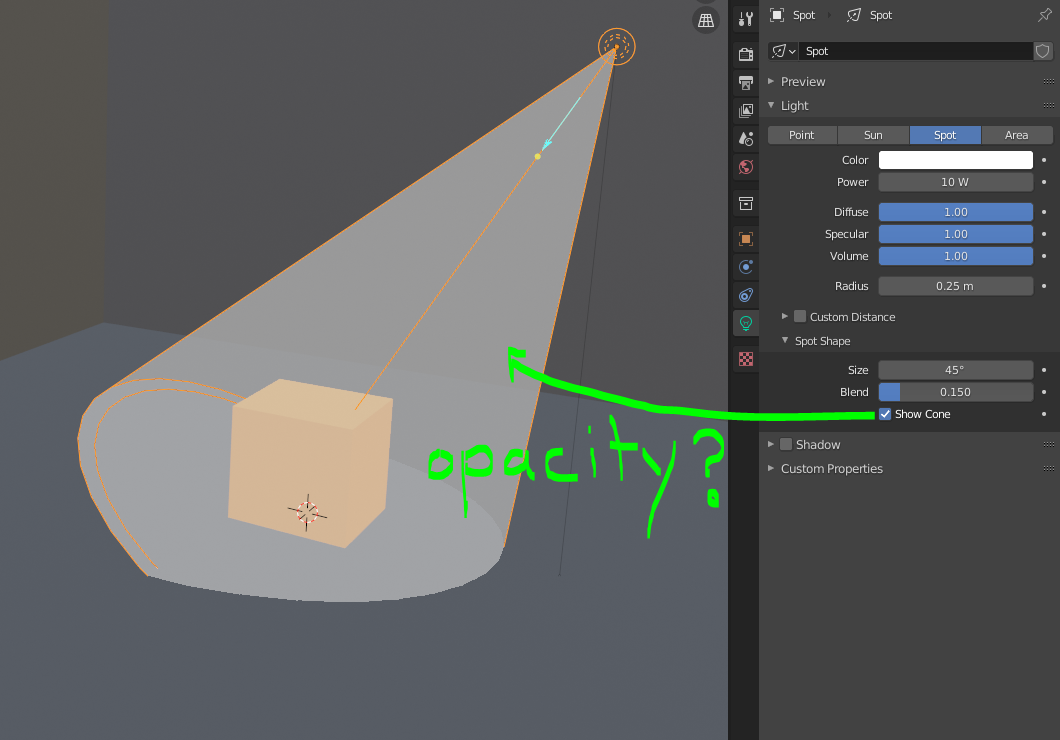
Spotlight 'Show Cone' opacity setting
My apologies if there is already a setting for this, but I haven't been able to find one.
When using the spotlight's 'Show Cone' option, it would be helpful to have a way to adjust the opacity of the cone in the 3d view somehow. The 'Show Cone' feature is useful, but it quickly clutters the viewport when using multiple lights.
While it could be done within the light properties, it probably makes more sense to have this be inside the Viewport Overlays menu, or perhaps inside the Theme Preferences as one of the color choices (with alpha).
2 Comments
Agree, the checkbox should be replaced by an opacity slider, that completely disables the cone when set to 0.
I'm not even sure I'd keep that option where it is-- I noticed that Lights are lacking a Viewport Display section like most other items have--objects, cameras, etc. That's probably where I'd put it, along with any other useful settings in the same category. For example, a setting for a light's wireframe color.