
Fast easy dimensioned driven subdivide tool
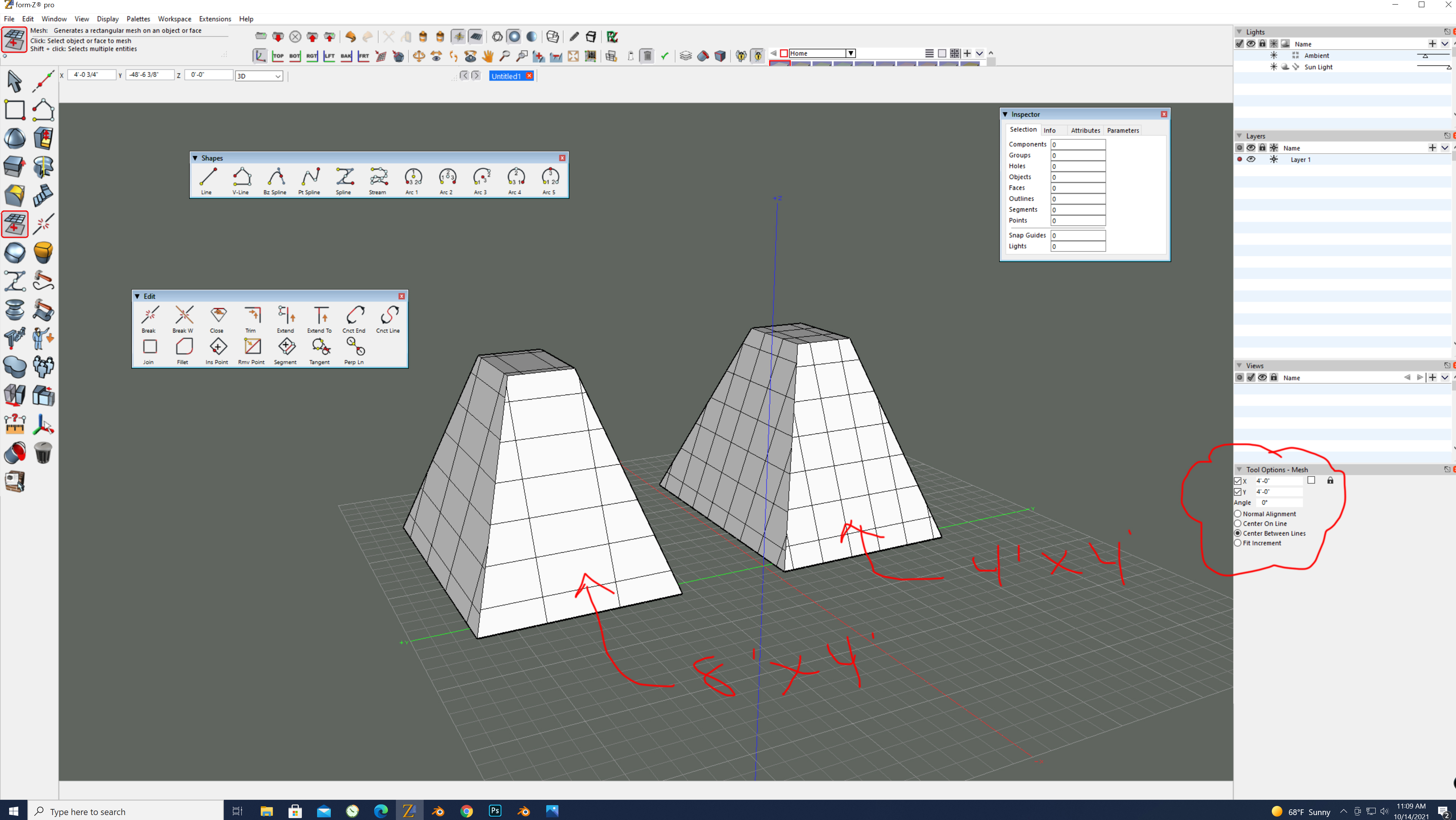
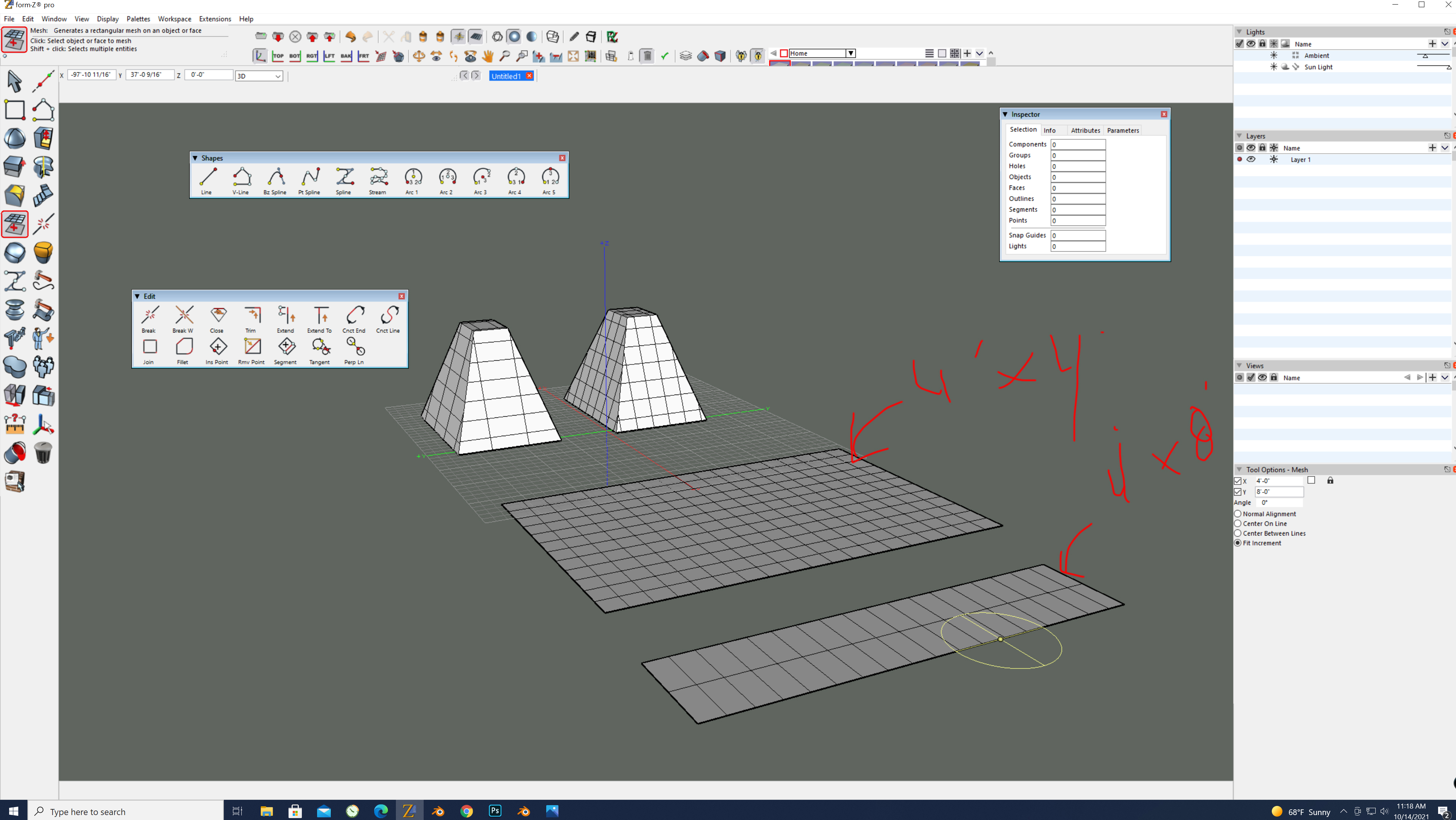
It would be great if the subdivide tool had a place to enter in dimensions for which you would like your subdivided squares/ rectangles to be. Regardless of the shape. Lets say I want 2'x2' or 1'x8' subdivided grid, any dimensions, on my object or face. Type it then get the result.
Form-Z can do this. it would be a nice addition to Blender.
Thank you.
8 Comments
Well, it's no longer a subdivide operation since subdivide uses quad polygons for calculation... It's technically some sort of multi-plane bisect or remesh? Would be a pretty good modifier to have (inb4 "you probbaly gonna make it with geometry nodes in future comment").
For now check quad swords addon for destructive operation: blenderartists.org/t/quad-swords-free-addon-for-cutting-mesh-into-grids/1322354/1
I'm just curious - how it work in someone's else head. Can you explain how exactly you imagine such mechanic has to work in "non ideal square face" cases?
I attached an image.
Works great on rectangles. Evenly spaced dimensional divisions.
It uses the objects origin as a start point for grid placement.
Please don't tell me to use loop cuts or the knife project tool. I already do this, it is rather time consuming.
There needs to be a grid knife project modifier
Yes or an option in the remesh modifier or in object remesh (to only run grid knife without remeshing every corner)