
Delete overlapping edges/vertices/faces mode for the boolean modifier.
The purpose of the modifier would be to allow for better artistic control of semi-destructive or non destructive workflows.
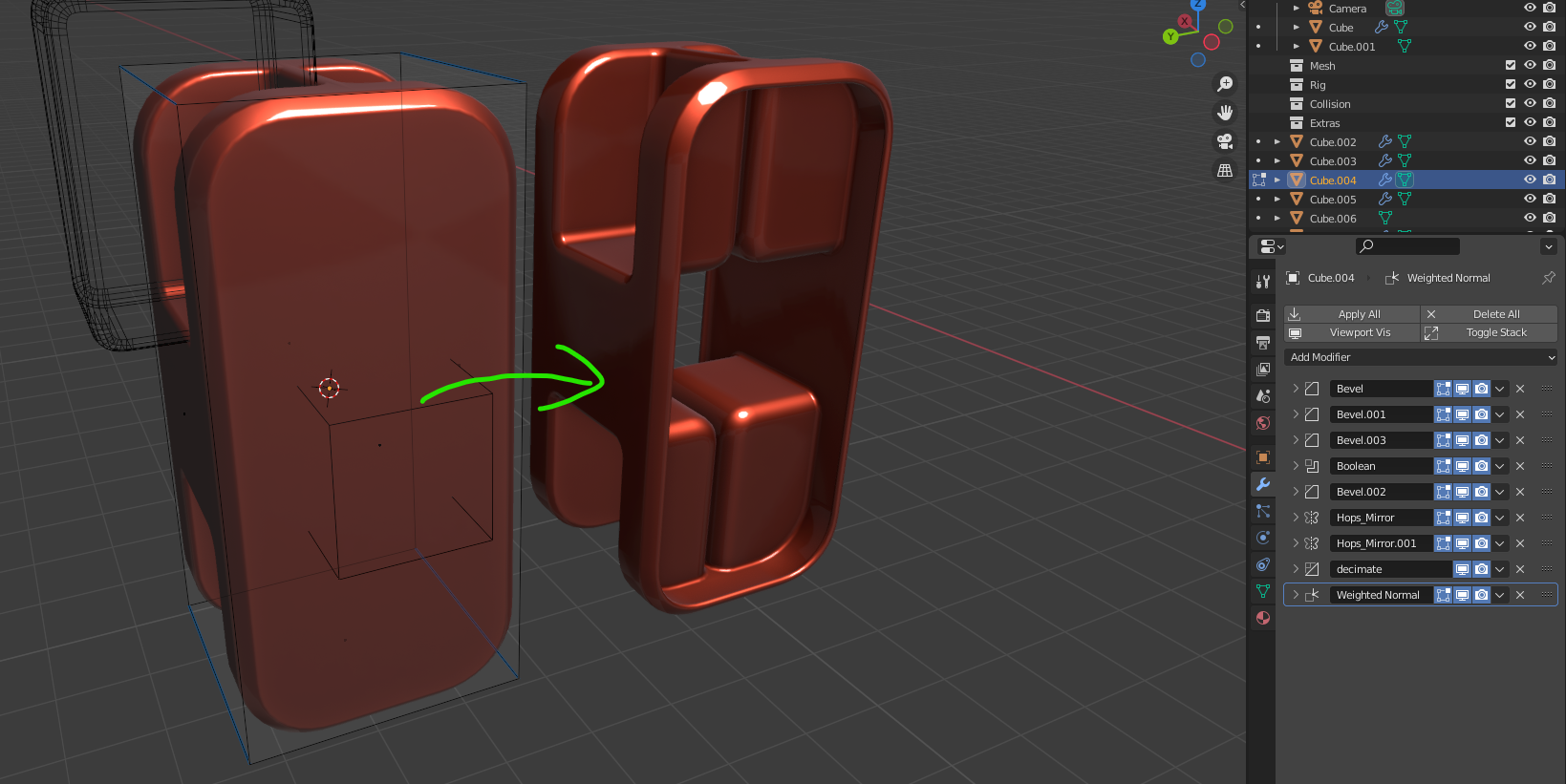
In the example image I have a completely procedural little greeble to the left, coming from 2 simple cubes both with some modifier stacks & bevel weights.
Now what if I want to completely remove the large ngon facing the camera?
So what the node would do is detect any vertices, edges or faces of which is either partially, entirely or has its middle point within the boolean object - preferably with the user controlling whether it should look for vertices edges or faces and if its the middle point, entire face/edge or any overlapping point that needs to be within the cutter object for the verte/edge/face to be deleted.
Currently I would be left with the 2 choices of either creating another cube where I manually match the bevels to the one on the object holding the cutter modifiers to align perfectly with the face, make it a cutter for the main object and offset it slightly on purpose to avoid any glitches due to limitations of the current solver. Or my second option being going destructive by applying my modifiers & deleting the face in edit mode (the result you see to the right was done this way, then adding a solidify & a bevel modifier on top).
Another useful implementation would ofc be to have a node in geometry nodes that lets you isolate overlapping vertices/edges/faces & then process it as you like in your modifier tree (like, simply deleting the geo, or maybe you want to inset or extrude it?). Houdini has nodes operating in a similar manner where you can create an attribute (vertex data) based on overlapping geometry or within something like a bounding box.
2 Comments
Yes its most clever solution ..its like volume select in max. No matter how vertex order is changing during the stack, u will always have selection in right place. This is exactly the thing!
I don't clearly undestand the issue but I suppose maybe another case for Editable mesh modifier/ GN node.