
Bring Annotation Layers to UV/Image Editor
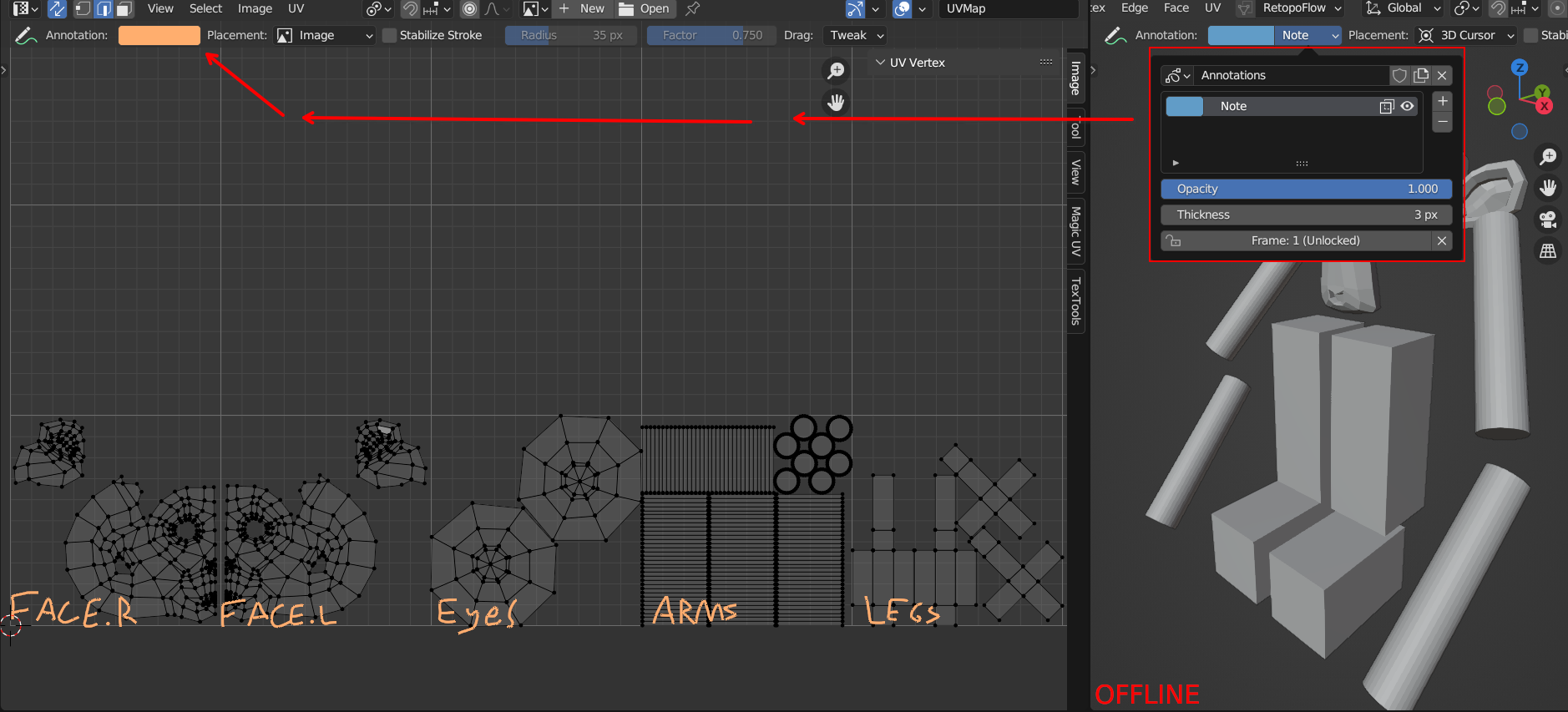
Bring the annotation layers/opacity settings from edit/object mode to the uv editor.
It would help in organizing. Example if you have UDIMs and want to name each tile so you can easily know what the islands are for when laying them out. But then you would want to turn it off or reduce the opacity when you are unwrapping.
6 Comments
This is already possible, all editors that support Annotations have layers in the View -> Annotation panel on the sidebar.
But button to access layers from toolbar is missing, post is about that button so it's too early to mark it as finished.
Post title is "Bring Annotation Layers to UV/Image Editor" which already supports. It should then be renamed to "Add Annotation layers to top bar" or similar in a new proposal.
Thanks. I didn't know you could do that in the sidebar.
I would be cool if the button is also available in the top bar.
Interesting, this looks more like a bug for me. Have you tried reporting it on tracker?
Also there is another way access to annotation layers in uv editor, it's in sidebar: