
Grease Pencil Fill - Boundary reference layer settings
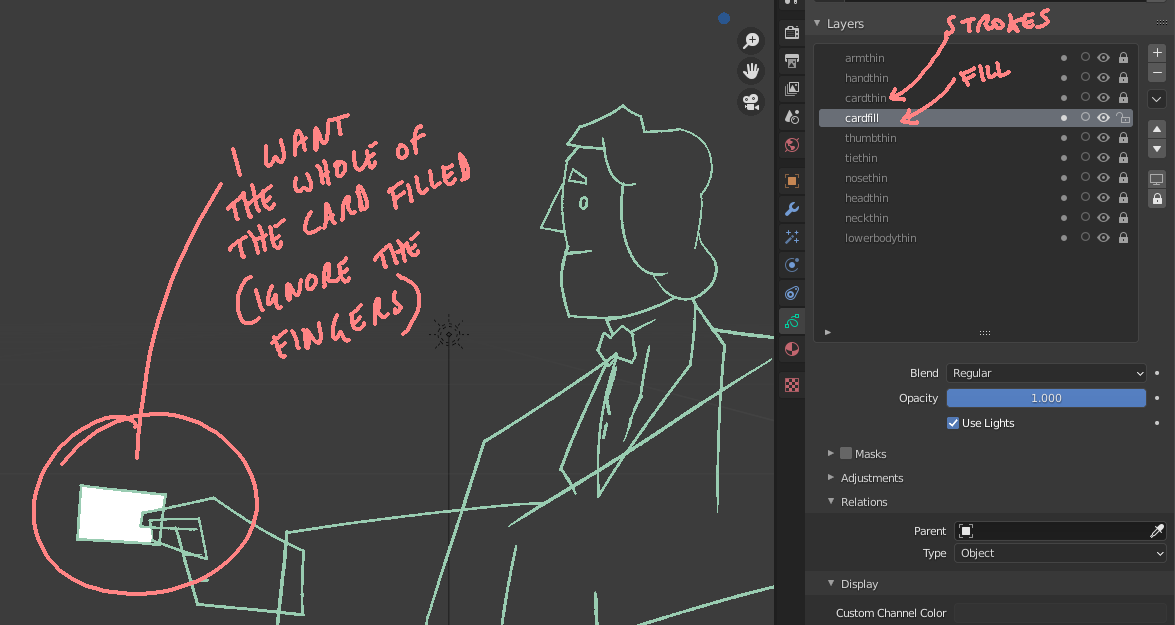
Currently, the fill tool 'sees' boundaries in all visible layers of the current Grease Pencil object. Often this isn't convenient - while colouring you might have to manual toggle visibility on many elements for each frame of your sequence to get the colouring you need.

Instead, the fill tool could allow the user to specify which layer(s) to use for boundary references independently from layer visibility, which would save a lot of time.
Here are two possible ways this could be achieved.
-
An extra drop-down for the fill tool called 'boundary'. It might have the options: All layers above, Layer directly above, All visible. (I'd mostly use 'Layer directly above')
-
An additional checkbox per layer, in the layers list. Any layer with this checkbox active would have its strokes/boundaries 'seen' by the fill tool. This would be more flexible. For instance the fills layer needn't be directly adjacent to the (single) strokes layer that should be used as a boundary reference.
3 Comments
developer.blender.org/D8474
* @Antonioya Blender * thank you! this makes my day. will speed things up enormously :D
Please mark the proposal as "Done" (edit post, select Status Dev)
Thanks!