
Smooth Shading / Flat Shading accessibility
switching between the two is in my workflow one of the most used things , and in 2.79 its easy to access , takes only 2 maximum 3 steps
in 2.8 it takes way more than that
this post talks exactly about the amount of steps blender.stackexchange.com/questions/100221/smooth-shading-option-missing-in-edit-mode
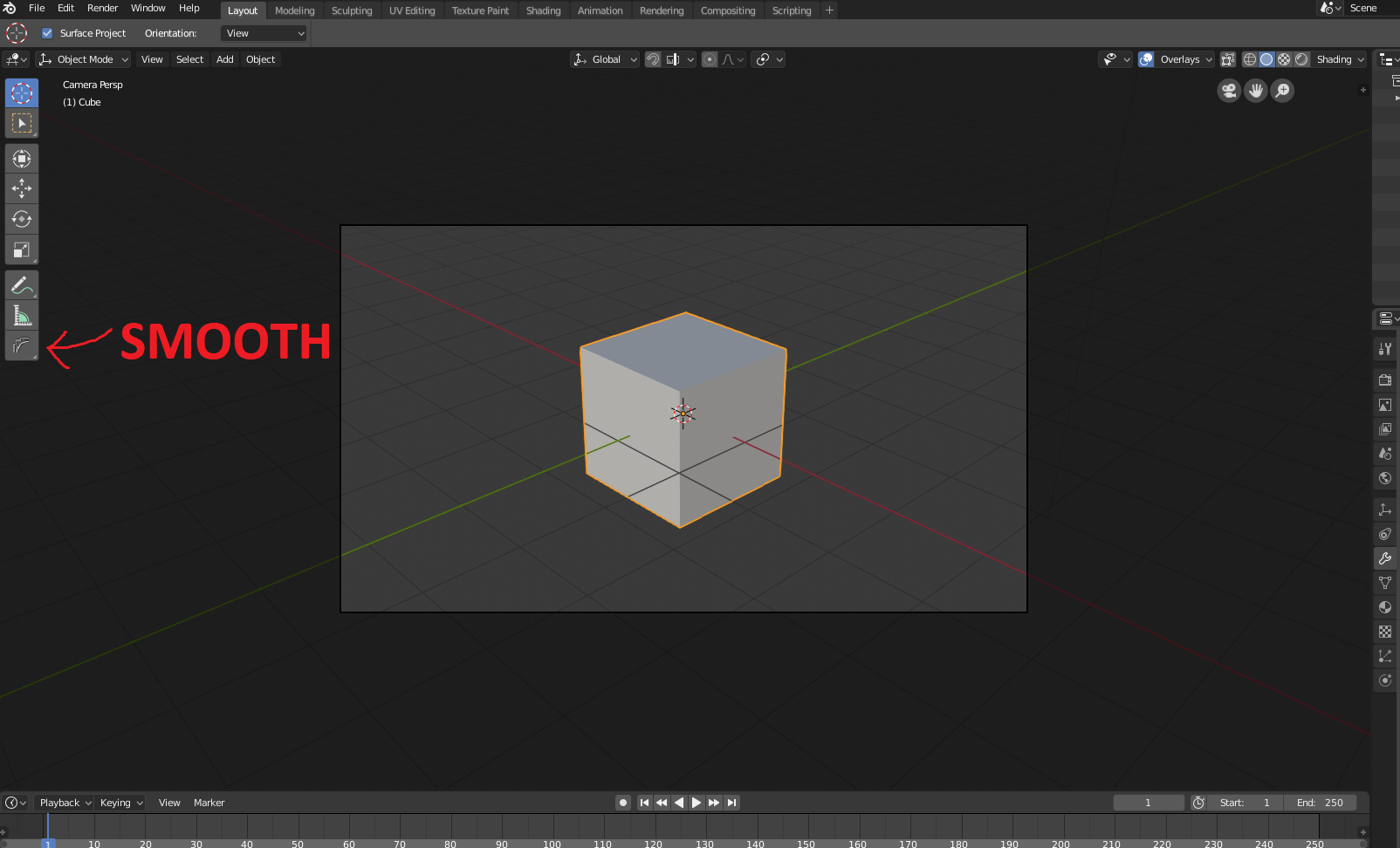
What i propose is putting the Smooth Shading/Flat Shading , somewhere more accessible and less confusing
as it is now in 2.8 when you go to mesh and shading, there are TOO MANY options , it is really ... confusing , expecially for a new commer it would be a quality killer, since 2.8 is more Intuitive ,the shading should also be intuitive , maybe if Moving the shading to somewhere more accessible isn't planned
adding Icons that show what it does help Slightly , not much for the "Takes too many steps"
A button in Object and Edit mode on the Bottom Left , would be IDEAL , it would make ANYONE notice it
To citate Blender guru , When using Blender for the first time PRESS ALL THE BUTTONS!!!!
it worked for me in 2.79 i discovered Viewport Rendering, Smooth Shading ,all that!
but in 2.8 ,pressing all the buttons doesn't have the same effects, things that were in Full View , are now Hidden
To a noob expecially, always consider the newbie perspective that doesn't know what to search , doesn't know what to do so having things clear is the best way
this is me struggling with 2.8 and at the end after 3:25 suggesting an easier approach to Smooth Shading accessibility youtube.com/watch
8 Comments
You can add this function to "quick menu".
@kotulsky: Do you think a noob can do all that? a noob won't even know what Smoothing is
@porkeehunporki6669999: If they don't know what it is, then why do they need quick access to it as an early thing?
@Jason van Gumster: if someone is new to blender and can't do anything to make things look good when first opened (compared to 2.79) , then they should just ... what?
i've seen a lot of people judge blender as "BAD CGI PRODUCING" , because some people don't know where to find ESSENTIAL features (because they don't even know they exist or what their name is)
Immagine now with 2.8 that things won't even look smooth , in this case bad Cgi image will be even worse in a sense
i mean new people don't need all features ,but at least the essentials of being able to Make models Smooth , and have easy light(the lighting is fixed in 2.8 , on that regards newbies will post things that will look BETTER LIT ,but crappily flat shaded)
Sorry for long post ,it has just troubled me alot to just , not be able to find anywhere how to smooth a model or how to go in First person (SHIFT + F for easy camera movement) , until i just surrendered and went to ask some people on discord on how to do it in 2.8
@Jason van Gumster: ok i just recorded something similar to my first reaction using 2.8 for an animation , at the end it has a suggestion on how this could be approached and keeping it consistent with 2.79
sorry for bad audio quality youtu.be/mNpY-BmFK0M
Bforartists has two icons in a toolbar to the tob or toolshelf that has this on a single mouseover move and click. It has been handy.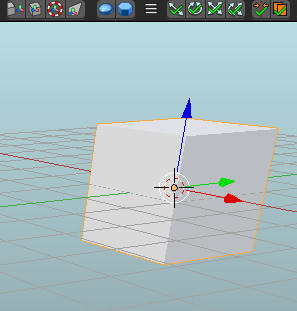
@ondraise15: seems handy but for a main blender it would be nice too , since in previous versions it was always there anyway
they are also in the contextual menus , 'W', Ctrl+V/E/F also there is Quick Favorite which u can add depending on the Mode/Editor you are in ..putting them in buttons will not help but make the UI more busy and cluttered. any user should first read the documentation of 2.8 which is not released yet.