
Object previews in the outliner
this is an idea to make the the outliner a bit smarter to organize the objects in a scene
this idea says that when we hover over any object in the outliner for a certain time delay the outliner will show a tooltip that will display a small preview of that given object, the tooltip will be large enough to understand the object from the preview
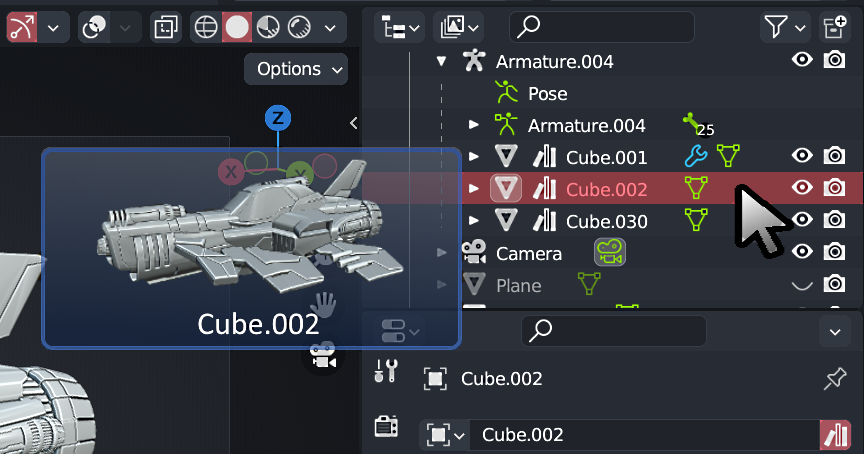
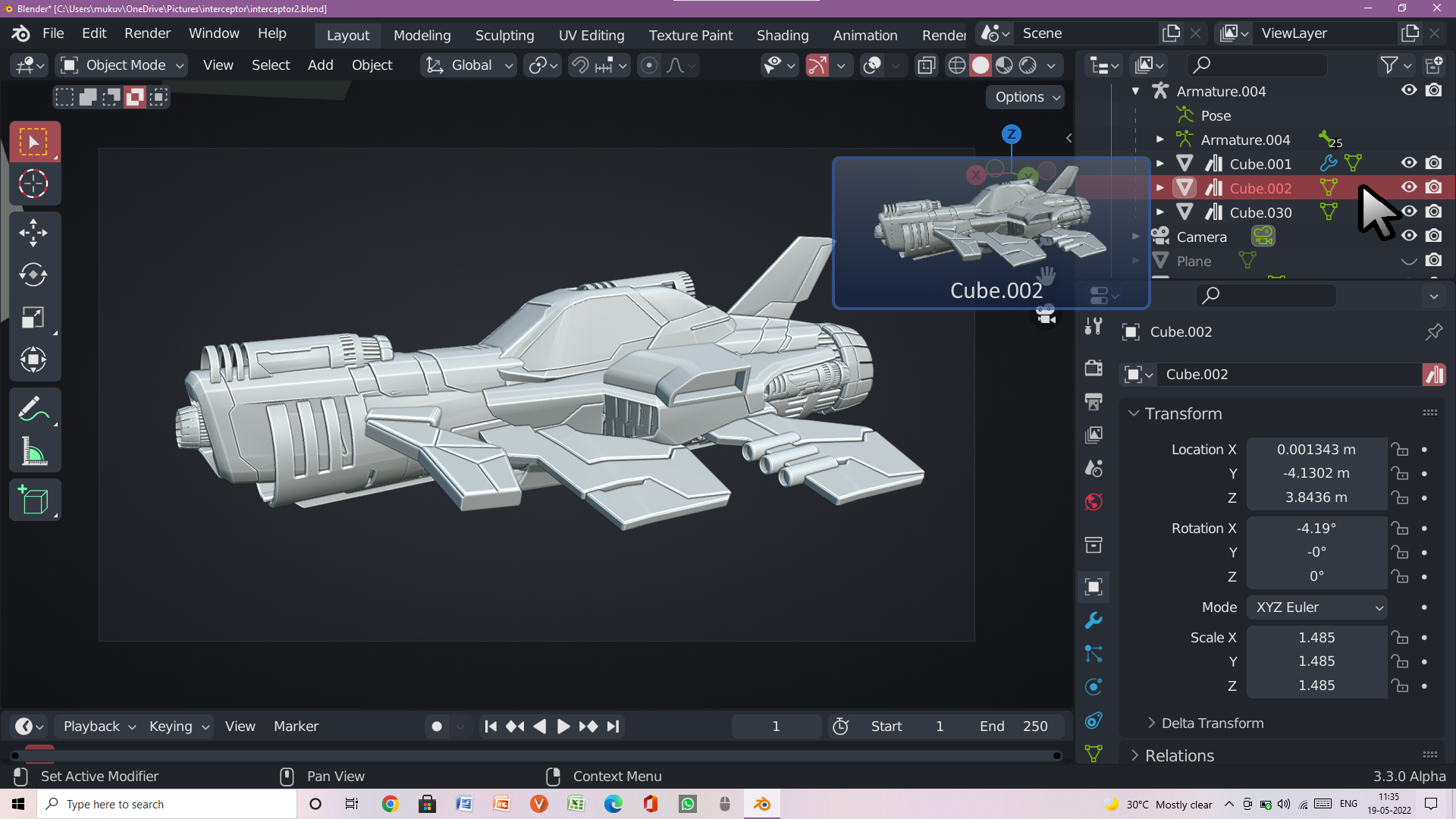 I think this can improve the outliner's object organizing capability
9 Comments
If the preview will be synced with the viewport then if we play any kind of animation in the viewport we must be able to see the movement in the preview as well, if any such feature is thought of then it is a great idea to have in blender
Interesting proposal. Do you have any thoughts about how those preview images would get generated/stored/etc? Would the previews have different options for rendering? Not every object would look recognizable with certain render modes/shaders. How does Blender decide what angle to render them from? When/how do the preview images get updated? What happens if they start bloating your project because there are hundreds/thousands of them? I'm not suggesting you need to solve all these problems in the proposal, but it's worth thinking about.
the previews can be generated in the outliner in the same way how it is generated in the asset browser and we can use mat caps for rendering the previews in that way it will be fast and we don't need to lower the resolution and the details can be preserved in that way, the angle of the render of image can be decided with the help of the view port or how it would look with with the perspective of a specific angle in an isolated mode and these can get updated as we make changes in the topology of the mesh, we shall not take the materials into account right in this as it will make the thing less goal oriented, another thing we can do is to add higher contrast to the preview images so that the details are visible and it will help the user to identify the object faster, i hope i was able to answer your question
To add to the question; what would happen if the object has modifiers, instances, pose deformations, physics deformations, particles or hair? Would it show those as well? Would Blender recognize a change and thus generate an image? Would it wait for the user to mouse over the outliner to generate an image? Would Blender only keep track of the original/base mesh data for the previews? What if the object is too small/large; would the preview image have clipping like in the viewport mode?
The idea is neat but there's too much room for logistical issues and potential errors. What if instead of image previews we could instead change the color of the object icons (like you can collections) and add custom tooltip descriptions.
Generating actual static images like in the asset browser will produce bloat. They should be live previews via the workbench engine.
The camera angle can use the same logic the asset browser uses AND because it's a live preview we could have it auto-rotate to make it more likely that the user will be able to discern the shape of the object.
IF the object is an actual asset and we can determine that it has not been modified from it's original state then in those cases we can show the preview image from the Asset Browser.
If the object is too large it would be extremely convenient if that preview window would let us know. Actually I'd love it if the preview always also told us the dimensions of the object.
Your questions are not directly related to the preview idea but a whole ne topic that is adding different indicators in the outliner to show if the object has any of such data but I found few things that are worth mentioning first being modifiers, pose deformation or particles or hair, a straight forward answer to would be the previews shall be made synced with the viewport so what ever you see in the viewport that same thing you can see in the preview like if the modifier is turned on in the viewport the preview shall show it, if it has particles shown on the viewport it shall show it on the preview as well following a few conventions of the asset browser preview icon generation we shall implement a similar convention in the outliner preview as well
icons which will indicate certain operations applied to the object, if shown in the preview can create confusion so I would say that those must only be shown in the outliner not the tooltips, I found your questions to be very logical and I feel many other people will get some conception with the conversation, i would surely like to answer other of your questions as well
Your point has some gravity but actually the workbench engine will not be sufficient to show previews as it shows all object too flat in the studio lighting so a better way to do it is by using mat caps and like you said the actual thing is that we must only derive our conventions from the asset browser not the method of generating the previews and other dataset can be shown in the preview but will that actually be helpful to show in a tooltip, rather if we include those in the outliner itself as extra data in any other way to show , i would love to hear your reply
IMHO it would be nice if users had choice between: