
Have filters not crop the image when used after a transform node
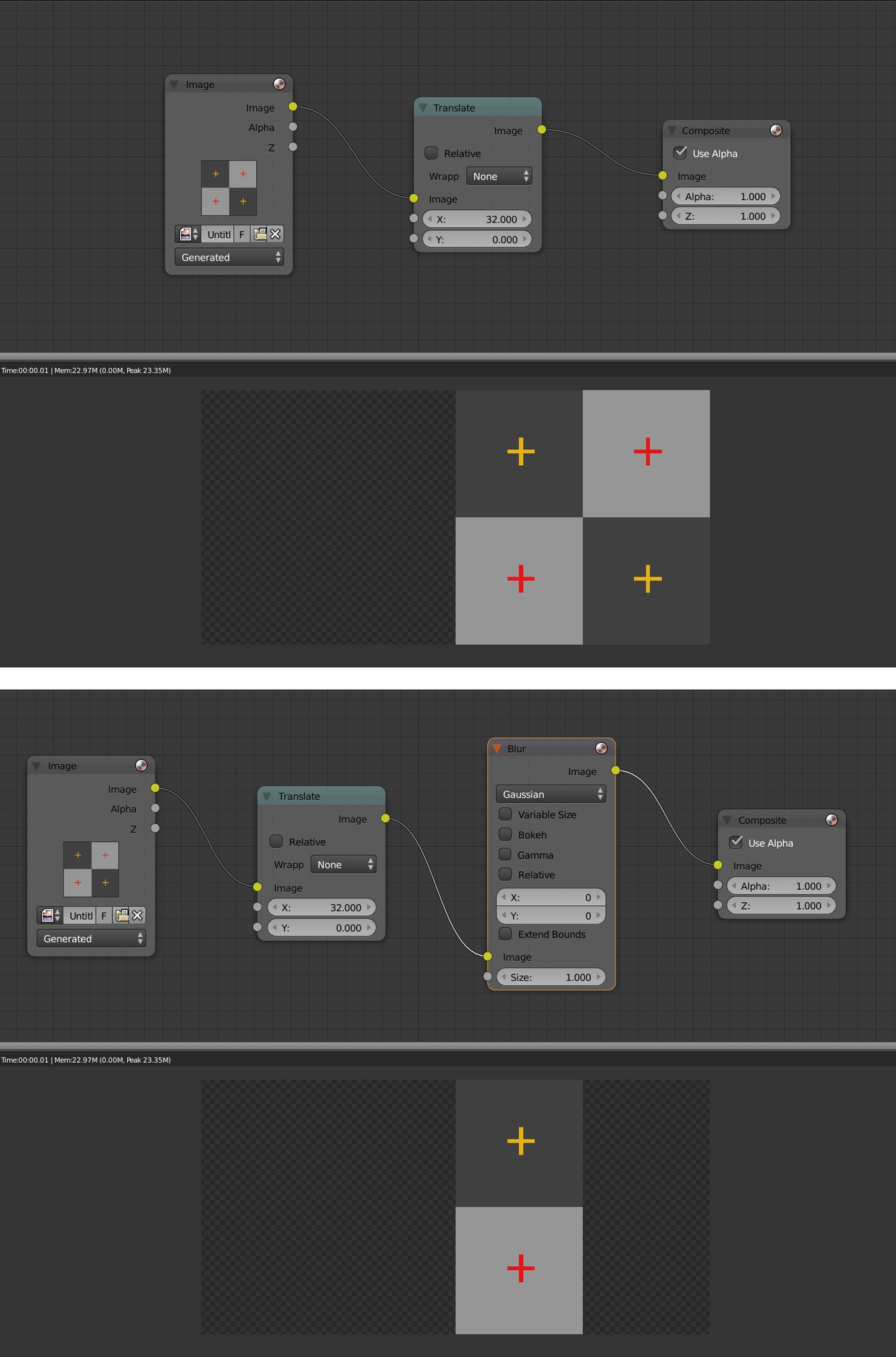
When you transform an image with a Transform node in the compositor (or Rotate, Scale, Translate), the end result goes as you'd expect. That is until you add a filter after it. Since transform nodes don't change the canvas size (you can see it with the viewer node), filters will crop your image like shown in the screenshot below (which shows the Render Result view without and with a filter).
This issue has been addressed by Bartek Scorupa here 2 years ago, but doesn't seem to have made any further research.
I'm proposing to have Blender resize the canvas when using a transform node as this would solve this issue for sure, but the main idea is to get around this filter problem and have the image not crop, whatever the method.
0 Comments