
Allow Selection AND Transform tools at the same time
Hi.
I am a new blender 2.8 user, I like the new UI (more user-friendly than in previous versions) and I like the useful features like gizmos.
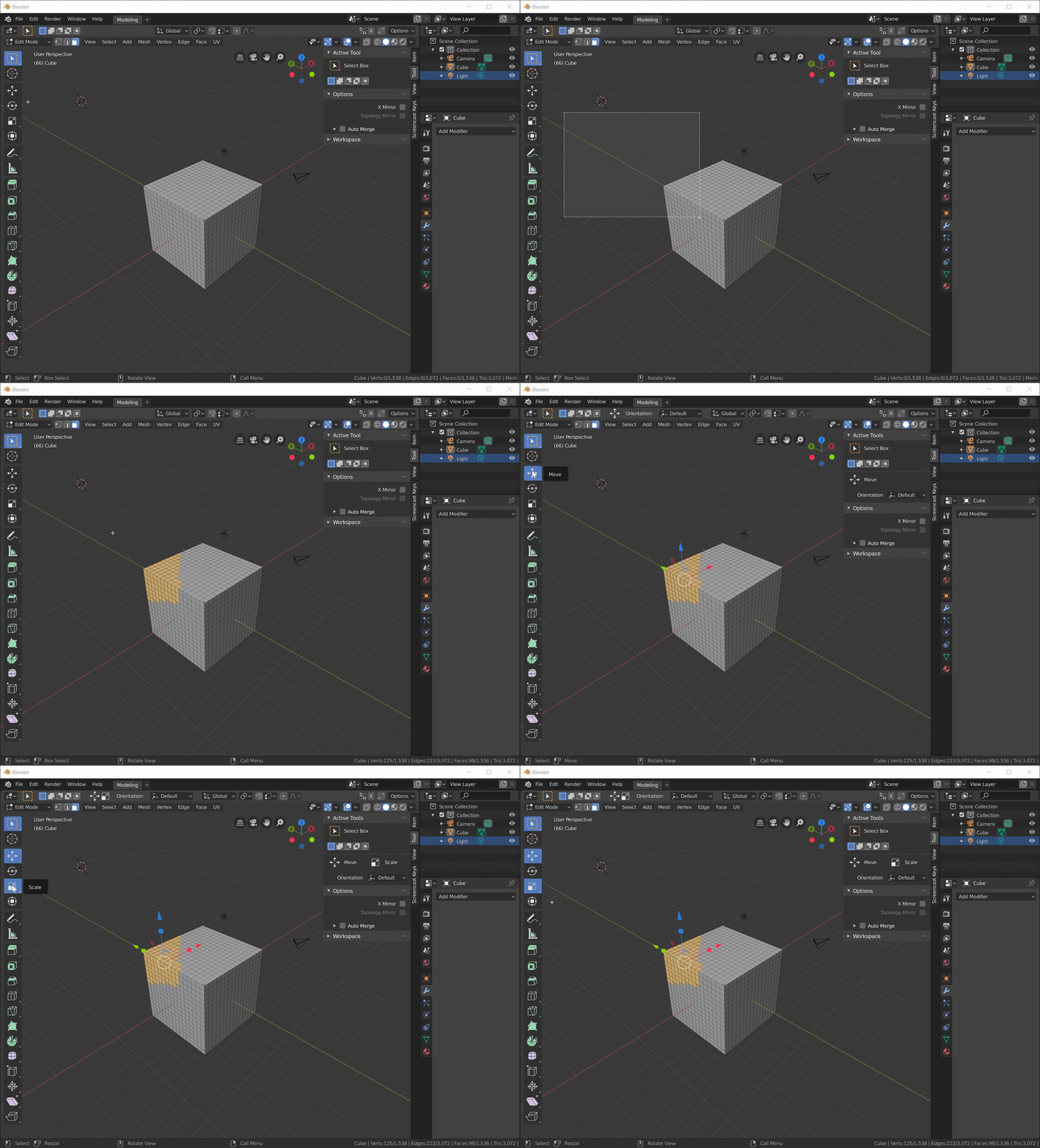
But it’s a bit annoying that it is currently not possible to Select and use the Transform tools at the same time.
When gizmos are enabled/displayed (thanks to the Object Gizmos dropdown menu), maybe developers could add the possibility to use both (selection and transform tools) at the same time.
Here is a mock-up animation that I made to illustrate my suggestion.

Suggestion also posted here: devtalk.blender.org/t/remove-the-transform-active-tools/6838/83
9 Comments
Actually, selection as an option for all tools would be pretty cool.
{attachment 3983420jpg}
The idea is to have two ways: tuned gizmos and separate switching tools. Not exclusion for tool behavior. Also your way is much slower.
I agree, it's really cumbersome to have to switch between Selection and Transform tools. It's the most basic task when editing a mesh...
At some point in 2.80 development, there was an optional checkbox named "Click Anywhere" that was really neat. IIRC, when we clicked outside the transform gizmos, it would perform box selection by default and when we clicked on the gizmos, it would perform the transform. I don't know why, but this feature was sadly removed...
Can't you just use B and C for the selection tools while using the transform tool/gizmo?
* @penguinburger1 * Yes but my suggestion is about to do that with the toobar buttons, not using hotkeys. But thanks for your tip. :+1:
* @ xan2622 * C and B selection is a total mess
* @danielpaulus90 * How come? I've personally never had any trouble with them.
* @MizManFryingP * If B and C were replaced with the new Box and Circle select modes, that would be great. I just wish there was a way to control the radius of the new circle select easily with the mouse somehow.
* @penguinburger1 * Are you talking about the tool or the shortcut? If you aren't talking about B, you can change the size with the scroll wheel. With the tool, while pressing the mouse button you can change its size with scroll wheel as well.