
Backface "Black" Option
Sorry for my English.
Blender needs a return Backface "Black" look for the inverted polygon normals.
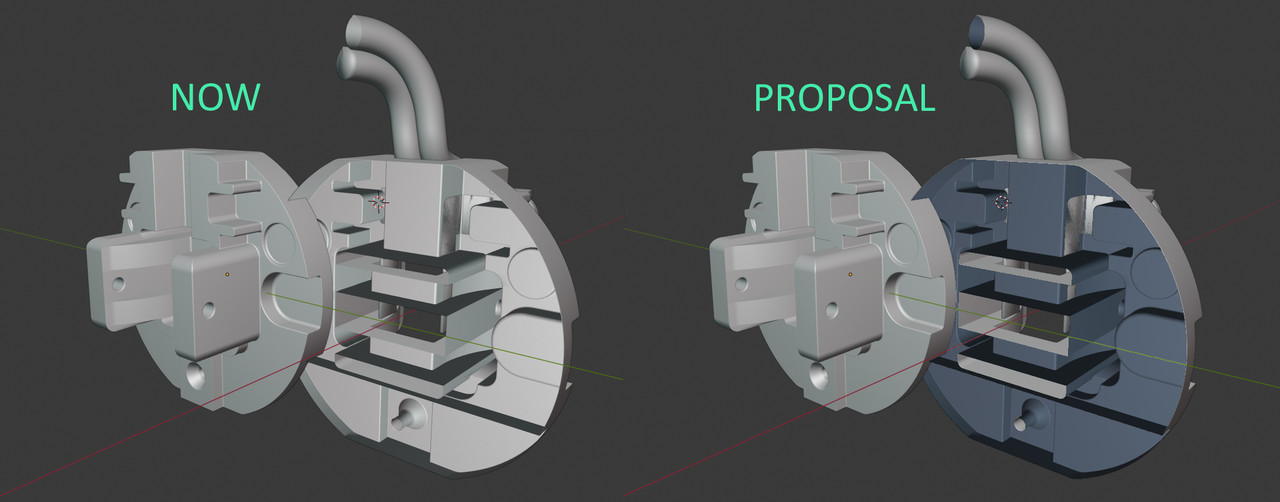
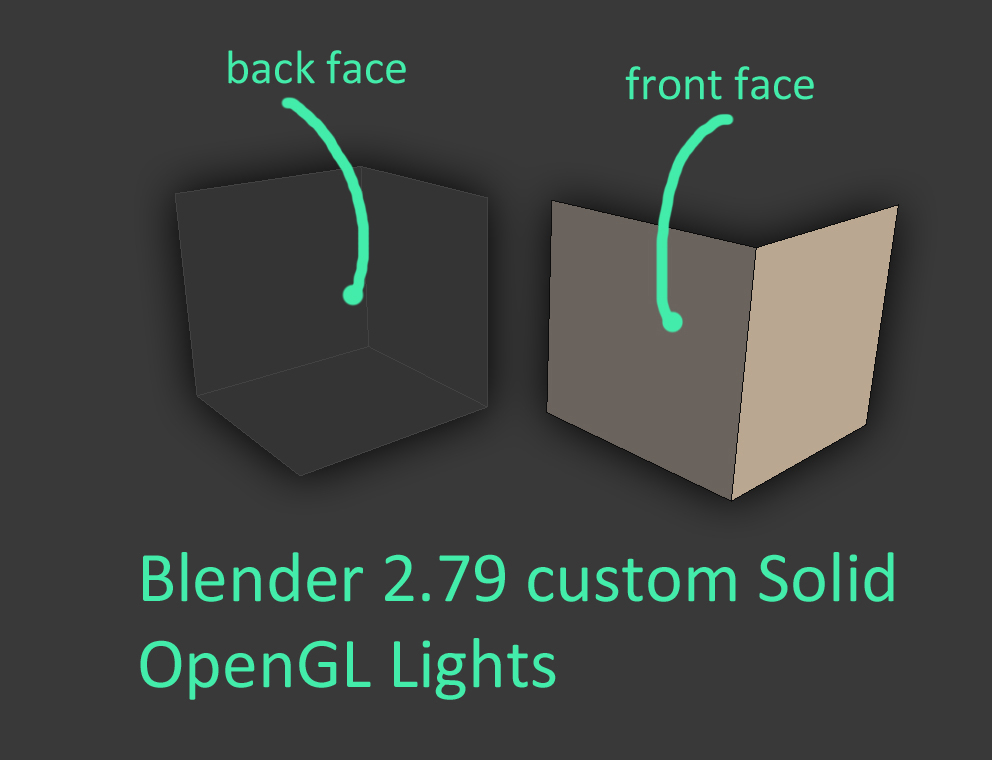
Why Backface culling and Face Orientation they not always suitable for modeling?
-
Backface Culling - makes geometry transparent. If the entire object has inverted normals, it will become completely invisible. Several times I lost objects in the scene because they were completely transparent. And working with transparent geometry is not always convenient.
-
Face Orientation - is a very good tool for checking the direction of the normal, very contrasting, you can easily see a small piece in a large scene. But unsuitable for modeling. And this mode often has to be manually turned on / off.
Backface Shading gives you an instant idea of the normals direction of the geometry. It looks like other geometry, but is slightly different in color.
upd. I little changed the title and description.
10 Comments
Now it can be solved like this. I think this is the solution to the problem.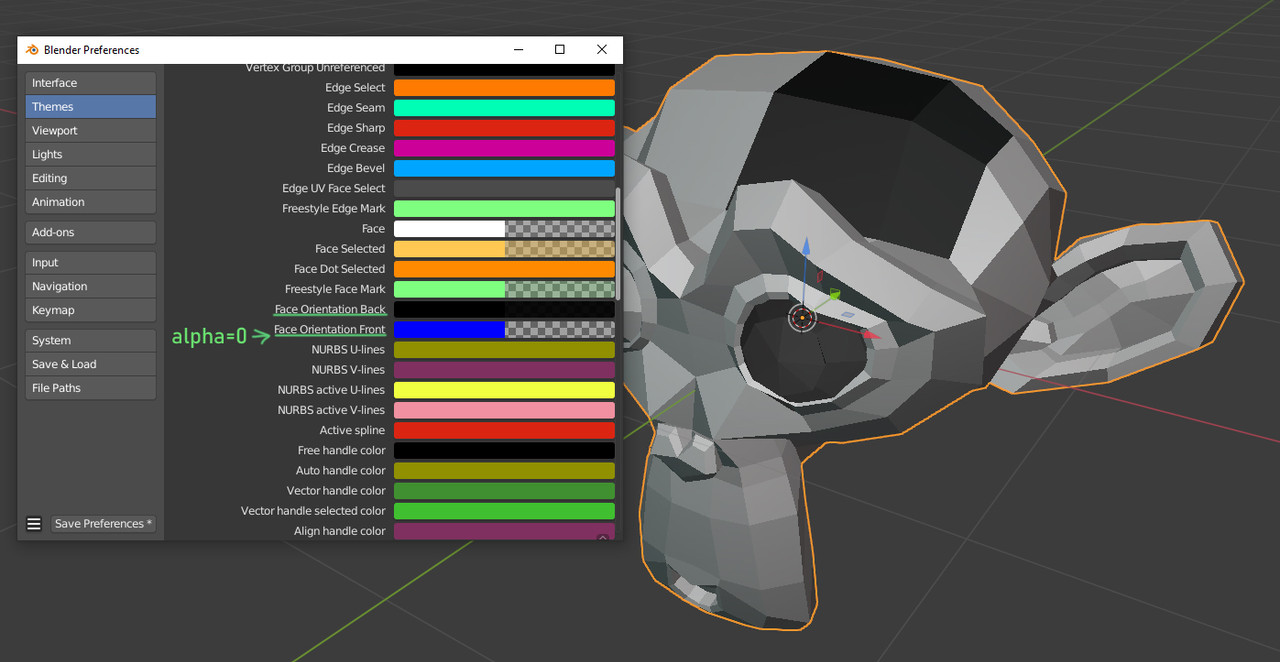
Face orientation :
@-L0Lock-: Please read my proposal, I wrote about it.
@-L0Lock-: this looks like a maya type of solution
I think this is a good proposal for the workbench engine.
Why is this marked as done? It was never done.
I want this. It's unconvinient to work with filling holes when the back side has the same color and makes the front side invisible.
Yes. I agree, when you are working on the fly you need to see these things quickly. Maybe blender could also have a "flight check" similar to Adobe Indesign that prompts you to potential problems with a model or scene
Do you mean the various workbench modes which do not allow custom shading by nodes etc? +1
@Ivo.vanderLans: In viewport backside of polygons should not look like the front, the back side of the polygons should be darker. This setting should be switchable. At least for Solid mode, and for LookDev mode it would be nice too.