
Adding Bevel Affect for Face
Hi, All The Bevel works fine with vertex and Edge, but what is missing Beveling the face , Yes Face have specific act and not similar to edge.
" Bevel face act by beveling the boundary loop"
When you at face mode and decide to bevel
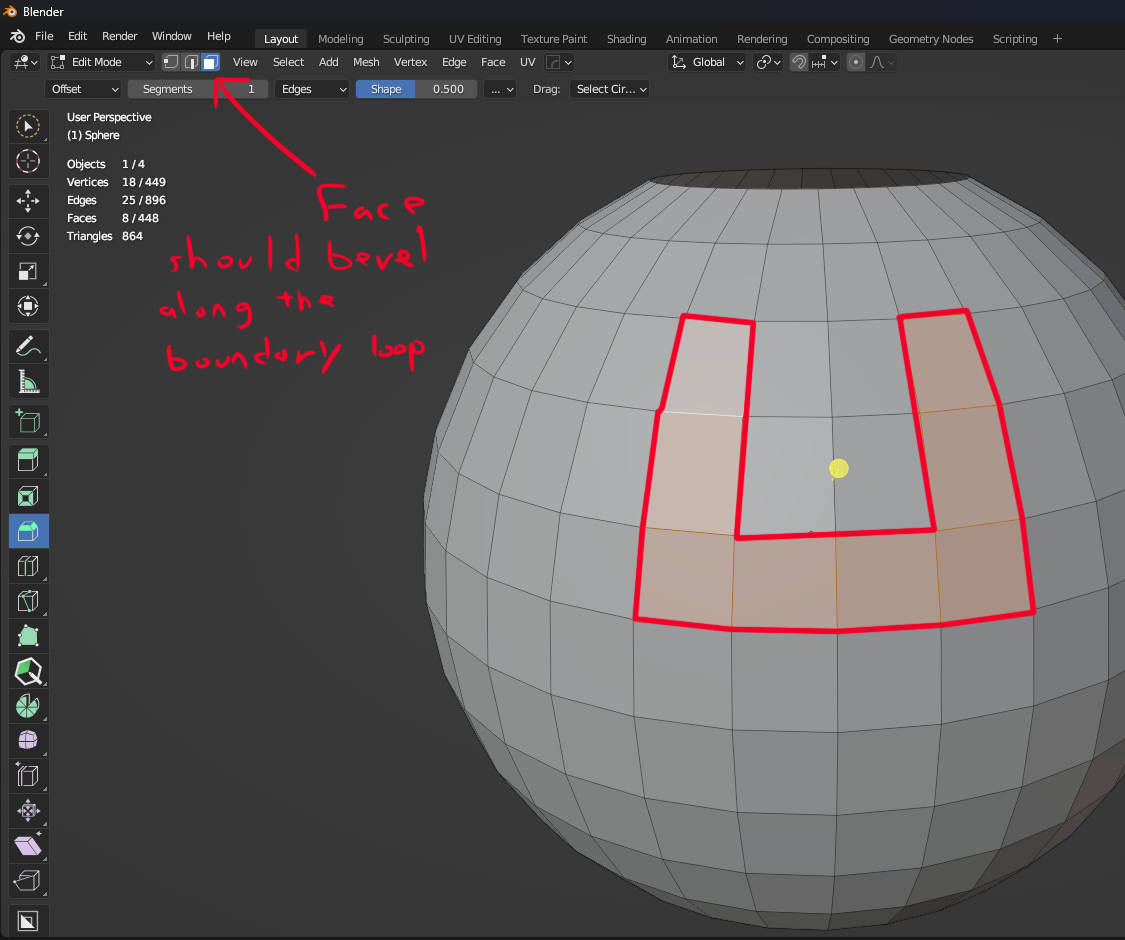
bevel suppose not to act like Edge.
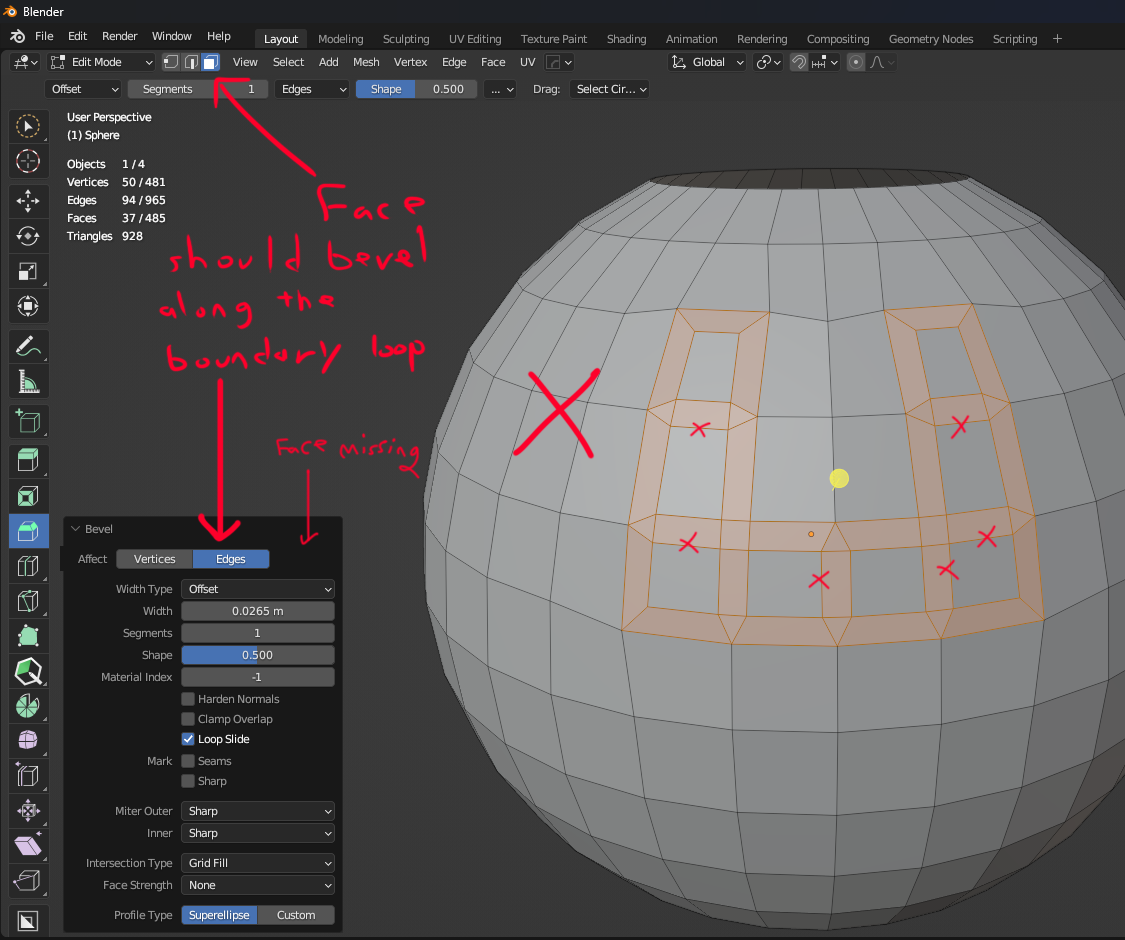
What missing is Face to bevel around Boundary loop which adding new Affect " Vertices - Edged - Faces " so you have 3 Affects :
-
Bevel Vertices
-
Bevel Edges
-
Bevel Faces "Boundary loop"
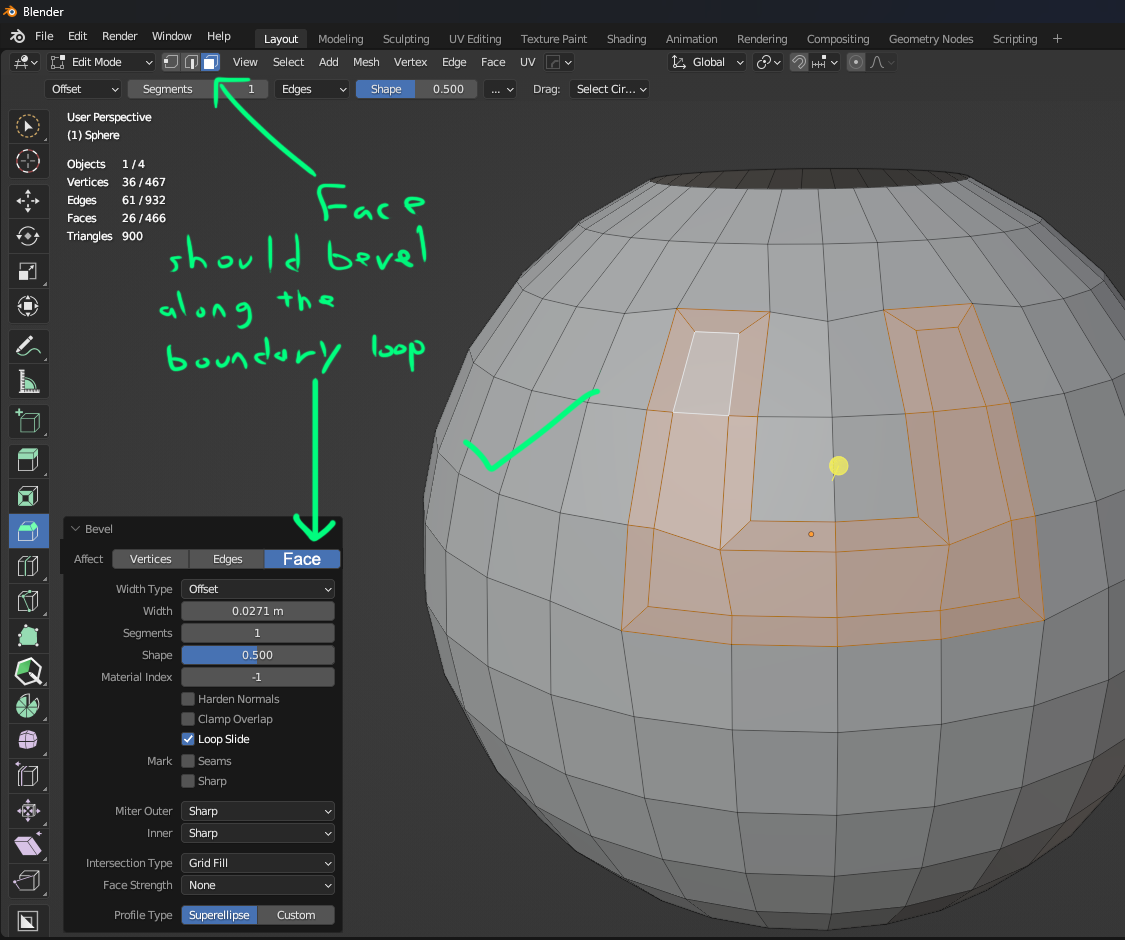
This will speed the work rather every time you need to convert face to boundary loop then bevel .
hope you like it
Thanks
6 Comments
This is a good point! You can't currently bevel just the outer boundary of a face selection. F seems to be free when beveling, so maybe that could act as the hotkey for this behavior when using the menu isn't desired.
The issue is finding a shortcut. We already have Bevel Edge (Ctrl+B) and Bevel Vertices (Ctrl+Shift+B). Shift+B is currently taken by Zoom to Border, and Alt+B is currently taken by Clipping Region. Ctrl+Alt+B is very uncomfortable. Without a shortcut Bevel Face would only be available in the standard Bevel shortcut and menu, and would need to be reset every time (meaning two keystrokes to use). None of those are a reason not to include this feature, but just something to be aware of.
Good info, F or Shift F is free so it may be good place for Bevel face. or maybe Ctrl+B can also handle bevel face if u r in face mode.
its tiring each time I need to convert the face to boundary loop then bevel.
To be honest I don't think there needs to be an additional shortcut. It could simply be an option in the modal operator. In fact, Bevel Vertices is the same operator, just with the vertice option enabled by default.
you can add your own shortcut but I can tell you 90% during modeling people use Bevel face more than vertices bevel. For my suggestion There are 2 ways.
Reference youtube.com/live/v6BfjGr1Y8w
which mean some stuff gonna remove and some keymap will change. What I'm thinking unit the Ctrl+B
so it depends on The Modes :
Vertex mode will bevel vertices.
Edge mode will bevel edge.
Face mode will bevel face boundary.
you can change the behavior in the screen operator panel or in the Status bar. and you can also create your own shortcut.
Adapting to the selection mode sounds elegant. Like it.
Or, as the user can assign whatever shortcut they like - allow them to do so; there's no need (ever) for a feature to not be included, due to potentially conflicting with someone's favorite shortcut from Blender 2.2 that they just can't leave in the past.
I never use the Zoom to Border, nor Clipping Region shortcuts, so those aren't reserved on my system. ;)