
Linked Collections UI Improvement
Hello community,
It is a real struggle to track linked collections in a blender file. We can't find any indication if a collection is linked or not. If an object is linked or not.
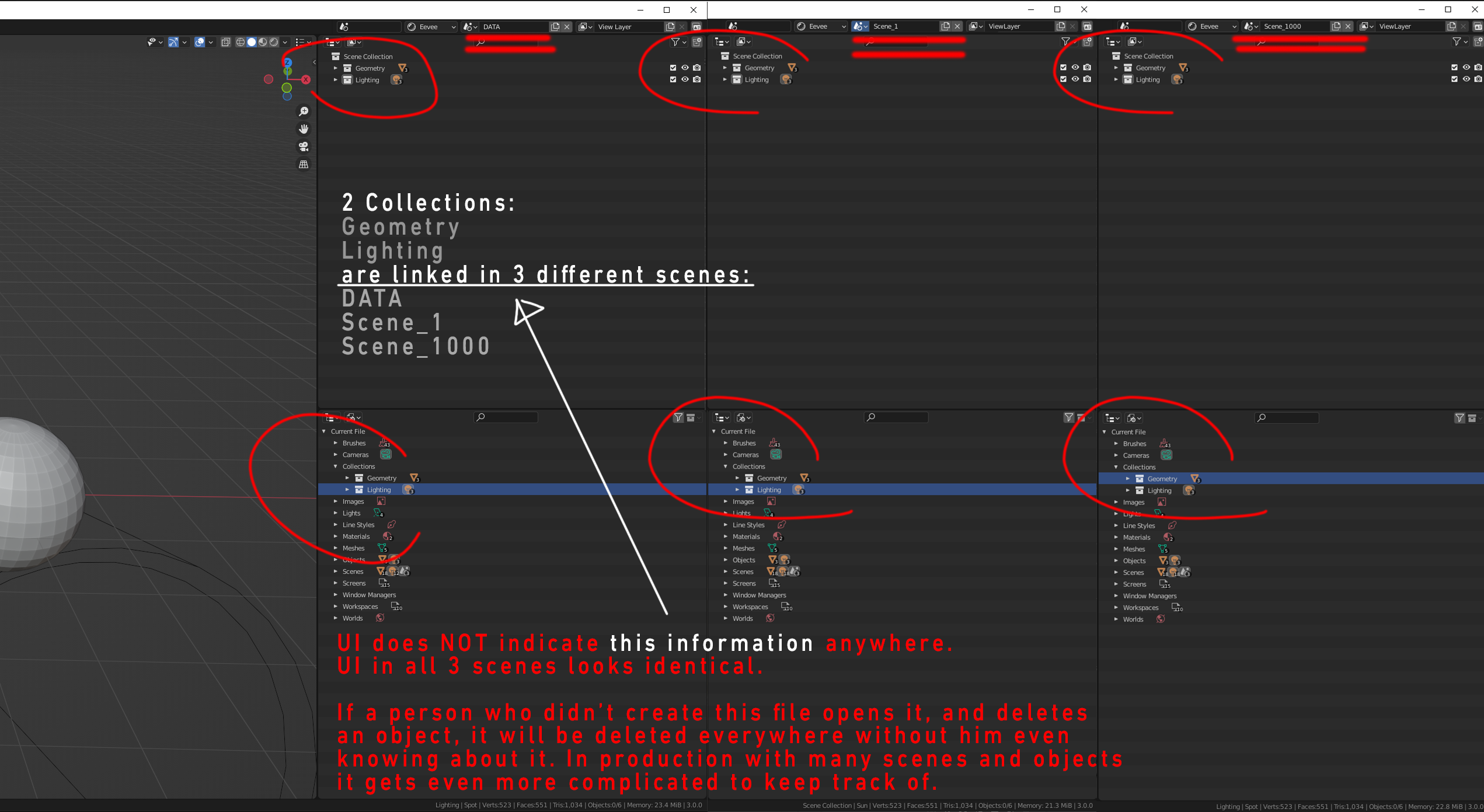
In the example screenshot below you can see two collections, "Geometry" and "Lighting" which were created in the DATA scene, then linked into Scene_1 and Scene_1000. Like I already said, the UI looks identical in all of them. If I wasn't the one who created this file, I wouldn't know if these collections are linked or not. I could delete an object and it would be deleted everywhere (since they are linked, but I don't know it unless I made a file).
Things get progressively more complicated with more collections and more objects. It is very easy to forget and delete something by accident.
It would be very much appreciated if this issue gets addressed. Thank you.
1 Comment
Some iconography, colour coding, or numers, or something.. yes would make life much easier.