
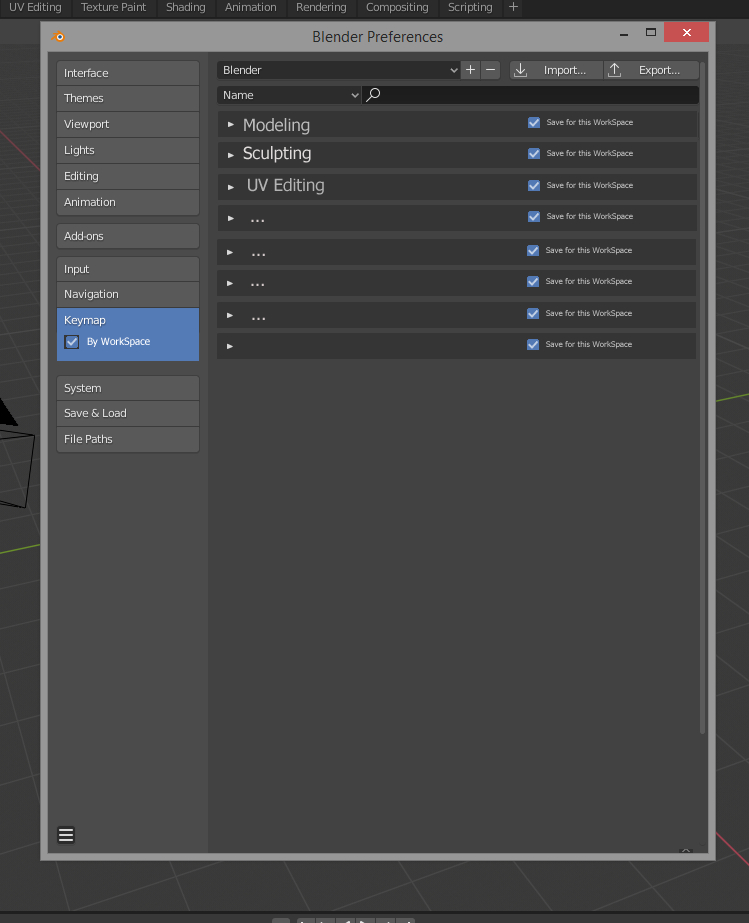
be able to create a custom menu or allocate a different shortcut to a key of the keyboard depending on the workspace
Morning, everybody, In the idea of improving the interface, would it be possible to allow to make a custom menu or we could paste everything we need. Or in the same idea of being able to allocate for the same key of the keyboard different functions according to the workspace where we are.
Have a nice day
4 Comments
Keys are already editor & mode specific. The different "workspaces" are just arrangements of the various editor types. For example in the 3d Viewport Editor in Object mode M is for collections. In Edit mode M is for merge. In Texture Paint mode M is for face selection based masking. In Sculpt Mode M is for the mask tool. In the Timeline Editor M adds markers. You can customize keys per editor and per sub-mode of editors.
* @thinsoldier * No, most of the keys are not and do not allow a specific arrangement for the desired workspace. It even happens that it contradicts itself as for the emulation of the mouse buttons for example or that it is necessary to juggle without stop between the modes because the functions are dispatched on the right to the left for the grease pencil.
You can already done it with the quick menu by pressing "Q" as it is a contextual menu but I dont know for workspaces or shortcuts
* @Shimoon * No, I know the Q key and it has nothing to do with what I'm proposing. On the one hand it's limited, you can't paste everything you want into it and it's not customizable according to the workspace.