
Brige Behavior
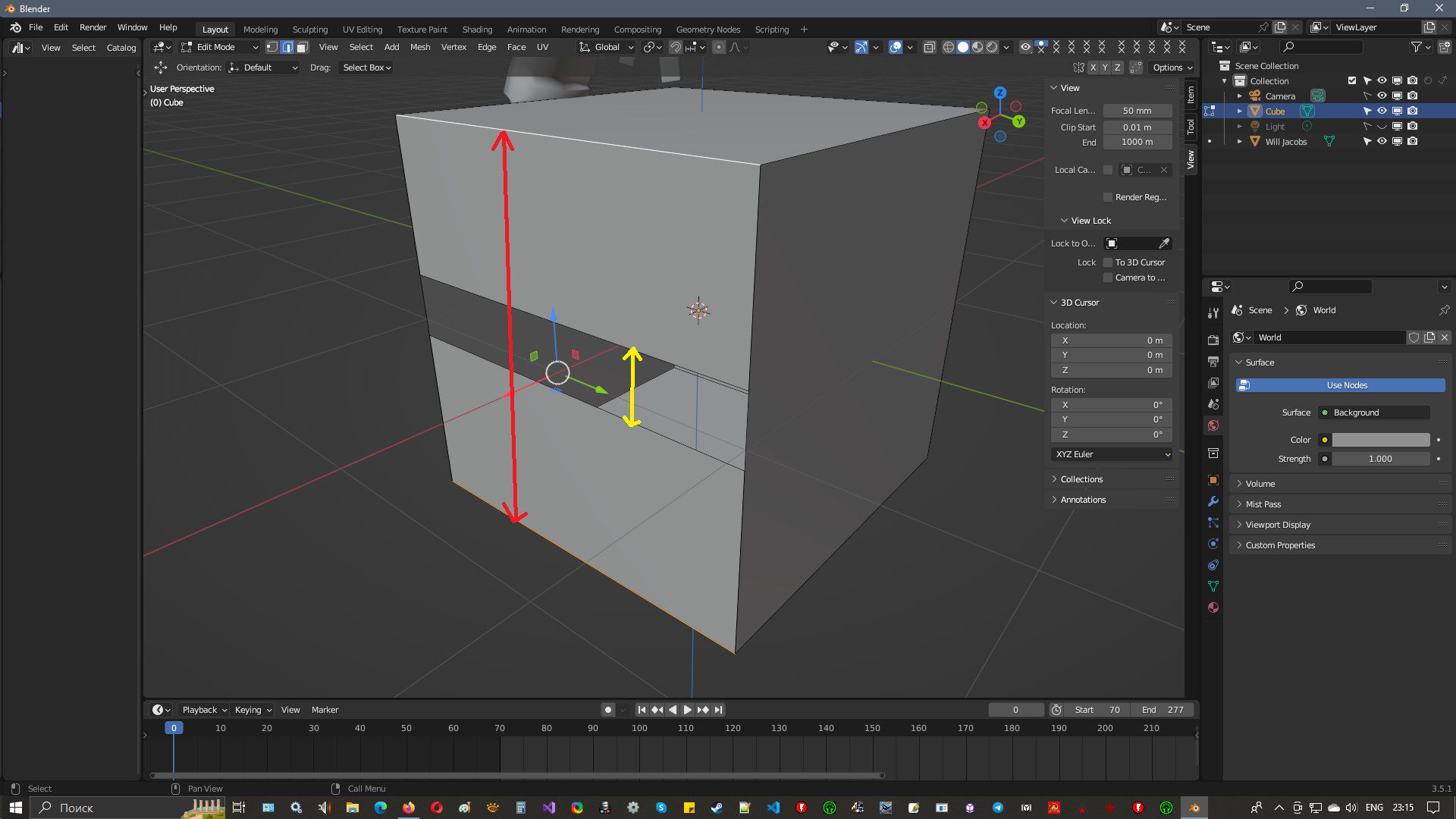 Hello. Here is an example of simple geometry. Now if you apply the blender bridge, it builds a polygon in both versions.
Is it possible to make a restriction so that the bridge works only with the yellow option, and with the red one an error is written and the geometry is not built at all?
3ds max, for example, will not let you build a polygon along the red path at all. I think this is correct and will help avoid errors in geometry.
6 Comments
But you might sometimes want to connect the red edges. All you have to do is just select the edges you want bridged. If you don't want the red edges bridged, then don't select them for bridging.
As an option, leave it through the application F, and turn it off through the loop bridge or turn it off in the settings through the checkbox.
To be honest, to me, it looks like it's doing what is intended. You ask Blender to fill a gap between two edges, it will do it, period, no matter if the end result isn't what you want. I don't see why it should try to prevent you from doing what you ask., nor why it should do something else.
You should be able to fill in the yellow direction if you select any of the empty space's edges:
youtube.com/watch This can give bad geometry, as here in the video.
There is no such thing as "bad geometry". There is only "problematic in some scenarios". Non-manifold geometry is necessary in some cases.
Blender is a bit modal so what you want here is to be in edge mode and select bridge edge loops. Bridge faces will make kind of like a cube.