
Shift+A: New Collection in Outliner
In the 3D Viewport, in the Modifier Section, in the Node Editor, in the Compositor, etc. you are able to add "objects" by pressing Shift+A.
But in the Outliner this Shortcut is missing.
It would be consequent to also have the ability to use this shortcut also there.
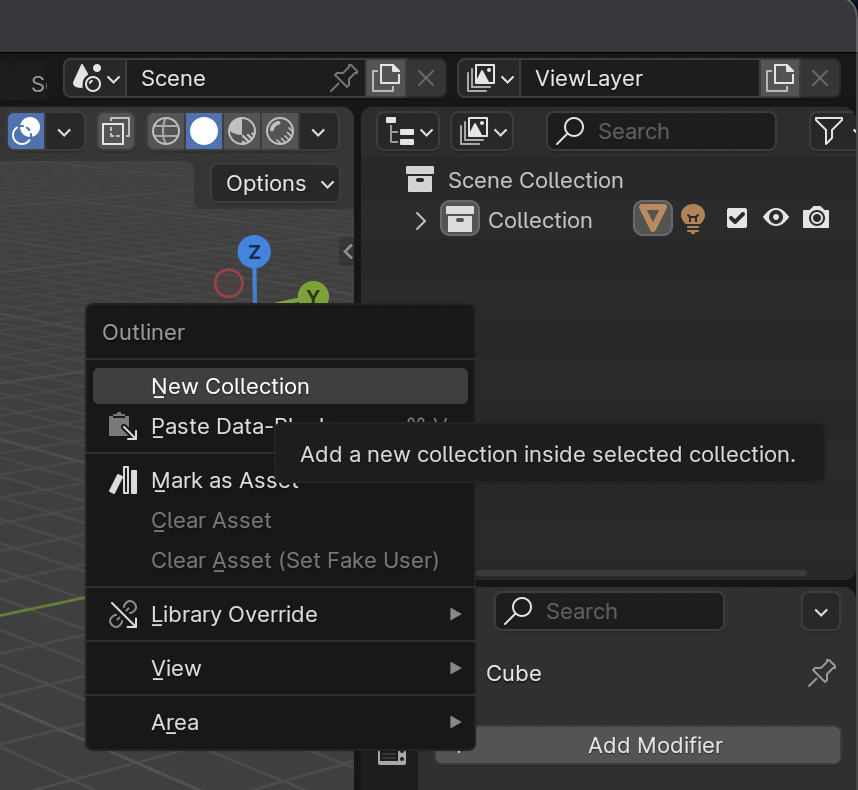
9 Comments
As said by others, this can be done, but I agree that changing the shortcut to Shift-A would be a good move for consistency.
you can add collection with pressing
Cin outliner by defaultthanks, but then the dropdown should show "c"
Also C is for circle celection, not add new...
yes, but Shift+A would be way more consistent as in the modifier tab and also in the viewport it ADDS things.
how does this works? Where will this ideas be collected and how will they be tasks for the development?
you can add it yourself, just Right 🖱️ the new collection operator from the menu or header button and hit Assign Shortcut . But ⇧ Shift A in the outliner is already assigned to
Expand/Collapse All, so you would need to edit that shortcut in the keymap.i think it would be consistent to change it then
That's debatable. AFAIK ⇧ Shift A always brings up a menu that allows you to add many different things. I.E. in the viewport it brings the Add Object menu allowing you to add objects. In the nodal editors, it brings you the Add Node menu. So on.
Whereas, other editors that can add single things do not use ⇧ Shift A , but instead a shortcut that uses the same letter as the thing you add, such as M for markers in the timeline, C for collections in the outliner, ...
With that in mind, why should there be an exception there? And how would it make the other shortcuts not feel inconsistent then?
If anything, what would also make sense to me, would be to have the same Add Object menu in the outliner.