
UI improvement for larger scenes
Problem : With larger scenes , outliner becomes large and even if the scene objects/meshes has been given their names in outliner...once the outliner is minimized ...and the blend file is passed on to other department for further work....one has to open the whole outliner to find the name of the object which one has clicked....i know that the clicked objects get highlighted...but it takes a lot of scrolling to reach the exact highleted object in the outliner.
Solution:
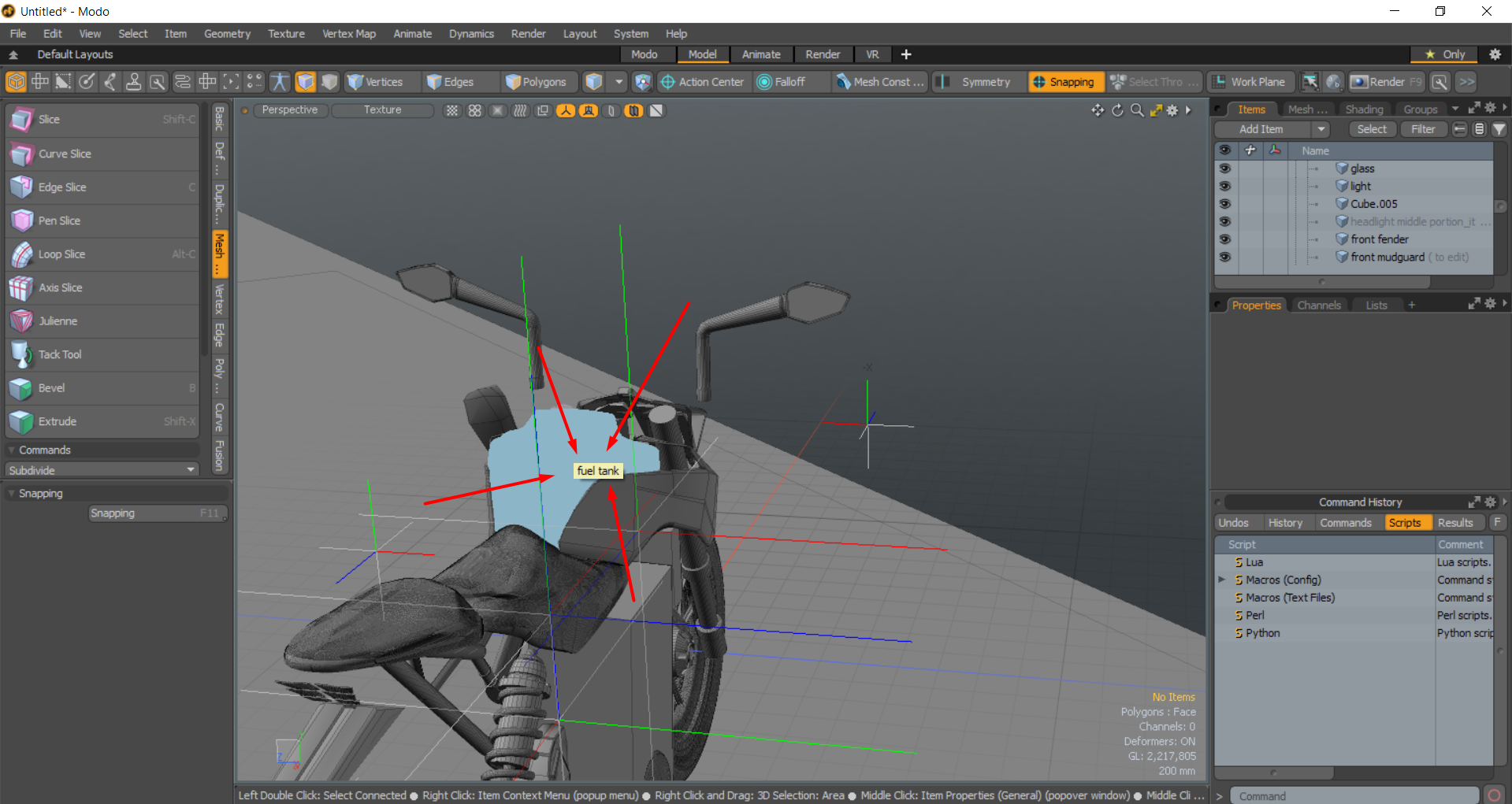
What if we get a name on the screen (near the cursor for a short time) for the mesh or any object which we click it so that later on we may search the outliner to find the object and tweak it I think this stuff is already present in modo.....if you hover over something for too long the name of the object pops up on screen....
2 . To see "display name" & "display all names" as two new checkboxes in overlays. It makes sense for name visibility to be an overlay option (Credits : BlenderSplendor)
21 Comments
Object properties -> Viewport Display -> Right-click "name" -> Add to quick favorites... Now you can press Q to display the name of the active object rather easily. To amend your proposal, I'd like to see "display name" & "display all names" as two new checkboxes in overlays. It makes sense for name visibility to be an overlay option.
* @BlenderSplendor * another good idea...tested what u have suggested....it works fantastically....
* @BlenderSplendor * Check the proposal Now
* @arkoprobhogupta23 * Thanks for the credit! ;]
Just press numpad "." with your mouse on the outliner.
* @yoann softyoda * It is isolating the object partially .....what if my outliner is small (due to a large no. of objects).....then I have to stretch my outliner down and find it...also if the object is inside a big collection....I have to manualluy go into the collection to find its name
* @arkoprobhogupta23 * No, it's not partially, press "." twice, it zoom at the right place. Make a video please, i don't see the issue.
* @yoann softyoda * ok
* @yoann softyoda * {attachment bandicam_2020-07-08_20-09-13-727mp4}
* @arkoprobhogupta23 * obs :{attachment 2020-07-08_16-58-23mp4}
* @yoann softyoda * still you have to enlarge the outliner and see the picture in the proposal ....even without touching the outliner I got to know the name of the object in modo
* @yoann softyoda * thanks for the video bro
* @arkoprobhogupta23 * Enlarge the outliner is just for better visualisation and because blender allow you to create on the flow the interface you need. And the name of selected objects is visible here : i.imgur.com/GNXGDCD.png I still don't see your issue, what is special in modo ? I don't have to know on wich collection the curent object is, i can just type "." numpad while having the object selected in 3D view, and the mouse hovering the outliner.
* @yoann softyoda * another good idea...tested what u have suggested....it works fantastically....
you can just press the hotkey to view selected with the mouse hovering the outliner.
* @gilbertorodrigues * that's what i supposed. If it wasn't already the case, i'd have suggested this to the current outliner GSoC.
* @gilbertorodrigues * It is unintuitive.....why people keep suggesting workaround and try to settle on compromises...instead of implementing them.....
* @gilbertorodrigues * doing this for several things in the scene will lead to huge loss of productivity .....
* @gilbertorodrigues * The outliner needs an option to auto-focus the currently active item. Most of us would leave that off 99% of the time but some people want it on 100% of the time and the rest of us will appreaciate it that 1% of the time we have a reason to use it.
* @thinsoldier * How to implement this? the objects can be at the same time in multiple different collections.
* @gilbertorodrigues * It already exists sort of. The outliner "." keyboard shortcut opens all collections that contain the object and highlights all instances of the object in all collections. It does not solve the problem perfectly on very large scenes with very many collections and the same object in very many collections. In some cases having that shortcut happen automatically every time you select an object in the 3d viewport would be useful.