
Pen Pressure input node and more | Texture Node Editor
It all started with a personal project where I wanted to randomize the hue of the brush color in texture paint mode like in Grease Pencil, but that was not possible without workarounds.
There could be new brush types with new brush engines and new settings , but I would like to take the opportunity and reimagine a part of Blender that holds a lot of potential, the Texture Node Editor. I have been a Blender user since 2020 and only when I noticed this editor a few months ago, it came to me how overlooked it was. Knowing that textures can be created procedurally with nodes, and that brushes can use those in different forms, I came up with the idea of implementing new nodes that would power the dynamics of texture painting and sculpting. By doing this, we would have much more expressive strokes, more control over texture behavior and broader ways of using/creating textures at the same time we would increment the purpose of something that already exists in Blender.
Initially I have designed some nodes thinking of how to make close-to-full use of data Blender has from certain devices (pen tablet and mouse/mousepad). As the process kept going, it demanded proposals other than new nodes, so now it is more than just adding a set of nodes.
New nodes and modifications proposal
In the image below, I present the new nodes for the Texture Node Editor. Some of them could give more data to work with, or there could be a few more nodes to process data, but I decided to stick with the basics.
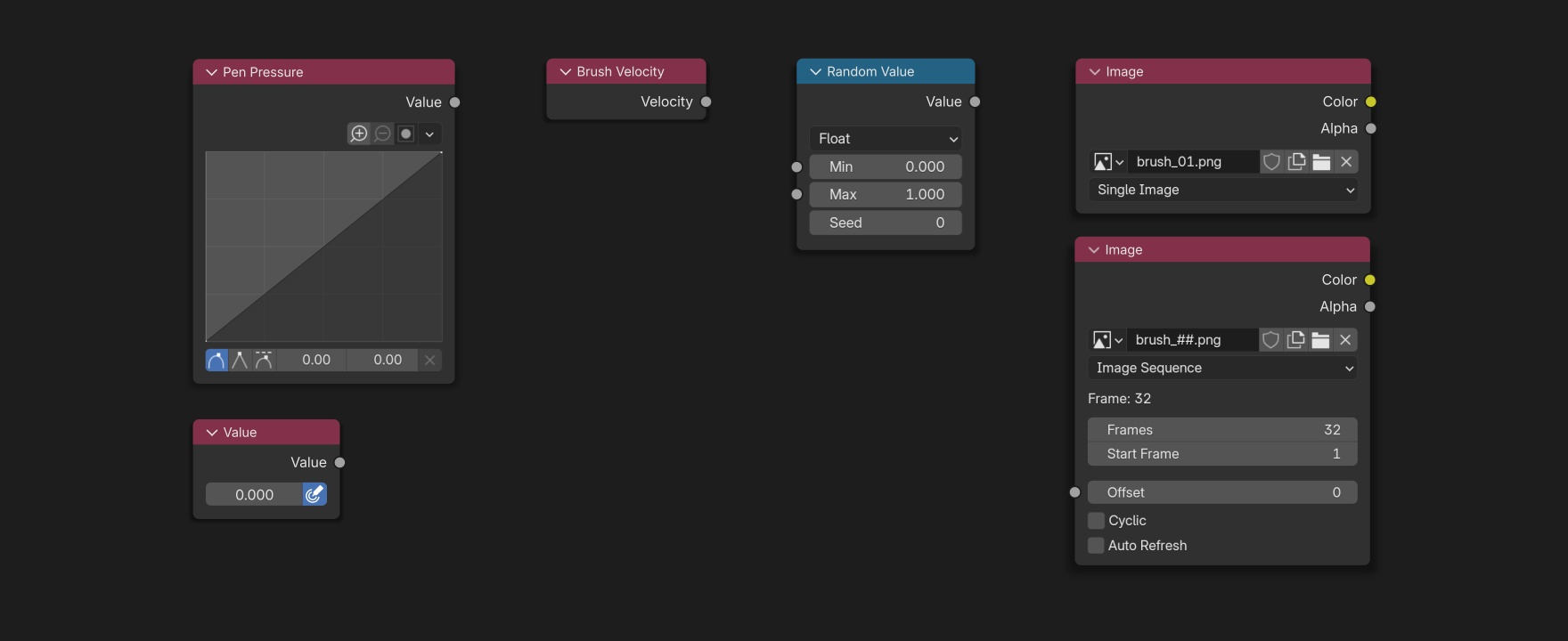
Pen Pressure : this input node provides a float value of the pen pressure in the range [0.00, 1.00]. One version lets you manipulate the value by mapping it to a curve (similar to Float Curve in Shader Editor), which is perfect for custom dynamics. Another way to have this input is in a Value node as a button, like the button we press to activate the pressure influence on brush size.
Brush Velocity : this input node provides the velocity of the cursor based on its movement on screen.
Random Value : this node generates a random value, float or integer, in a given range. It works basically the same way as the Random Value node in Geometry Nodes, but it only outputs when a stroke is being painted (according to the stroke method) and it keeps doing it until the stroke is finished. There is also an input to change the Seed of generation.
Image : this node is an upgrade from the pre-existing Image node, which allows users to use an image as input. It supports both single image and image sequence, with the possibility to loop, auto refresh and have data from other nodes control the offset.
Applications of new nodes
When I was brainstorming the following applications, texture painting was the main use case, but they can be adapted for sculpt mode as needed.
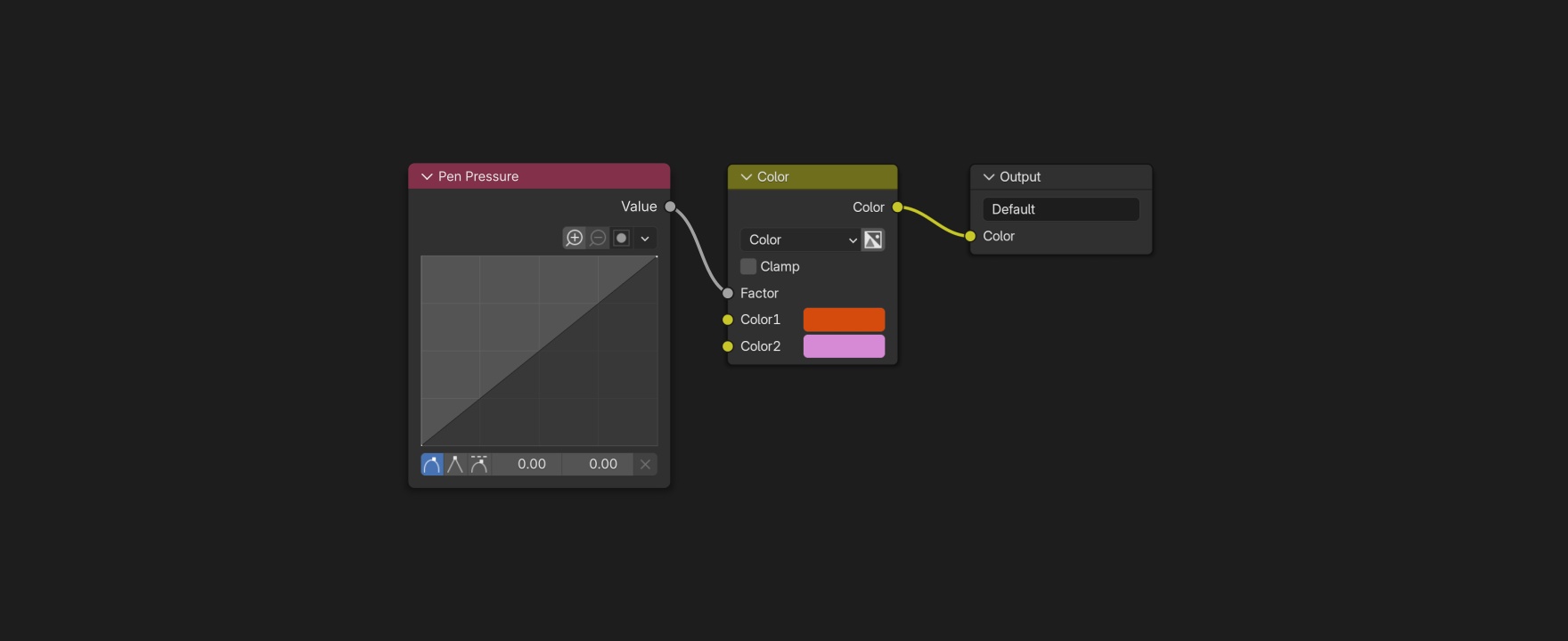 Pen Pressure controls the mix factor of two colors for a variable solid texture.
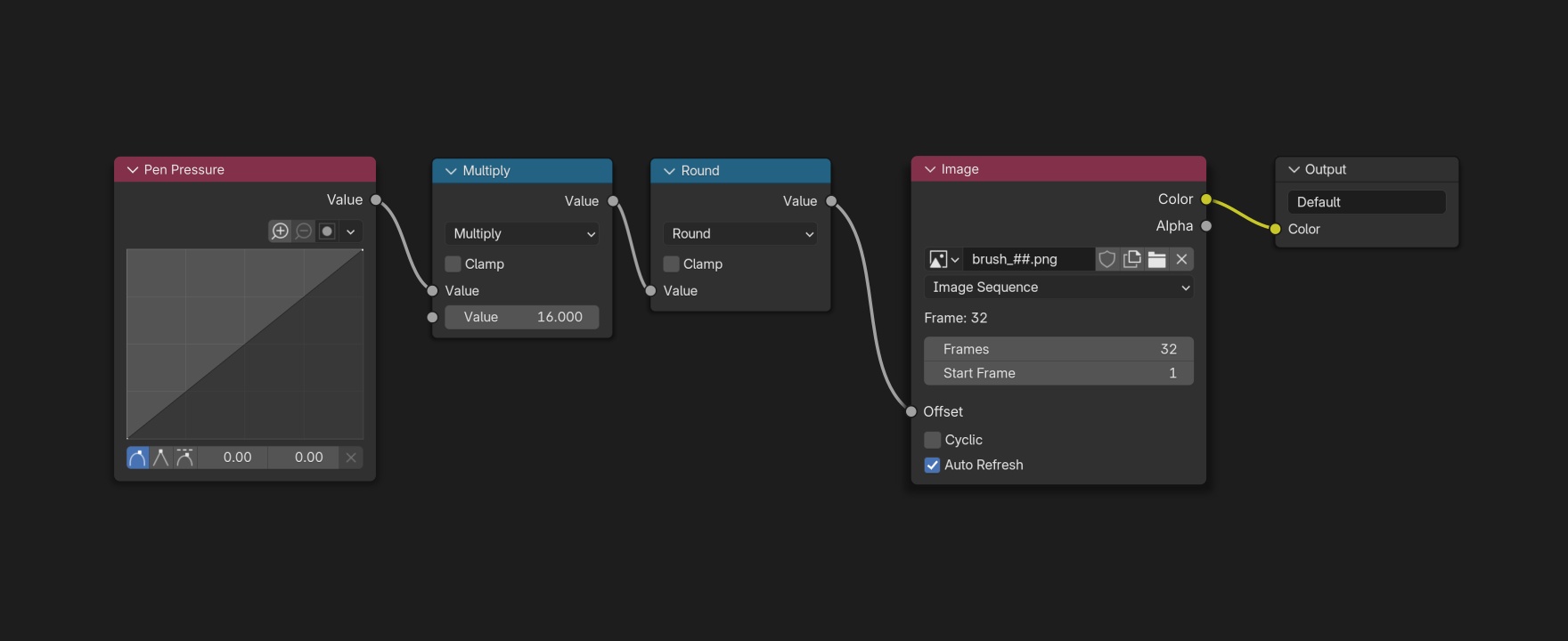 Pen Pressure is mapped to control the offset of an image sequence for a stroke with differently textured segments.
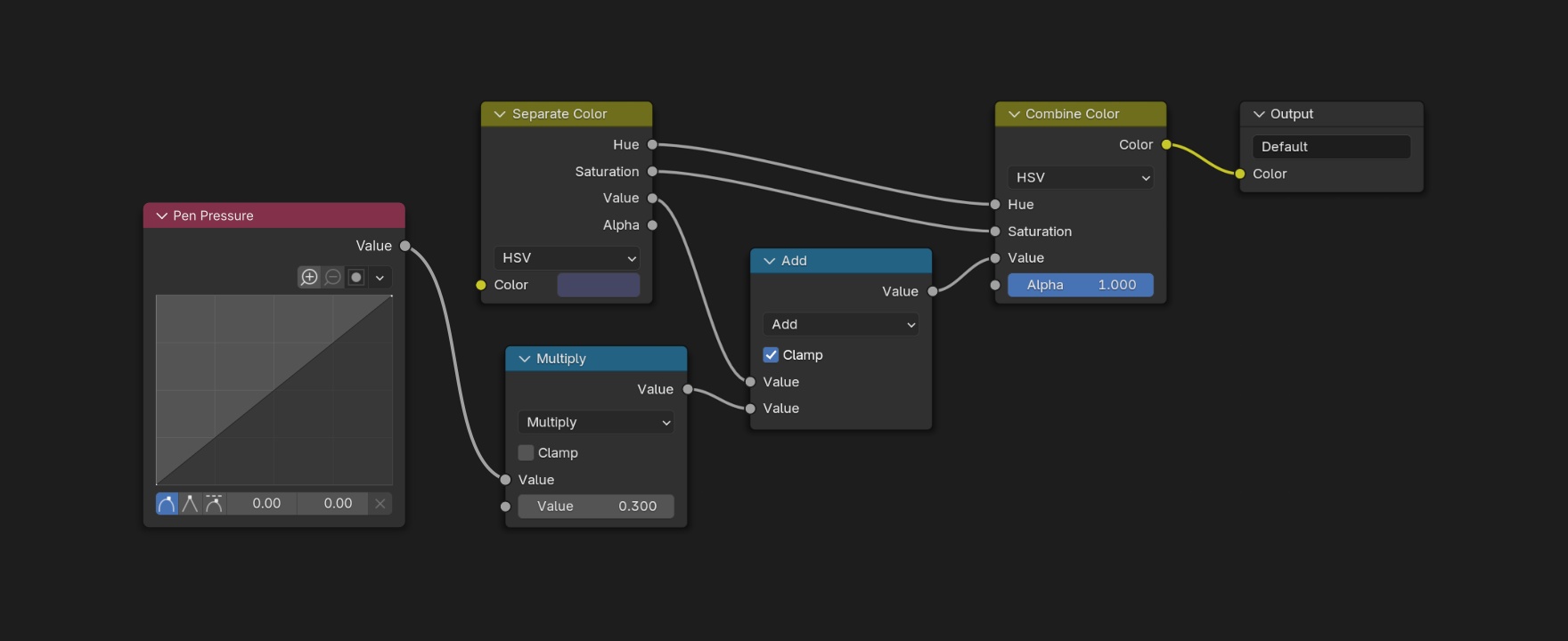 Pen Pressure increases the value of a color for a solid texture.
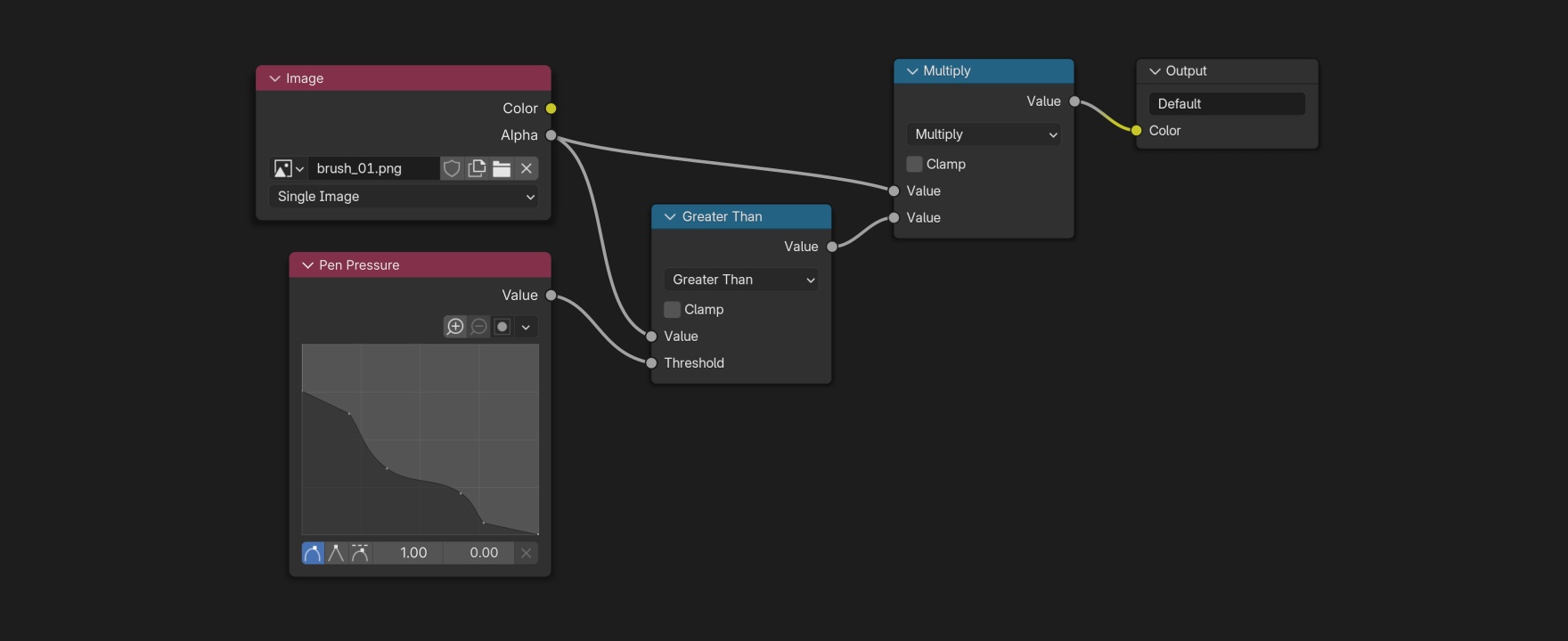 Pen Pressure controls the cutoff of an image’s alpha channel for a mask.
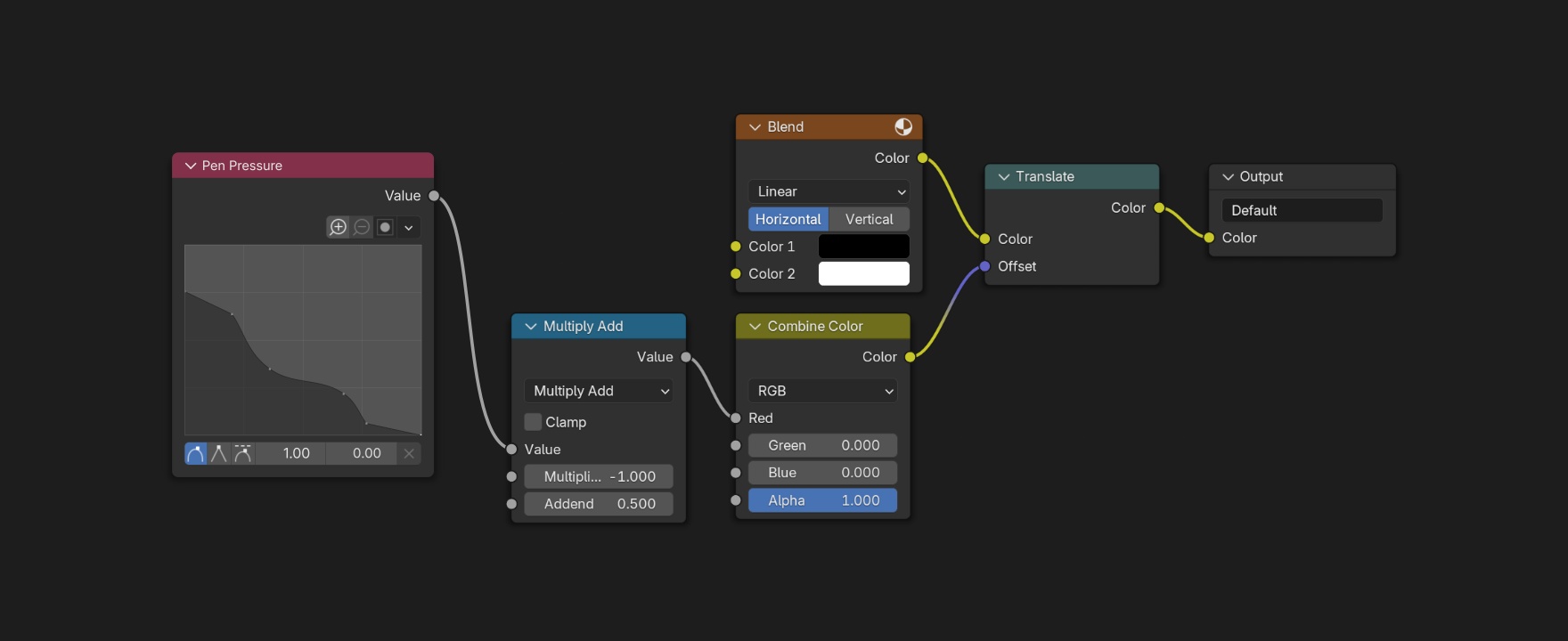 Pen Pressure offsets the position of a procedural texture.
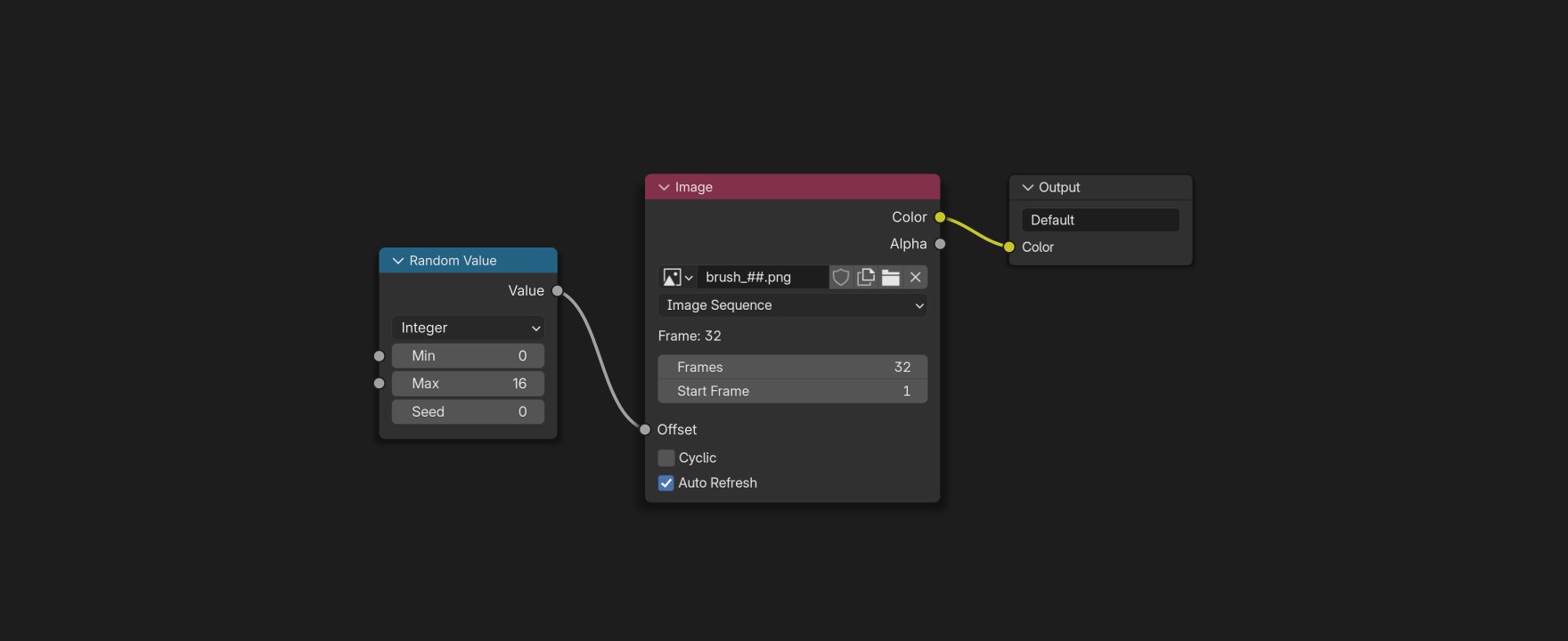 Random Value randomizes which image from a sequence the texture will use.
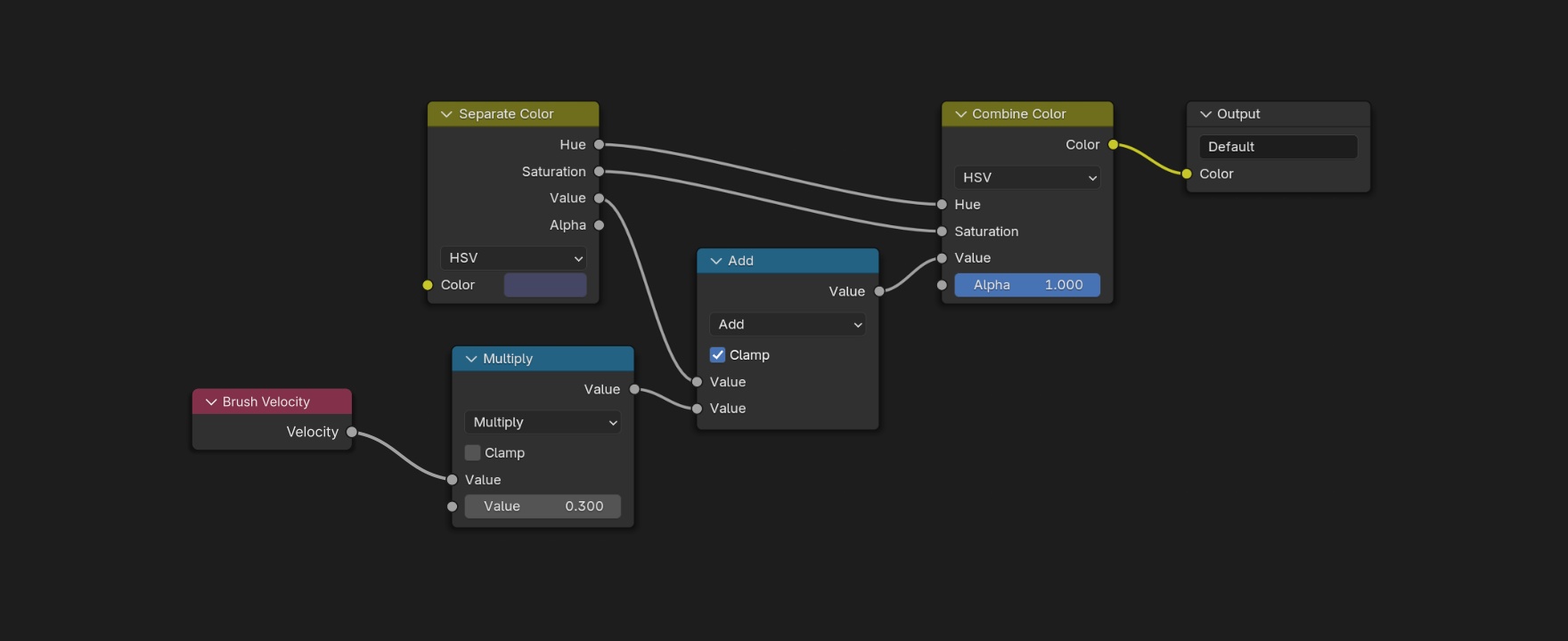 Brush Velocity increases the value of a color for a solid texture.
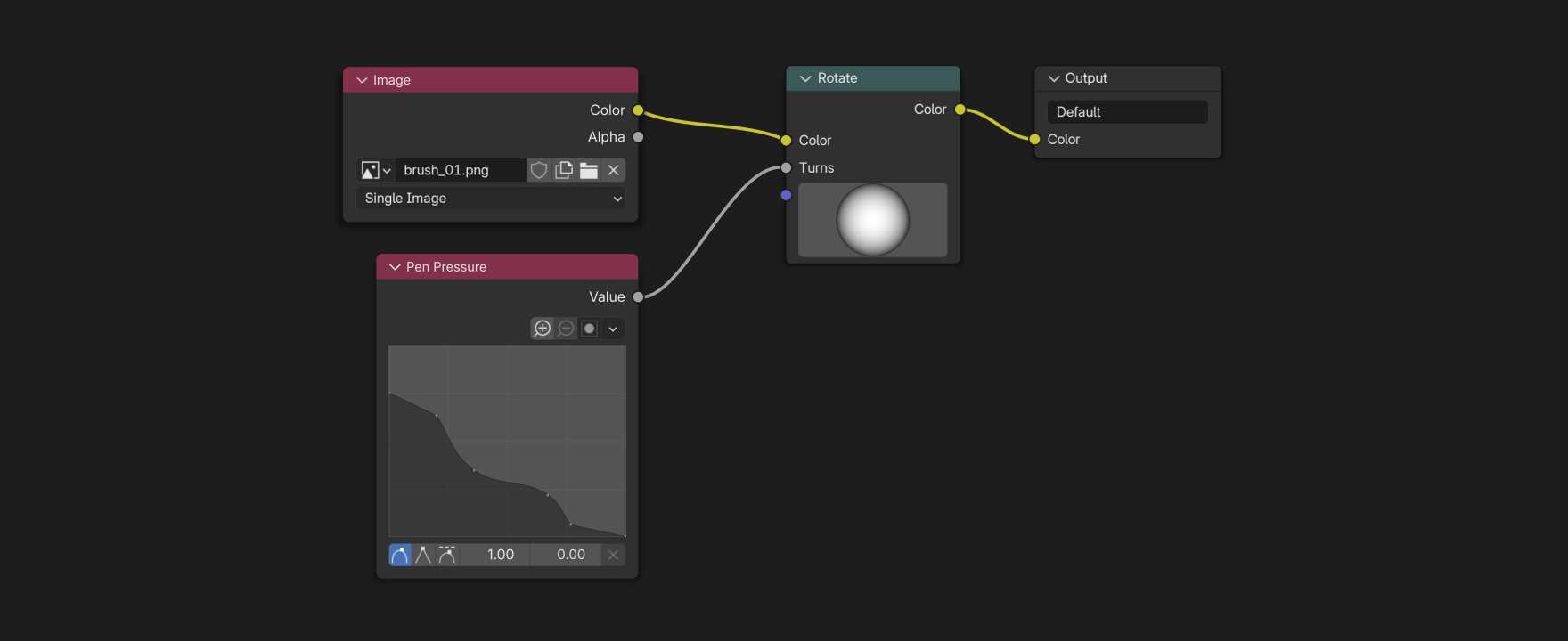 Pen Pressure rotates a single image texture.
Texture Nodes Editor GUI modifications
Since textures generated by nodes can not be used by World and Line Style (which are deprecated), only by Brush, the Texture Type dropdown menu could be removed.
The Output node could communicate better what it is doing, like the other node based editors. So instead of an input socket called “Color”, it would be more representative to have a “Texture” socket. As for the Output Name property, while Blender does not have a layer system for texture painting, multilayer painting functionality (hope someday it does natively) or other features that would benefit from it, it could be removed.
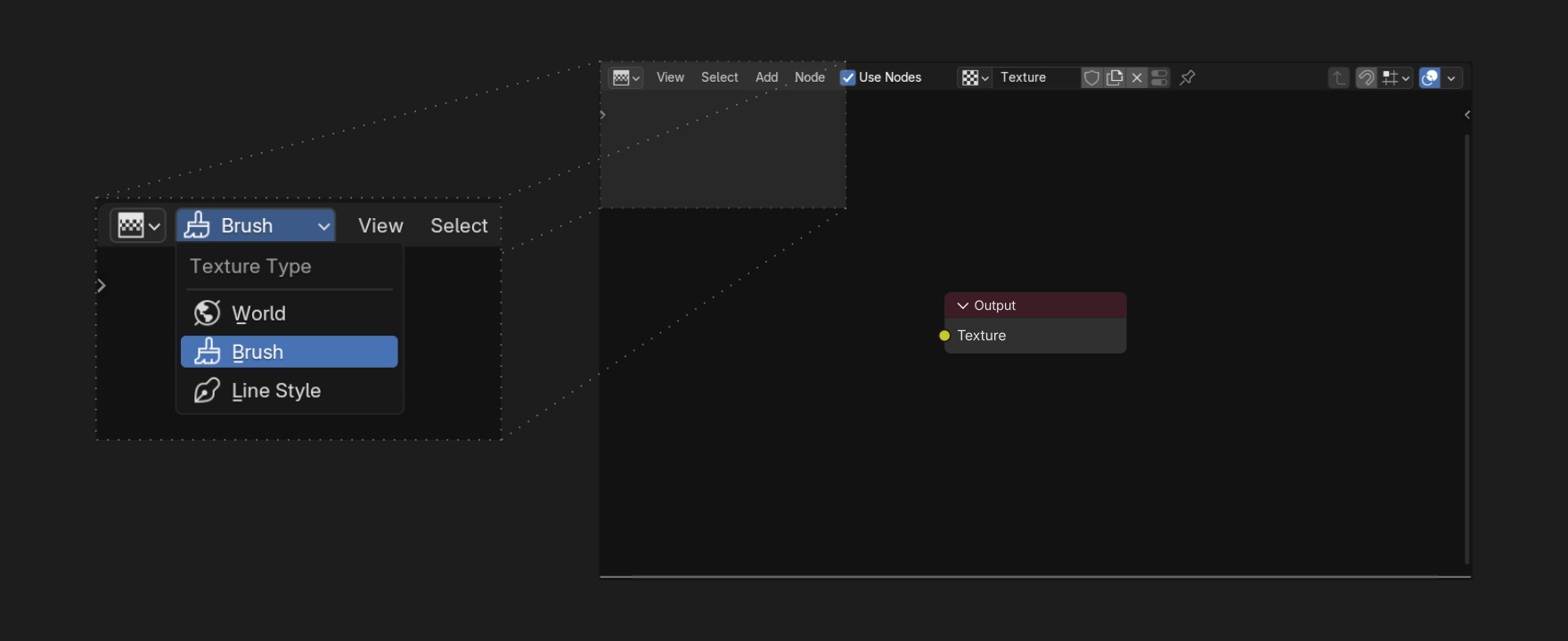 The main window contains the proposed Texture Node Editor, and the detail shows the Texture Type menu to be removed.
Texture tab (Properties Editor) GUI modifications
A panel with properties and settings of the texture node tree named “Texture” (similar to what happens in the Material tab) would be great for adjusting the texture in a minimal GUI while painting or sculpting. The texture preview could also maintain a square shape, regardless of the proportions of the Preview panel.
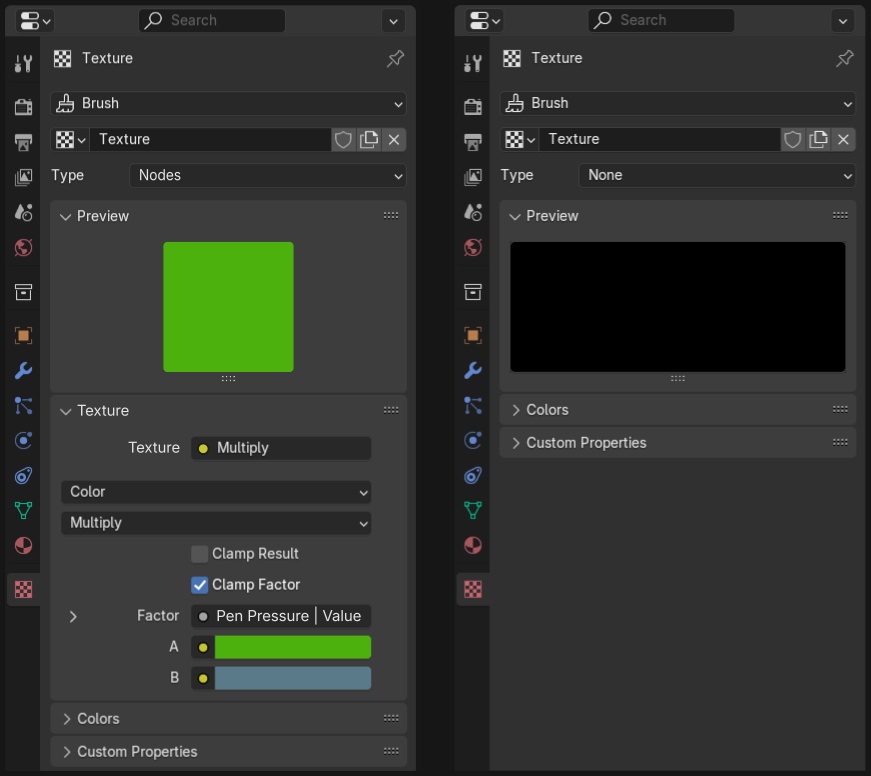 On the left, my proposal for the Texture tab in the Property Editor. On the right, its current state.
There could be a Nodes type of texture only for brushes. It would be more appropriate than having a node based texture type set to None, which happens currently.
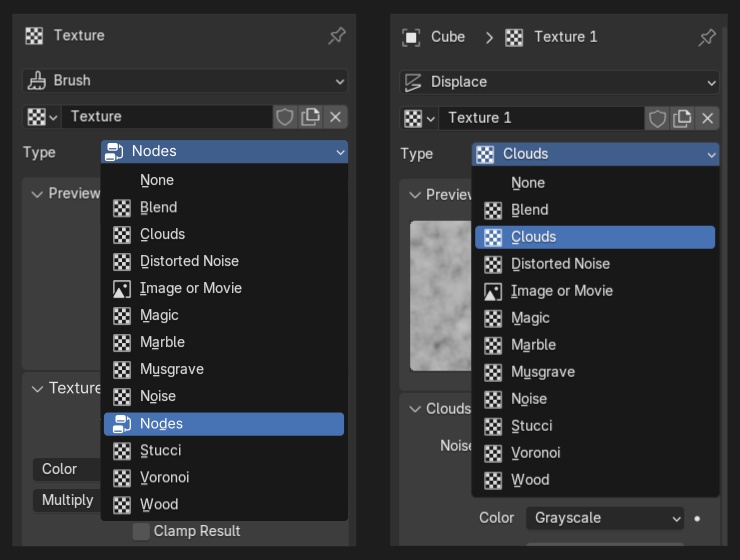 On the left, the available types of texture for brushes include Nodes. On the right, the available types of texture for other uses do not, in this case modifiers.
Final thoughts
Just adding a Pen Pressure node would do. The idea is simple, but it would enhance the texture painting environment for users, as well as the sculpting, and help us achieve a new level of expression.
Maybe this could be the start of a brush node editor.
2 Comments
It's being developed but using geometry nodes instead of the texture node editor (which is way more limited and less efficient, it's based on very old code and should probably be deprecated in the future), see projects.blender.org/blender/blender/pulls/131873
If I got it correctly, it's being developed for sculpt brushes only, right? The thing is that it's interesting to have it working across multiple editors, specially the ones related to texture painting - that's what motivated this proposal originally. I didn't understand much about how it works (I’m just an artist), so I have a few questions. Can it be used for texture painting? How can I test it? Wouldn’t it deviate from Geometry Nodes’ purpose if used for painting? I mean, both sculpting and GN deal with mesh, it’s a good idea to bridge them in a brush, but what about image textures and their settings/properties?