
Sculpting: Automatically mask as you sculpt details
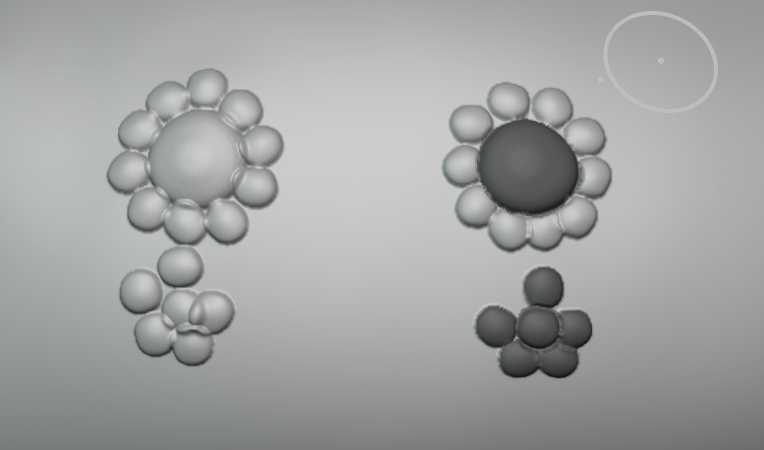 Say you're an idiot like me and you want to sculpt a reptile with scales. In sections where you have to do individual scales or have to connect groups of scales together, it's really hard not to end up with an overlap situation.
However, if as you sculpted, it also drew a mask on top of what you sculpt, it would allow you to sculpt other details nearby without affecting the previous details with overlaps.
Say you're an idiot like me and you want to sculpt a reptile with scales. In sections where you have to do individual scales or have to connect groups of scales together, it's really hard not to end up with an overlap situation.
However, if as you sculpted, it also drew a mask on top of what you sculpt, it would allow you to sculpt other details nearby without affecting the previous details with overlaps.
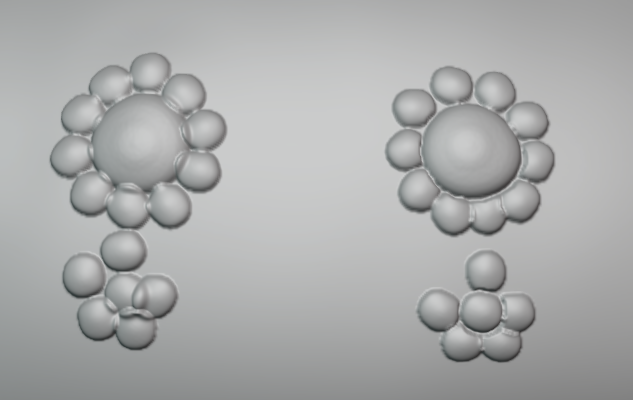
Alternatives: -Ability to use multiple brushes at the same time. If you could use multiple brushes, you could simple have an identical mask brush to replicate this effect. You could also make it different if you want an outline effect perhaps.
Useful options that it could have: -Extend radius. Ability to make the masked area extend a bit beyond what you sculpted if you want some extra "safety" -A shorcut to turn it on/off
3 Comments
As another idiot who is currently sculpting a reptile with scales, I fully support this. PLEASE, my hand is not stable enough to draw out the mask exactly in shape of the scale!
so.. setting that applies mask on strokes after release of pen(/mouse)?
sounds like not hard to make ans usable feature to me
Yes, so that it automatically draws the mask wherever the geometry is changed. In the example pictures, I have a custom brush of a single chameleon scale, so I would want the entire scale to automatically be covered by a mask, so that on future scales I draw, they do not overlap with the scale I drew.