
Resizing areas needs an update
I was working on a startup file in blender today when I noticed something very frustrating about the way areas in blender function. when you drag to resize one area it affects the area next to it if the edges line up. Ideally you would be able to drag one area by itself like this:
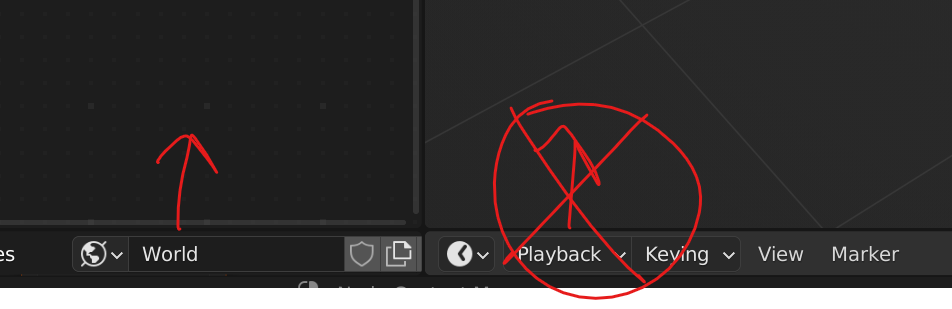 As you can see in the diagram above, you should be able to drag the area on the left, without affecting the one on the right.
Instead what happens is both areas move together. Of course, you should be able to move them together if you want to.
Edit: a comment on this post suggested a system where you simply shift-click to drag areas individually. This is a way better idea than my original post. I'll leave my original idea below this update but I'd much rather use shift or ctrl for this function.
The original idea that I now realize would be really messy:
I would suggest a system where you would be able to move them together, but only after you slide your cursor over both of them. Specifically, it would work like this:
To adjust one individually: left click and drag the edge of the area as usual.
To adjust multiple areas at the same time: left click and drag over the edges of the areas you would like to adjust and then adjust as usual.
This is similar to the text field editing system, where you drag over the text fields you want to edit.
3 Comments
I dont think this behavior should be changed. It's useful in at least half the cases, from my personal experience, more. Introducing Shift + Drag for seperate edges would be a compromise tho.
yeah, that's actually a way better way to do it! Ill update this post.
I've been fighting with this, too. Dabuy's proposal of using shift + drag instead feels better to me, too 🙂.